EasyManua.ls Logo

SimPure Y5 - User Manual

Default Icon
12 pages
Print Icon
To Next Page IconTo Next Page
Loading...
Who we are
SimPure
®
is a purification brand from the United States, specializing
in creating a better, healthier you through improved filtration and
purification technologies.
Back to nature with clean water and fresh air. SimPure
®
promotes
the philosophy of a ‘minimalist lifestyle’ that is committed tocreating
a simple, clean, and comfortable environment.
SimPure
®
designs products to be both smart, easy to operate, and
practical in appearance and functionality.
SimPure
®
products care for you, your family, our planet.
Stay simple; Stay pure.
Contact Us
If you require technical assistance, please contact our friendly
professional support engineers, who will be pleased to assist you.
3320 W Valley HWY North Ste D108
Auburn WA 98001
Phone: 1-866-528-4572
Customer Service: service@simpurelife.com
Website: www.simpurelife.com

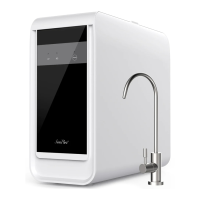
Y5 Countertop Water Purifier
Y5 Insta-Hot Countertop Water PurificationSystem
Model: Y5
Please retain owner’s manual for futurereference

Questions and Answers

  • T
    tannerrachelJul 28, 2025
    What to do if my SimPure Water Filtration Systems purifier leaks?
    • C
      Caitlin SmithJul 28, 2025
      If your SimPure Water Filtration System is leaking, first check if the drip tray is full and empty it if necessary. Also, inspect the Check Valve/Seal Valve for any blockages caused by foreign objects. If the leakage is from inside the unit, contact SimPure customer service.
  • A
    april68Aug 2, 2025
    Why does my SimPure Water Filtration Systems purifier make excessive noise?
    • D
      Daniel SanchezAug 2, 2025
      It's normal for the SimPure Water Filtration System to make some noise when processing water. However, excessive noise could be due to several reasons. First, check the feed tank water level and refill with fresh potable water if it's low. Also, excessive noise can be caused by poor water quality or filters blocked before their replacement schedule, in this case you should replace the filter set.
  • D
    Dawn MccarthyAug 7, 2025
    How to fix SimPure Water Filtration Systems that won't dispense water at room temperature?
    • T
      Traci CervantesAug 7, 2025
      If your SimPure Water Filtration System isn't dispensing water at room temperature, ensure the purifier is plugged into a working electrical outlet and the outlet switch is on. Try pushing the Room Temperature button again. Also, check if the Change Water Indicator is on; if it is flashing, remove and empty the water tank, then try dispensing water again after the water is purified.
  • J
    johnstonjenniferAug 12, 2025
    What to do if SimPure Y5 purifier doesn’t operate?
    • J
      Jessica DaltonAug 12, 2025
      If your SimPure Water Filtration System isn’t operating, responding to buttons, or the lights don’t illuminate, the system might be locked or stuck. Try unplugging the unit from the electrical outlet for 5 minutes, then reconnect it.
  • C
    Christina JohnsonAug 17, 2025
    Why won't my SimPure Water Filtration Systems dispense purified water in Tea, Coffee, Baby Formula Mode?
    • D
      Donna HarrisAug 17, 2025
      If your SimPure Water Filtration System won't dispense purified water in Tea, Coffee, or Baby Formula Mode, it could be because the heating module is operating. The purifier dispenses room temperature water for the first 5 seconds after being plugged in or reconnected, so dispense water at room temperature a few times first. Also, wait until the Filtering Water Indicator light turns on.
  • G
    Gloria MccarthyAug 22, 2025
    What does it mean when 'Filtering' and 'Maintenance' lights flash together on SimPure Y5 Water Filtration Systems?
    • A
      atkinsonjuliaAug 22, 2025
      If the “Filtering” and “Maintenance” indicator lights are flashing simultaneously on your SimPure Water Filtration System, ensure that the filter cartridges are correctly installed.

Summary

Overview

Getting Started

Guides the user through initial setup and product introduction.

Installation Guide

Provides instructions for setting up the water purification system.

Operation Guide

Explains how to operate the water purification system and its features.

Health & Safety

Operating Guidelines

Installation guide

Control and Display Panel

Connecting up the System

System Flushing

Installing New Filters

Steps for flushing the system after installing new filter cartridges.

Dispensing Purified Water

Operational Guide

Filter Replacement

Boiling Point Adjustment

Troubleshooting Guide

Warranty

Overview

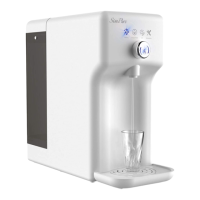
The SimPure® Y5 Insta-Hot Countertop Water Purification System is a purification device designed to provide clean, healthy water for your home or office. It offers both ambient and hot water dispensing options, making it versatile for various needs, from drinking to preparing hot beverages or baby formula. The system emphasizes a "minimalist lifestyle" philosophy, aiming for a simple, clean, and comfortable environment through its design and functionality.

Function Description

The core function of the SimPure® Y5 is water purification, achieved through a four-stage filtration process integrated into three cartridges. This comprehensive filtration system is designed to remove a wide range of impurities and particles from your water. The stages include:

  1. Sediment removal: This initial stage targets larger particles like sediment, dirt, and rust, protecting subsequent filters and improving water clarity.
  2. Chlorine removal: This stage focuses on eliminating chlorine, which can affect water taste and odor, as well as potentially have adverse health effects.
  3. Reverse Osmosis (RO): This is a highly effective purification stage that removes microscopic impurities such as fluoride, limescale, lead, viruses, bacteria, organic matter, and heavy metals. The RO membrane is crucial for producing high-quality pure water.
  4. Taste & odor filtration: The final stage further enhances the water's taste and eliminates any remaining odors, ensuring a much better drinking experience.

The system is designed for indoor use and operates by purifying potable (tap) water or tested safe well water. It does not require plumbing, making installation straightforward—simply plug it into an electrical outlet and fill the feed water tank. The Y5 can produce very hot water, with various temperature modes for different uses, including room temperature, baby formula (113°F/45°C), coffee (176°F/80°C), and tea (194°F/90°C).

Usage Features

The SimPure® Y5 is designed for ease of use with several user-friendly features:

  • Compact Design: Its countertop design means it doesn't require complex installation or plumbing.
  • Control Dial & Push Button: The system features a central control dial and push button for selecting dispense temperatures and initiating water dispensing. Rotating the dial lights up the desired temperature mode, and a single push dispenses a standard 8 fl oz (240ml) cup of purified water. Pushing the dial again manually stops dispensing.
  • Display Panel: An intuitive display panel provides visual indicators for various system statuses:
    • CF, RO, CB Indicators: These lights indicate when the user needs to replace the filters. A flashing light means the filter is >90% exhausted, while a steady light signifies that the filter has reached the end of its life (>100% exhausted), accompanied by three beeps when dispensing water.
    • Filtering Indicator: This light flashes when the internal tank is empty and the purifier is actively filtering water to refill it. It turns steady when the purifier is still filtering but has stored enough pure water for dispensing.
    • Change Water Indicator: This light flashes when the feed tank water level is too low or is steady when the feed tank water is of poor quality, prompting the user to discard and refill the feed tank.
    • Maintenance Indicator: This light flashes in conjunction with the filtering light if filters are not installed correctly, or with the room temperature light if the temperature sensor malfunctions, indicating a need for attention or customer service.
    • Temperature Mode Indicators: Lights for Tea, Coffee, Room Temp, and Baby Formula display the currently selected dispense temperature.
    • Power Indicator: A blue light indicates the system is on and ready.
  • Standby (Sleep) Mode: To conserve energy, the purifier enters standby mode if there's no operation within 10 minutes. It can be awakened by turning or pressing the dial.
  • Boiling Point Adjustment: Users can adjust the 'tea' boiling point from 190°F (88°C) to 212°F (100°C) when the system is in Standby Mode, accommodating different preferences or higher elevations where water boils at a lower temperature.
  • Feed Water Tank: The removable 1.3-gallon (5.0L) feed water tank is located at the back of the unit for easy refilling. It's important to always discard remaining water before refilling and not exceed the "MAX" level.
  • Pure Water Reservoir: The system includes a 0.4-gallon (1.5L) pure water reservoir to store purified water.
  • Drip Tray: A removable drip tray collects any spills or drips, keeping the countertop clean.

Maintenance Features

Proper maintenance is key to ensuring the longevity and optimal performance of the SimPure® Y5:

  • Filter Replacement: The system provides clear indicators (CF, RO, CB lights) to alert users when filters need to be replaced. The process involves:
    1. Turning off the system by unplugging it.
    2. Removing and emptying the feed water tank.
    3. Pressing a red button to push out the old filter cartridges.
    4. Twisting and lifting out the exhausted cartridges, which are non-toxic and can be safely disposed of.
    5. Unpacking new filter cartridges, removing protective covers, and wetting the 'O' rings for lubrication.
    6. Inserting new filters into their corresponding holes and twisting them clockwise to secure them.
    7. Resetting the filter life by pressing and holding the reset button for 3 seconds until two beeps are heard, then selecting the desired filter and holding again for 3 seconds.
  • System Flushing:
    • New Filters: After installing new filters or commissioning the system for the first time, it's crucial to flush the system 5-10 times (6.6-13 gallons of water) to ensure adequate flushing before use. This involves refilling the feed tank and discarding all the water inside repeatedly.
    • Infrequent Use: If the feed tank water has not been emptied/refilled for more than three days, the system should be flushed once to ensure the freshness of the drinking water. This involves starting with a new tank of potable water, placing a container on the drip tray, and turning the center dial clockwise more than 5 times until two beeps are heard, allowing purified water to flow until the internal tank is emptied. This process is repeated until the change water indicator light flashes.
  • Clean Water Inlet Strainer: The inlet strainer, located inside the feed water tank, should be periodically cleaned under running water to prevent blockages.
  • Troubleshooting Guide: The manual includes a comprehensive troubleshooting guide to help users diagnose and resolve common issues, such as the purifier not dispensing water, making excessive noise, or leaking.
  • Customer Service: SimPure® provides customer service via phone and email for technical assistance, advice, and purchasing replacement parts, including filters.
  • Warranty: The product comes with a 1-year warranty covering defects in material and workmanship under normal use and service, excluding replaceable filter cartridges and membranes. This warranty is void if the unit is misused, altered, or not operated with certified safe potable water.

SimPure Y5 Specifications

General IconGeneral
Filtration TechnologyReverse Osmosis (RO)
Filtration Stages5
Water Production Rate75 GPD (Gallons Per Day)
Included ComponentsFaucet, Tubing
Filter Lifespan6-12 months (depending on water quality)
Operating Pressure40-85 psi

Related product manuals