Boiling Point Adjustment
When the system is in Standby Mode, you can follow the steps below to adjust
the ‘tea’ boiling point from 190℉ to 212℉ (88℃ - 100℃ ± 3℃)
Please note: Higher elevations will decrease the boiling point of water. The
boiling point of the device must not exceed the local boiling point, otherwise,
hot water will splash. Once restart the system, it will remember its previous
boiling point.
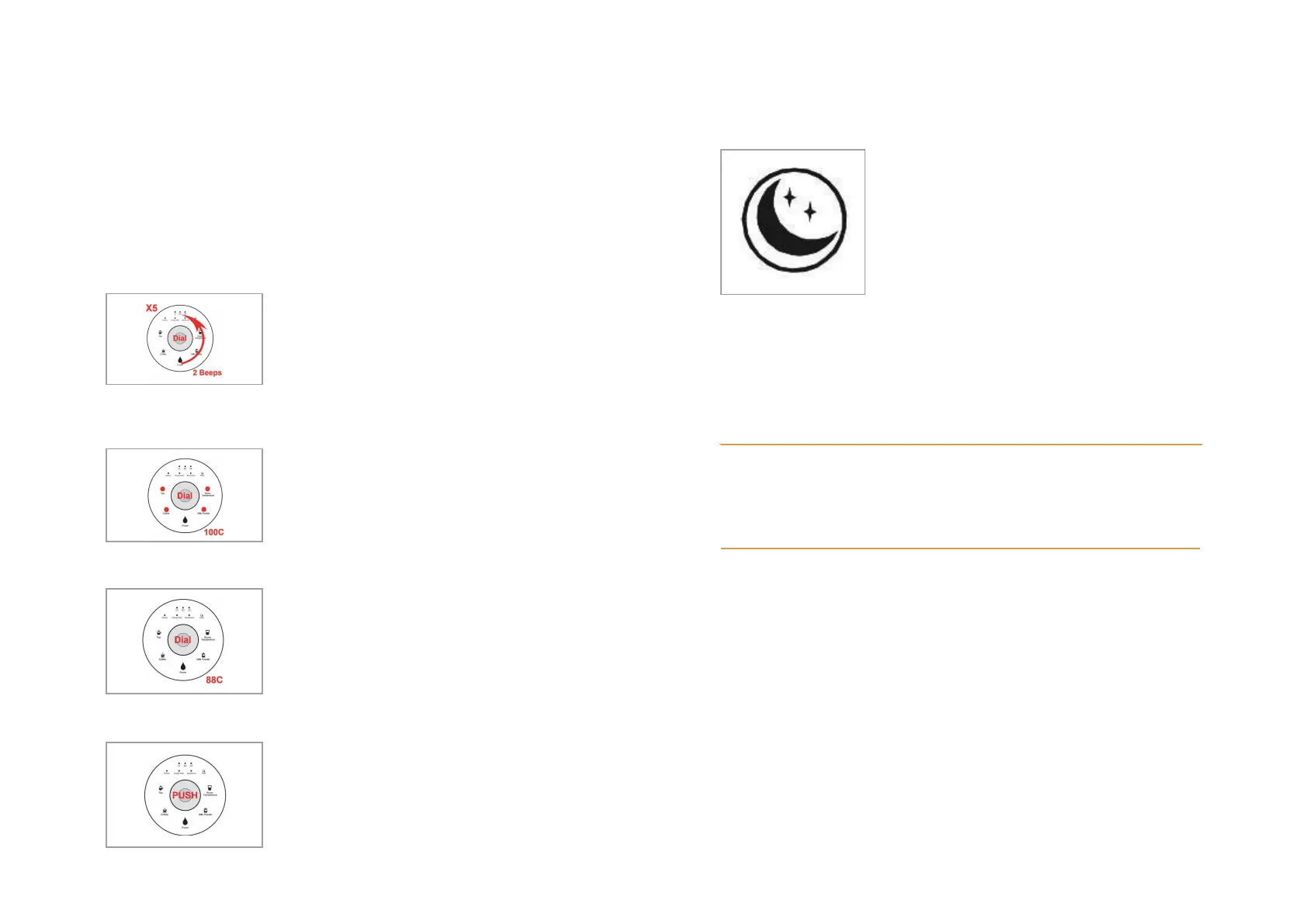
Step 01
Turn the center dial counterclockwise for more
than 5 five times; when you hear two beeps and
all the lights are illuminated, it means that the
water purifier has entered boiling point
adjustment mode.
Step 02
Standby (Sleep) mode
If there’s no operation within 10 minutes, the
purifier will enter standby (sleep) mode.
It can be awakened by turning or pressing
the dial. However, if the dial is pressed, the
system will automatically dispense Room
Temperature water.
Top Tip:
When it’s time to refill the feed water tank, why not give your plants the
remaining tank concentrate water instead of pouring it down the sink!
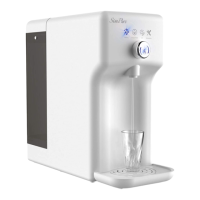
To set the boiling point to 100℃ for the Tea
mode, press the dial when all the four
temperature mode indicators are illuminated.
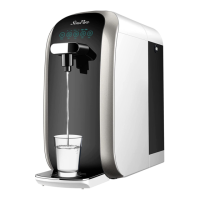
To lower the boiling point, proceed to step 3.
Turn the center dial clockwise to extinguish one
indicator at a time; this will reduce the boiling
point by increments of 3℃ until you reach the
required Tea setting. If all four indicators are off,
the boiling point is 88℃.
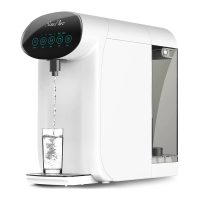
Press the center dial once to confirm the desired
setting. The system will exit temperature
adjustment mode after 3 seconds if no further
input from the control panel.
Customer Service: service@simpurelife.com
Toll-Free Phone: 1-866-528-4572
Website: www.simpurelife.com



 To Next Page