EasyManua.ls Logo

SimPure Y6 - User Manual

SimPure Y6
11 pages
Print Icon
To Next Page IconTo Next Page
Loading...
Who we are
SimPure
®
is a purification brand from the United States, specializing
in creating a better, healthier you through improved filtration and
purification technologies.
Back to nature with clean water and fresh air. SimPure
®
promotes
the philosophy of a ‘minimalist lifestyle’ that is committed to creating
a simple, clean, and comfortable environment.
SimPure
®
designs products to be both smart, easy to operate, and
practical in appearance and functionality.
SimPure
®
products care for you, your family, our planet.
Stay simple; Stay pure.
Contact Us
If you require technical assistance, please contact our friendly
professional support engineers, who will be pleased to assist you.
3320 W Valley HWY North Ste D108
Auburn WA 98001
Phone: 1-866-528-4572
Customer Service: service@simpurelife.com
Website: www.simpurelife.com

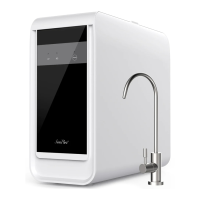
Y6 Countertop Water Purifier
Y6 Countertop Water Purification System
Model: Y6
Please retain owner’s manual for future reference

Questions and Answers

  • N
    Nicole HunterJul 29, 2025
    What to do if all four indicators are on at the same time in SimPure Y6 Water Filtration Systems?
    • A
      adkinsanneJul 29, 2025
      If all four indicators light up simultaneously on your SimPure Water Filtration System, it indicates a system fault. To resolve this, disconnect the unit from the electrical outlet for 5 minutes, and then reconnect it.
  • D
    Douglas SteinAug 11, 2025
    Why SimPure Y6 purifier will not turn on?
    • K
      Kenneth LongAug 12, 2025
      If your SimPure Water Filtration System doesn't turn on, ensure it's properly plugged into a working electrical outlet and that the outlet switch is on, if applicable. When connected to power, the purifier should emit a beep. If it still doesn't turn on, try plugging it into a different outlet to rule out an outlet issue.

Summary

Getting Started

Introduction

Welcomes the user and provides an overview of the SimPure Y6 water purification system.

Health and Safety

Operating Guidelines

Installation Guide

System Contents

Lists all parts included with the SimPure Y6 Countertop Water Purification System for setup.

System Features

Highlights the compact design and plug-and-play functionality of the water purification system.

Control and Display Panel

Indicator Lights

Explains the meaning of the 'Filtering', 'Change Water', 'UV', and 'Maintenance' indicator lights.

Connecting up the System

Dispensing Purified Water

Display Indicators

Maintenance Indicator Light

Details the 'Steady' and 'Flashing' states for the UV and filter maintenance indicators.

Filtering Indicator Light

Explains the 'Steady' and 'Flashing' states of the filtering indicator light.

Standby Mode

Describes how the system enters and wakes from standby mode.

Filter Replacement Details

Replacement Filter Part Number

Lists part numbers for filter cartridges and their replacement schedule.

Feed Water Tank Cleaning

Tank Strainer and Sleeve Cleaning Instructions

Provides instructions on cleaning the strainer and diversion sleeve in the feed water tank.

Troubleshooting Guide

Warranty

General Conditions

Outlines the terms, limitations, and exclusions of the SimPure product warranty.

Our Products & Services

Consumables

Information about available consumable items to maintain the water purifier.

Tools & Accessories

Details test equipment for monitoring water system performance.

Products

Lists other SimPure products like air purifiers and showerhead filters.

SimPure Y6 Specifications

General IconGeneral
BrandSimPure
ModelY6
CategoryWater Filtration Systems
LanguageEnglish

Related product manuals