Dispensing Purified Water
Step 01
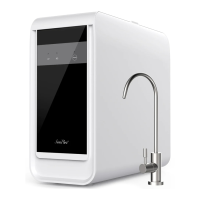
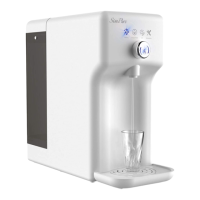
Place a cup or glass on the drip tray of the
system under the dispense nozzle.
Push the control button once, and the
system will dispense a cup of purified
water 8.5 fl oz. (250ml) and stop
automatically.
To manually stop dispensing water,
simply push the control button again.
When filling a drinking bottle or
container, simply hold the control button
down for 3 seconds to automatically
dispense 35 fl oz (1 Liter). To manually
stop dispensing, simply push the control
button again.
CONGRATULATIONS!
You have completed the installation!
Operational Guide
Filtering Indicator Light
Flashing - The internal tank is empty; The
water purifier is filtering water to refill the
internal 50 fl. oz (1.5L) pure water tank.
When the indicator light is flashing, water
can not be dispensed. The indicator light
shall turn to Steady after about three (3)
minutes
Steady - The water purifier is still filtering
water, but the internal water tank has
stored ≥ 12 fl. Oz (350ml) pure water.
After 7-10 minutes, the light will go out,
indicating that the internal water tank has
been filled with 50 fl. oz (1.5L) pure water
Change Water Indicator Light
Flashing – Feed tank water too low (≤1.25L)
Steady – Feed tank water of poor quality.
Action Required – Remove the feed tank as
the water needs to be discarded and
refilled as the remaining water is
concentrate. Refill with fresh potable (tap)
water and refit feed tank to the purifier.
REMOVE TANK FROM SYSTEM AND DISREGARD
THE REMAINING CONCENTRATE WATER BEFORE
REFILLING WITH FRESH CLEAN WATER


 To Next Page