EasyManua.ls Logo

Simrad LOWRANCE TotalScan - User Manual

Simrad LOWRANCE TotalScan
20 pages
Print Icon
To Next Page IconTo Next Page
Loading...
ENGLISH
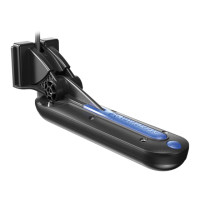
TotalScan
Transducer
Installation manual
www.simrad-yachting.com | www.lowrance.com

Questions and Answers

  • N
    Nathan RogersJul 28, 2025
    How to fix Simrad Transducer when sonar data is not displayed?
    • N
      Nancy RhodesJul 28, 2025
      If the sonar data is not showing on your Simrad Transducer, first verify that the transducer cable is securely connected to the display unit. Also, make sure that the sonar is enabled within the display unit's settings. Finally, check if the transducer is submerged in the water.
  • S
    Stacie SmithAug 4, 2025
    What to do if no source is displayed on Simrad LOWRANCE TotalScan Transducer?
    • J
      jennifer36Aug 4, 2025
      If no source is displayed on your Simrad Transducer, make sure that the sonar is enabled in the display unit. Also, check that the transducer cable is properly connected to the display unit.
  • B
    Brandi MossAug 11, 2025
    What to do if data is washed out or same color on Simrad LOWRANCE TotalScan?
    • P
      Patricia SmithAug 11, 2025
      If the data on your Simrad Transducer screen appears washed out or is all the same color, try reducing the contrast. You might also want to experiment with different color palettes to see if that improves the display.
  • K
    Kyle HallAug 19, 2025
    How to correct left/right data swapped on Simrad Transducer screen?
    • C
      carrilloamyAug 19, 2025
      If the left and right data are swapped on the screen of your Simrad Transducer, try toggling the Flip Left/Right feature to correct the orientation.

Summary

Preface

Check the contents

Installation

Mounting Options Overview

Overview of various transducer mounting locations and their suitability for different boat installations.

Transom and Step Mounting

Detailed procedures for mounting the transducer on a boat's transom or step using the transom bracket.

Direct Step Mounting

Instructions for installing the transducer directly onto a boat's step using a flush mount bracket.

Jackplate Mounting

Step-by-step guide for installing the transducer onto a boat's jackplate with the transom bracket.

Dimensions

Transducer and Bracket Dimensions

Physical dimensions of the TotalScan transducer and its associated transom mount bracket.

Transducer Cable Specifications

Details regarding the transducer cable length, connector type, and required cable clearance hole size.

Parts and accessories

Specifications

Sidescan Specifications

Technical specifications for the sidescan sonar, including range, speed, and object marking capabilities.

Downscan Specifications

Technical specifications for the downscan sonar, including depth, speed, and object marking capabilities.

CHIRP Sonar Specifications

Technical specifications for the CHIRP sonar, detailing frequency, depth, and speed capabilities.

Troubleshooting tips

Simrad LOWRANCE TotalScan Specifications

General IconGeneral
MaterialPlastic
Frequency83/200/455/800 kHz
Max Depth305 m (1, 000 ft)
Mounting TypeTransom Mount
CompatibilityCompatible with Lowrance HDS, Elite Ti, Simrad NSS evo2, NSO evo2, GO series
Cable Length6 m (20 ft)
Connector Type9-Pin

Related product manuals