GD10P User Manual Page 12 of 44 850-811250-Rev.06b
3.3 Weather Protection
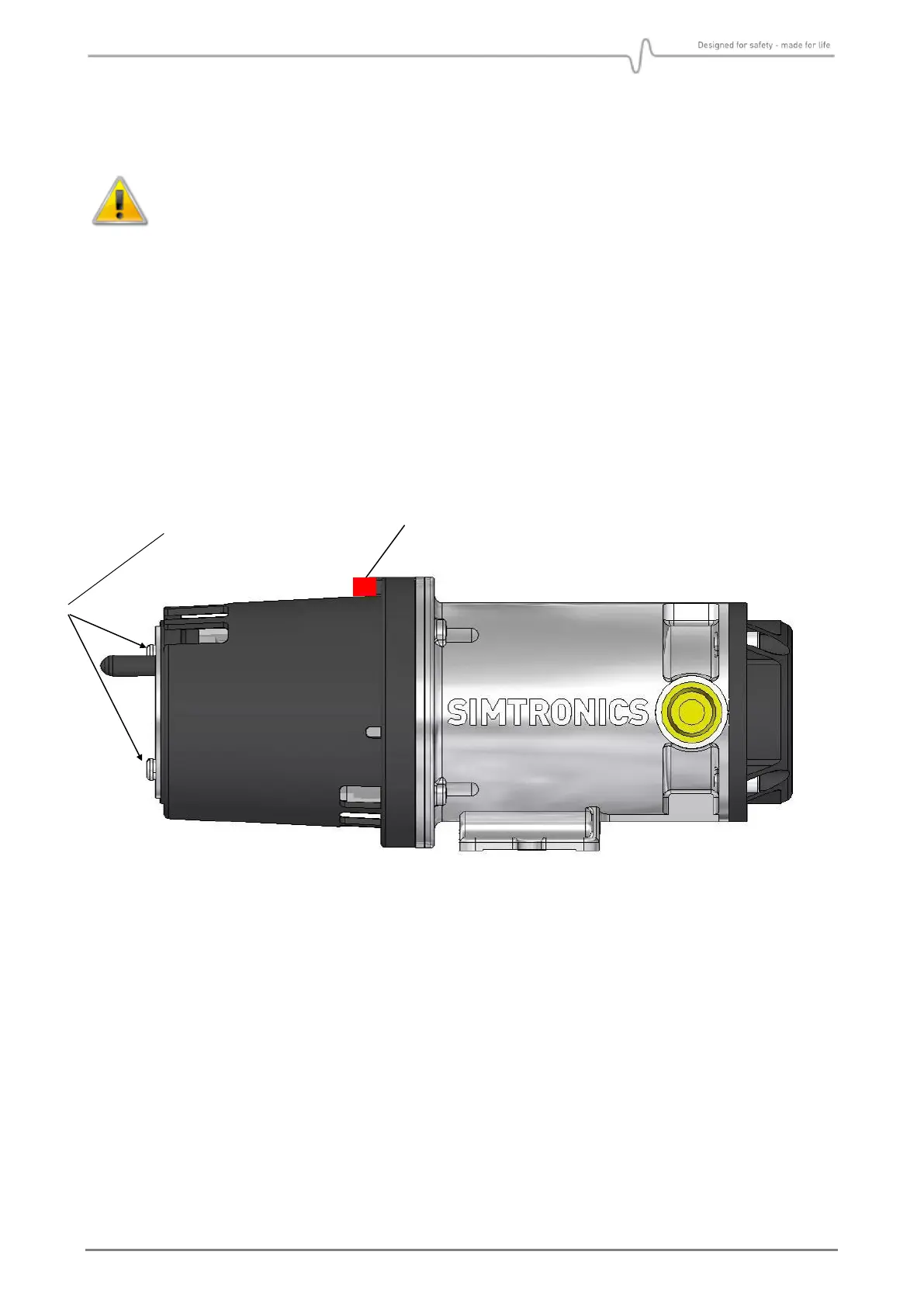
When the GD10P is mounted outdoors, the flow direction indicator must point
upwards
See “Flow Direction Indicator” in Figure 2 below. Orientation of the Weather Protection is
performed as follows:
• Use a screwdriver to loosen the two screws on the Weather Protection
• Rotate the Weather Protection to correct position
• Tighten the screw with a torque of max. 0.5 Nm
Figure 2 : Orientation of GD10P weather protection in relation to flow direction


 To Next Page