Sinar Photography AG - Farbhofstrasse 21 - 8048 Zürich/Switzerland
Phone +41 (0)44 217 80 30 - Fax +41 (0)44 217 80 50 - contact@sinar.ch - www.sinar.ch
13.10.10 - Seite 5
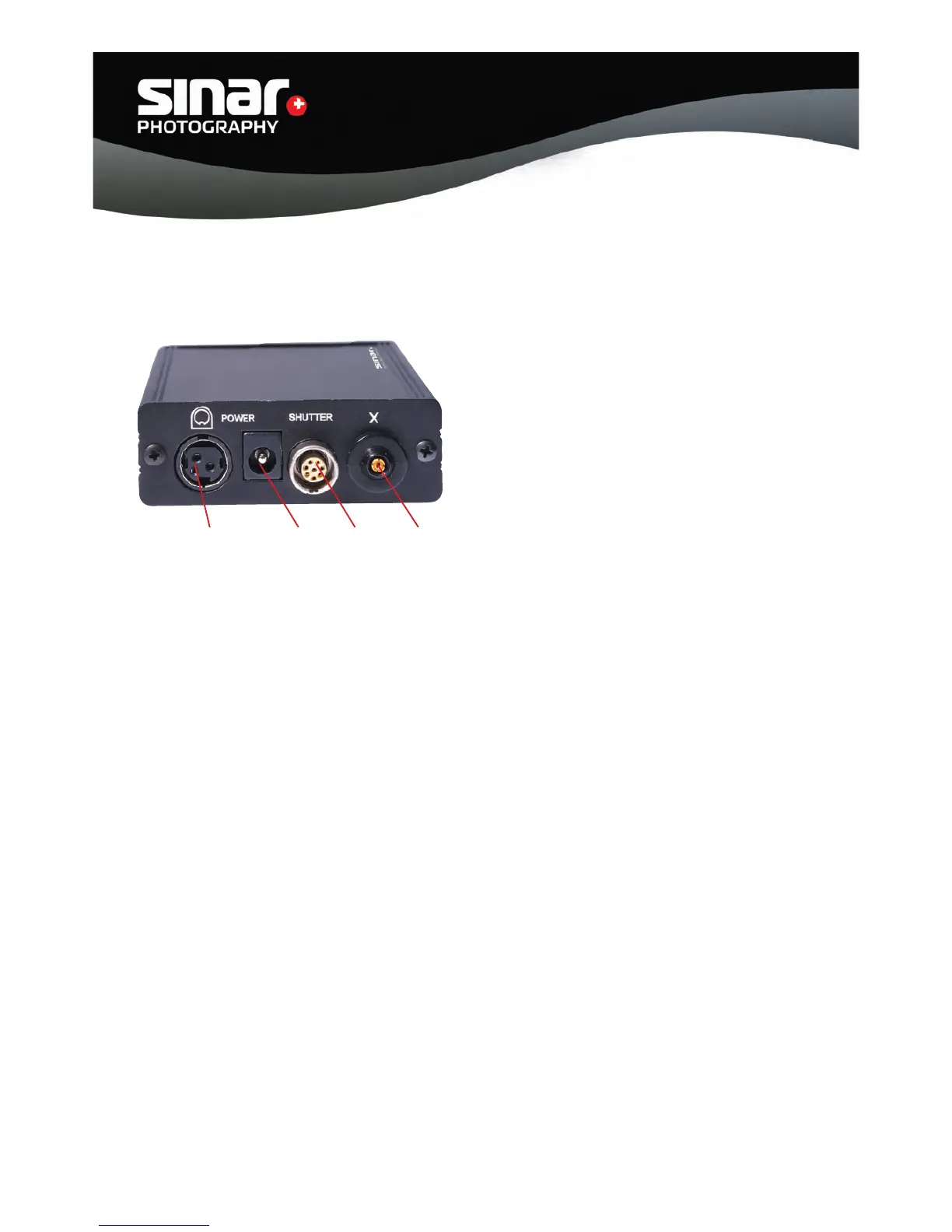
F G H I
2.1. Connections (rear):
The following diagram shows the various connection possibilities on the rear of the Interface Box.
F Socket for the Sinar Power Supply
This port serves for connecting the standard Sinar Power Supply.
G Socket for other Power Supplies
This port serves for connecting other power supplies.
IMPORTANT: The power supply must yield an output between 5 and 12 Volt. Power supplies
that have a different output may damage the Interface Box and the Sinar eShutter. That will
automatically void all warranties and guarantees of the Sinar equipment
H Socket for the connection to the lens
I X Contact for fl ash synchronization
IMPORTANT: Using a power supply other than a mains connection, i.e. using the USB port as a
power supply reduces the exposure sequence rate. An exposure rate of 1 image per second can
only be achieved by using an external power supply.



 To Next Page