Sinar Photography AG - Farbhofstrasse 21 - 8048 Zürich/Switzerland
Phone +41 (0)44 217 80 30 - Fax +41 (0)44 217 80 50 - contact@sinar.ch - www.sinar.ch
13.10.10 - Seite 8
3.2.4 Exposure Time / Shutter Speed
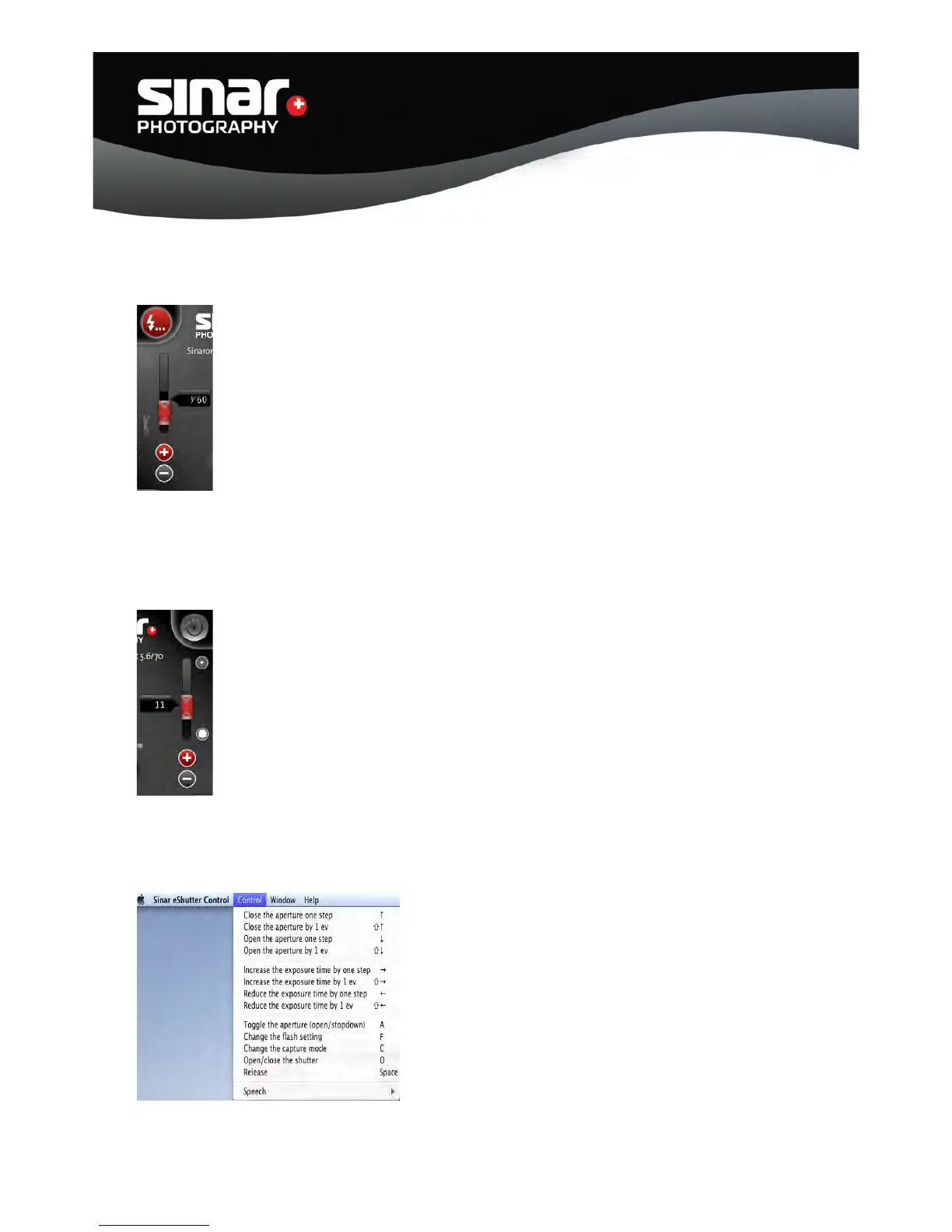
Moving the slider upward lengthens the exposure time / reduces the shutter speed.
Conversely, moving the slider downward shortens the exposure time / increases
the shutter speed.
The exposure times / shutter speeds can also be changed via the “+” and “-“ symbols.
Exposure times can be selected from 32 seconds to 1/125 sec.
3.2.5 Aperture Values / f-stops
Moving the slider upward sets higher f-stop numbers, i.e. smaller apertures,
Conversely, moving the slider downward sets smaller f-stop numbers, i.e. larger
apertures.
The aperture values / f-stops can also be set via the “+” and “-“ symbols.
3.2.6 Shortcut Keys
All the ‘Shortcut Keys’ are listed under “CONTROL” in
the menu.
These shortcut keys allow quick access to the functions,
thus providing easy and efficient operation of the Sinar
eShutter.



 To Next Page