EasyManua.ls Logo

Sinclair KJR- 90D - User Manual

Sinclair KJR- 90D
14 pages
Print Icon
To Next Page IconTo Next Page
Loading...
INSTALAČNÍ A UŽIVATELSKÝ
KJR-
90D
WIRE CONTROLLER
AIR CONDITIONING
EN
MANUAL
WIRE CONTROLLER
INSTALLATION AND USER
Question and Answer IconNeed help?

Do you have a question about the Sinclair KJR- 90D and is the answer not in the manual?

Summary

Operation

Wired Remote Controller Outlook

Provides a visual overview and identification of the wired remote controller's buttons, icons, and display elements.

Operation Instructions

Details on how to operate the wired remote controller, including modes, fan speed, temperature, timer, and special functions.

Fan Speed Setting

Instructions on adjusting fan speed for different operating modes and limitations.

Temperature Setting

Guide to setting the desired temperature, including the adjustable range and mode restrictions.

Timer Settings

Step-by-step guide for setting the timer for unit operation, including on/off functions and duration.

Clock Setting

Procedure for setting the current time on the wired remote controller.

ECO Operation Mode

Explanation of the ECO mode, its availability, and its effect on fan speed and setpoint.

Locking the Remote Controller

How to lock and unlock the wired remote controller to prevent unintended operation.

Air Filter Cleaning Reminder

Details on the air filter cleaning reminder function, its activation, and resetting.

Swing Function

Instructions for controlling the air outlet direction and activating auto swing.

Follow Me Function

Explanation of the Follow Me function, how to activate it, and its temperature sensing behavior.

Technical Certification and Requirements

Information regarding EMC compliance and CE certification requirements.

Installation

Installation Safety Precautions

Essential safety warnings and guidelines to be followed during the installation process.

Installation Accessories

List of components and tools required for the installation of the wire controller.

Installation Methods

Step-by-step instructions and diagrams for physically installing the wire controller and its components.

Wiring Diagrams

Wiring Diagram with Air Conditioning Indoor Units

Illustrates the electrical connections between the wire controller and the indoor unit's control box and display panel.

Note Concerning Protection of Environment

Overview

This document is an installation and user manual for the Sinclair KJR-90D Wired Controller for air conditioning units. It provides detailed instructions for operation, installation, and safety precautions.

Function Description

The KJR-90D Wired Controller serves as a central control interface for Sinclair air conditioning indoor units. It connects to the indoor unit's display panel via a 5-core shielding cable and allows users to set various operational modes and parameters through its buttons and liquid crystal display (LCD). The controller can also receive signals from a wireless remote controller, enabling control of the air conditioner through the wired unit when the system is powered on.

Key functions include:

  • On/Off Control: Turns the indoor unit on or off.
  • Operating Mode Selection: Allows selection of AUTO, COOL, DRY, HEAT, and FAN modes. For cool-only units, the HEAT mode is not available.
  • Fan Speed Setting: Adjusts fan speed in COOL, HEAT, and FAN modes (AUTO, LOW, MID, HIGH). In AUTO and DRY modes, fan speed is automatically set to AUTO and not adjustable.
  • Temperature Setting: Sets the desired temperature in AUTO, COOL, DRY, and HEAT modes within a range of 17°C-30°C (62°F-88°F). Temperature cannot be adjusted in FAN mode.
  • Timer On/Off Setting: Configures the unit to turn on or off at a specified time. The timer can be set from 0.5 hours to 24 hours, with increments of 0.5 hours for settings under 10 hours and 1 hour for settings 10 hours or more. Setting the timer to 0.0 hours cancels the timer function.
  • Clock Setting: Allows users to set the current time.
  • ECO Operation: Activates an energy-saving mode when the unit is in COOL or HEAT mode. In ECO mode, the initial fan speed is auto, and the setpoint is 26°C for COOL mode and 22°C for HEAT mode. This function is only available if the indoor unit supports it.
  • Controller Locking: Prevents unintended operations by locking the controller. When locked, the controller does not respond to button presses or wireless remote control instructions.
  • Swing Function: If supported by the indoor unit, this function adjusts the air outlet direction. A long press of the swing button can turn on or off the auto swing function. The wired remote controller does not receive swing control instructions from a wireless remote, but the swing button on the wired controller can be used directly.
  • Follow Me Function: When activated in AUTO, COOL, or HEAT modes, the wired remote controller's local sensor reads the room temperature and transmits this value to the indoor unit every 3 minutes. This function is deactivated by mode changeover.

Important Technical Specifications

  • Voltage Input: 5V DC
  • Ambient Temperature Range: -15°C to 43°C
  • Ambient Humidity Range: 40-90% RH
  • Electric Control Safety Standards: GB4706.32-2004, GB/T7725-2004
  • Connectivity: Connects to the indoor unit display panel via a 5-core shielding cable.
  • Maximum Cable Length: The wire configured tube (insulated sheath) for pre-embedding into the wall should not exceed 15 meters.
  • Wiring Separation: The low voltage circuit of the wire controller should not be arranged in the same wiring pipe as high voltage circuits. A distance of at least 300-500 mm should be maintained between wiring pipes.

Usage Features

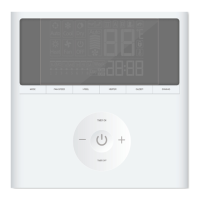
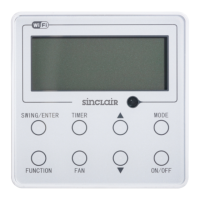
The KJR-90D features a liquid crystal display (LCD) that shows the operating mode, setting temperature, fan speed, timer/clock, and various icons indicating active functions (e.g., locking, swing, ECO, filter cleaning reminder). Buttons are clearly labeled for mode selection, temperature adjustment, fan speed, timer/clock settings, and ON/OFF control.

  • Intuitive Interface: The LCD and button layout are designed for ease of use, with icons providing visual feedback on the unit's status.
  • Remote Signal Reception: The wired controller acts as a receiver for wireless remote control signals, offering flexibility in control options.
  • Safety Precautions: The manual emphasizes reading safety precautions carefully, including entrusting installation to professionals, cutting off power before maintenance, and avoiding contact with water or direct spraying of pesticides/disinfectants.

Maintenance Features

  • Air Filter Cleaning Reminding Function: The controller tracks the total running time of the indoor unit. Once a pre-set value (default 2500 hours, configurable to 1250, 5000, or 10000 hours) is reached, an icon lights up to remind the user to clean the air filter. This reminder can be reset by long-pressing a specific button for 3 seconds, after which the controller restarts accumulating running time.
  • Installation Considerations for Maintenance: The manual advises reserving a certain length of the connective cable during installation to facilitate future maintenance and removal of the wire controller.
  • Durability: Users are cautioned not to peel off buttons or the liquid crystal cover to prevent damage. Overtightening screws during installation can deform the rear cover and damage the LCD.

The manual also includes a list of installation accessories provided with the unit, such as an install box, shielded 5-core cable, wire configured tube, Philips screwdriver, slotted head screwdriver, and connective wires for the signal received panel. It provides detailed wiring diagrams for connecting the controller to the air conditioning indoor unit. The product is manufactured in China and complies with CE certification for EMC.

Sinclair KJR- 90D Specifications

General IconGeneral
BrandSinclair
ModelKJR- 90D
CategoryController
LanguageEnglish

Related product manuals