26
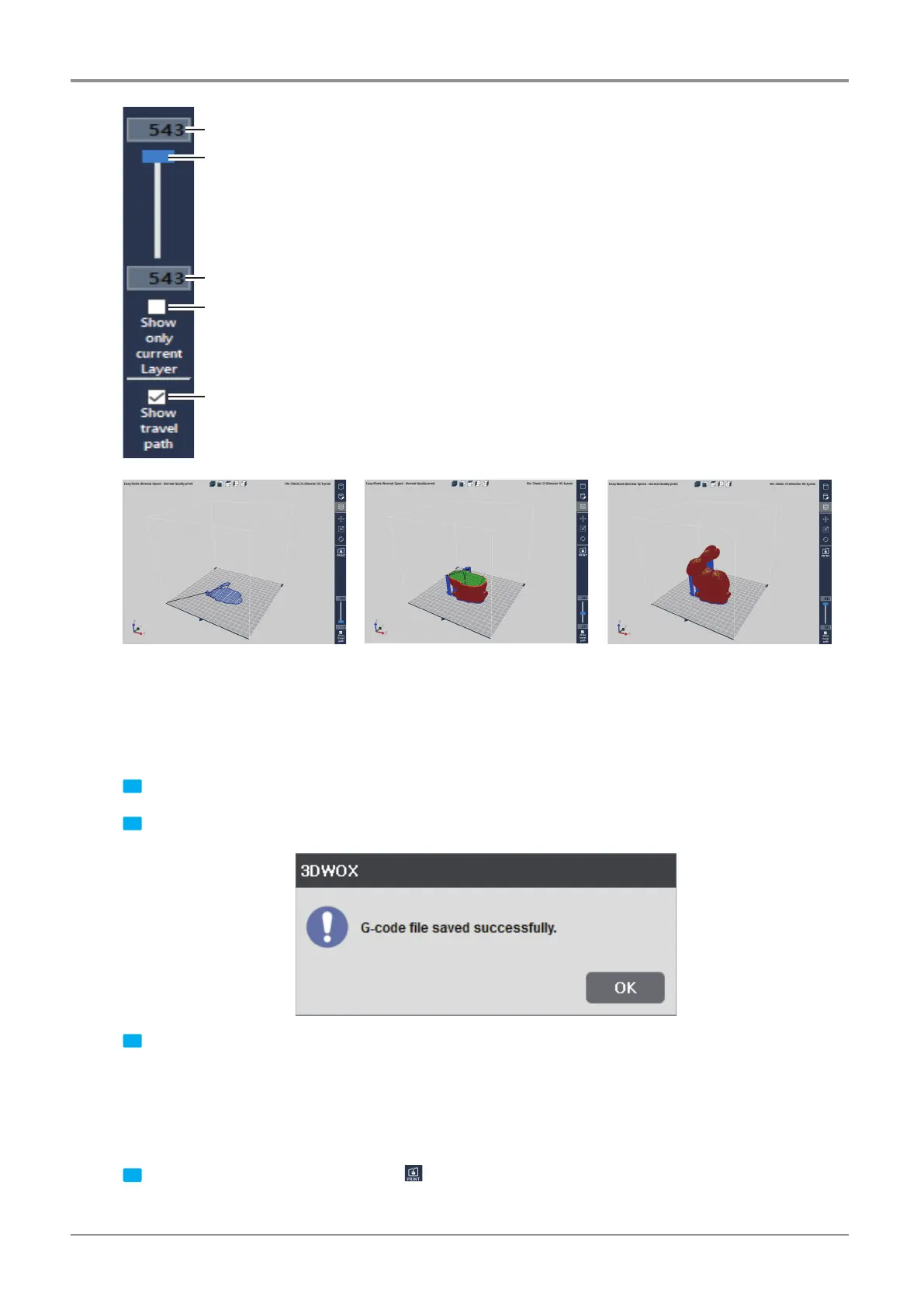
Slider to move to the desired layer
Check button to display the current layer on screen and shade the rest
Check button to display the travel path of the nozzle on screen
Current layer on screen
Total layer number
3.4 Print
There are three ways to print the sliced model.
USB Thumbdrive
1 Slice the model and press [Save G-code] on the File menu.
2 Save the G-code file in the USB Thumbdrive.
3 Connect to the USB port on the front side of the printer and load the G-code file to directly print the model.
Network Connection
In order to use this function, the printer has to be connected through network.
More details can be found in the <My Printers> and <Add Network Printers> section.
1 Slice the model and select the print Icon
on the right or
[Print]
in the File menu.



 To Next Page