User Manual of A90 Series Inverter
50
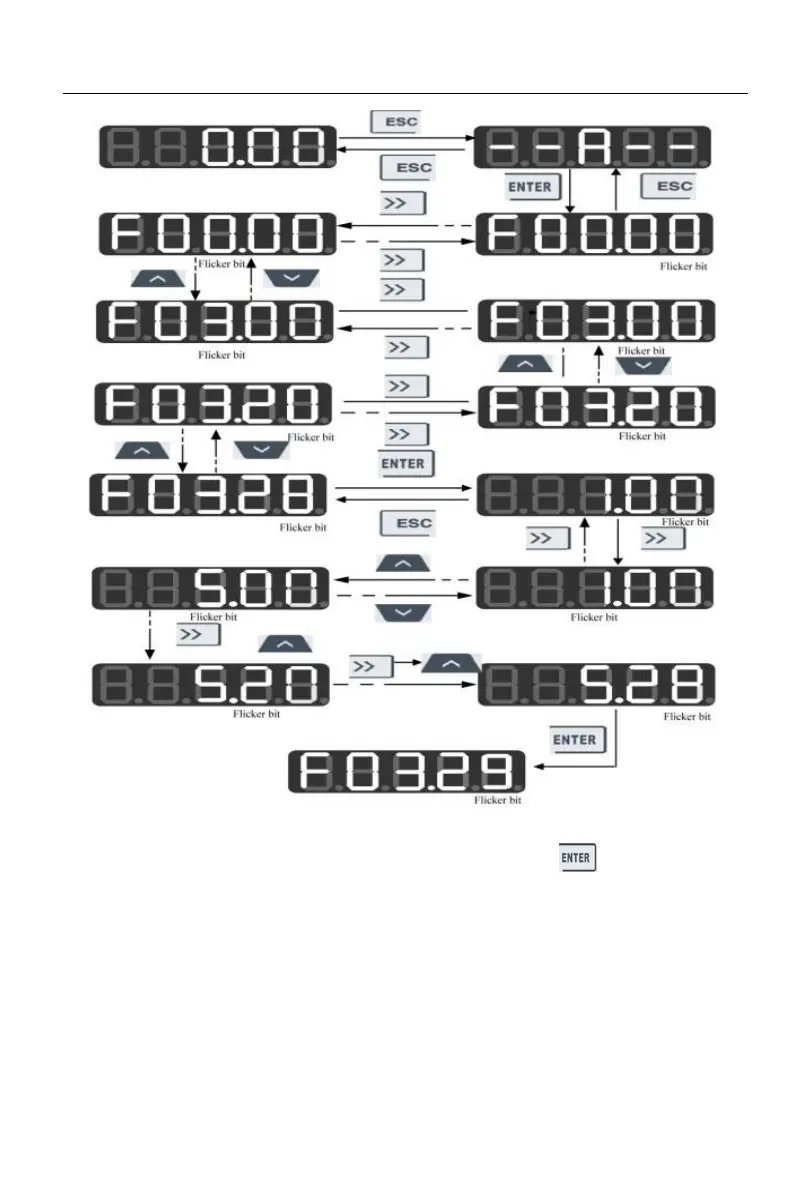
Fig. 4-3 Flowchart from Power-on to F03.28=5.28 Setting
In all menu modes, the user needs to press the ENTER key to save parameter
modifications. Differences after parameter saving are as follows: The function code
following the currently modified function code will appear in the full menu mode; the
user-defined function code following the currently modified function code (according to the
defined order from F11.00 to F11.31) will appear in the user-defined mode; the non-default
function code following the currently modified function code will appear in the non-default
mode; the fault information function code following the currently displayed fault





 To Next Page