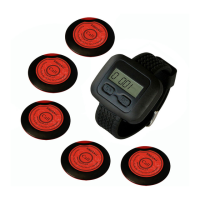
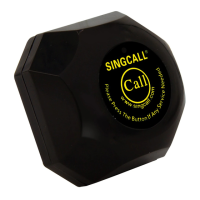
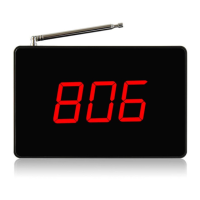
◆Delete the registered numbers or initialize the receiver
1) Standby mode, press the key [FUN] for 3 seconds till [F1] appears on the screen.
2) Use the key [UP] to choose [F6].
3) Press the key [ENT], the registered minimum number appears.
4) Use the key [UP], [MOVE], or [DOWN] to choose the number to be deleted.
5) Press the key [ENT], delete the number when it flashes with sounds. Then the next registered
number will appear on the screen.
If you want to initialize the receiver, press the key [ENT], the numbers keep changing on the
screen. When [00], [000] or [000-00] appears, the initialization is completed.
6) Press the key [ESC] and [F6] appears
7) Press the key [ESC] once more, back to standby mode, the number deleting is done.
※Special functions
◆Choose the prompt sound for the key [cancel] (apply to multi-button pagers)
1) Standby mode, press the key [FUN] for 3 seconds till [F1] appears on the screen.
2) Use the key [UP] to choose [F7].
3) Press the key [ENT] and [01] appears on the screen.
4) Use the key [UP], [MOVE] or [DOWN] to choose a number from “01” to “20”. “01”-“10” mean
having the prompt sounds, and “11”-“20” mean do not have the prompt sound when press the
key [cancel].
5) Press the key [ENT] and [F7] appears again.
6) Press the key [ESC], back to standby mode.
◆Number display mode setting( all-digital display or digits beginning with an English letter,
for APE1200/APE1500/APE1800/APE1900/APE2000/APE2100/APE2500/APE2600/APE2900,
APE9500/APE8000/APE8800)
1) Standby mode, press the key [FUN] for 3 seconds till [F1] appears on the screen.
2) Use the key [UP] to choose [F8].
3) Press the key [ENT] and [01] appears.
4) Use the key [UP], [MOVE], or [DOWN] to choose a number. “01”~“10” mean the calling
number is all-digital display (default setting), and “11”~“20” mean the calling number is digits
beginning with an English letter (A, B, C, D, E, F, H, P, J or L) display.
5) Press the key [ENT] and [F8] appears on the screen.
6) Press the key [ESC], back to standby mode.
◆Same or different sounds for multi keys of the multi-key pagers
(For APE1600/APE1800/APE2500/APE9600)
1) Standby mode, press the key [FUN] for 3 seconds till [F1] appears.
2) Use the key [UP] to choose [F8] (for APE1600/APE9600) or [F9] (for APE1800/APE2500)
3) Press the key [ENT] and [00] appears on the screen.
4) Use the key [UP] or [DOWN] to choose a number. “01” means the same sound for different
buttons and “00” means different sounds for different keys (default setting).
5) Press the key [ENT] and [F8] or [F9] appears on the screen.


 To Next Page
 Loading...