Changing Discs
CHANGING DISCS
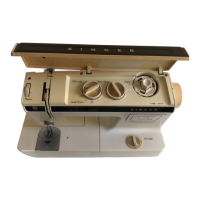
1. Open console cover.
2. Turn pattern-selector release lever clock
wise until it locks in place. If lever fails to
lock, turn hand wheel slightly toward you
and reset lever.
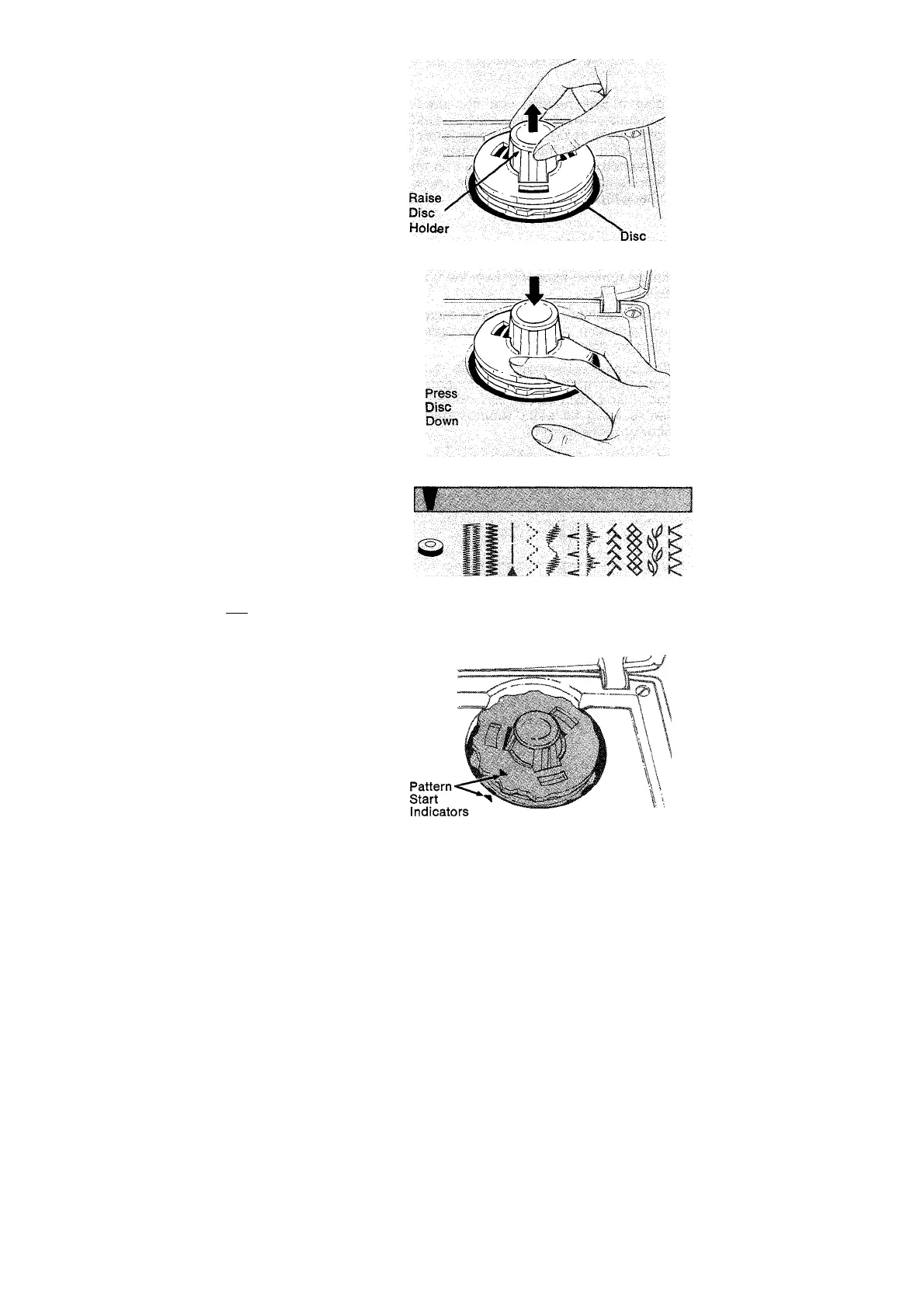
3. Raise disc holder. (Disc will rise for easy
removal.) Then remove disc from holder.
4. Place a new disc (desired pattern side up)
on holder so that the three inside grooves
fit properly on holder.
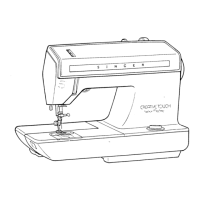
5. Press down on disc with fingers until it
snaps into place.
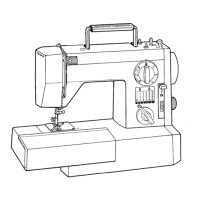
6. Set pattern selector on @ to activate disc.
Finding the Beginning of a Pattern Unit When
Using A Disc
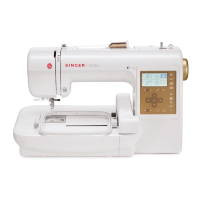
To start stitching one of the Fashion Stitch or
Flexi-Stitch disc patterns at its beginning,
align the start symbol on the disc with
the pattern-start symbol on the
machine.
To align both start symbols;
• Unthread the needle.
• Hold needle and bobbin thread ends.
• Run the machine until both symbols are
aligned.
• Release the threads.
• Thread the needle and start to sew.
Set Pattern Selector on © to Sew
Starting at Beginning of Pattern Unit
25
Instrukcje obsługi maszyn do szycia firm Polskich jak i zagranicznych np. Singer Toyota Pfaff Gritzner Łucznik Arka
maszynykrawieckie.shophurt.pl


 To Next Page