EasyManua.ls Logo

Singer 457 - Page 18

Singer 457
66 pages
Print Icon
To Next Page IconTo Next Page
To Previous Page IconTo Previous Page
Loading...
STRAIGHT
STITCHING
(Continued)
tz'
8,
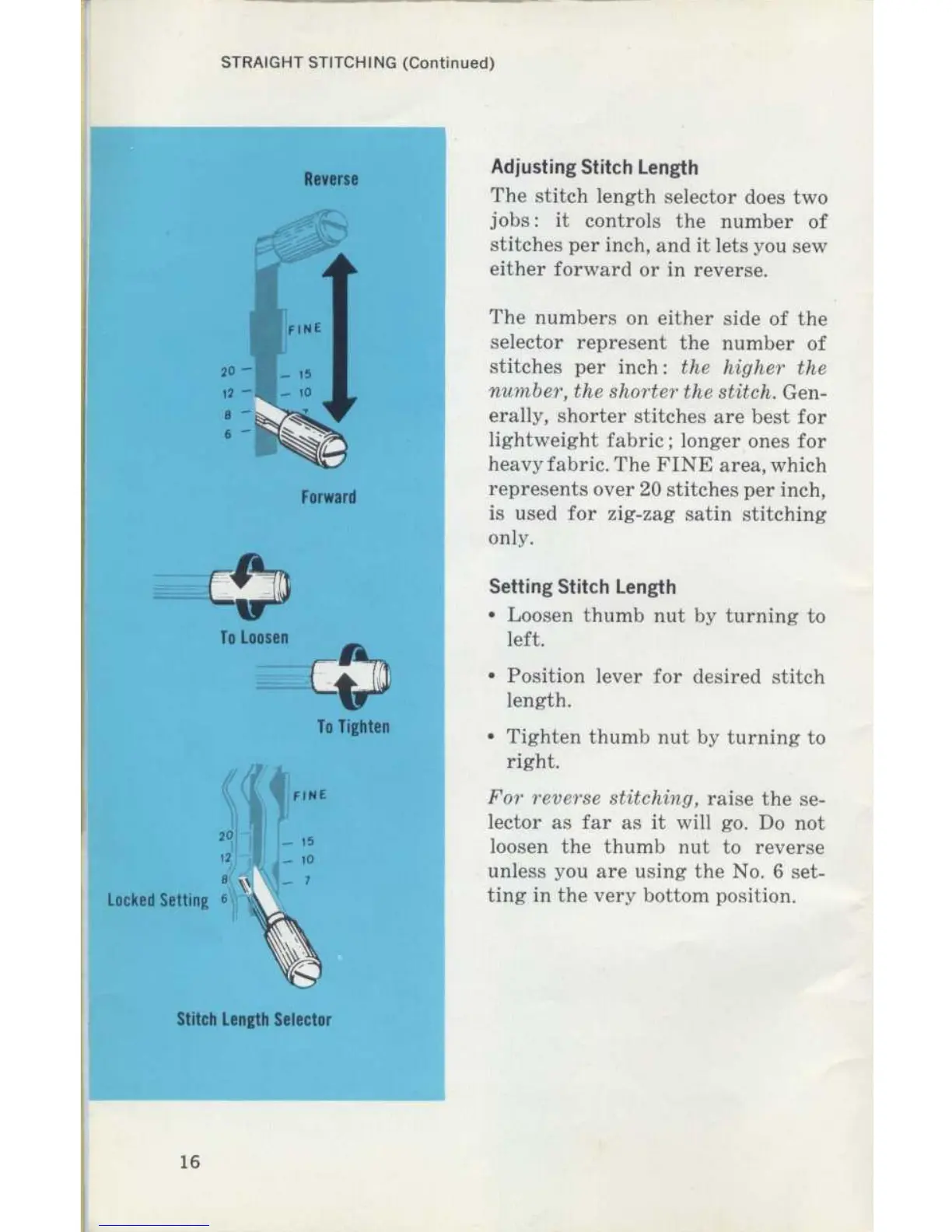
Locked
Setting
6,,,,~
Reverse
Forward
Stitch
Length
Selector
To
Tighten
Adjusting
Stitch
Length
The
stitch
length
selector
does
two
jobs
:
it
controls
the
number
of
stitches
per
inch,
and
it
lets
you
sew
either
forward
or
in
reverse
.
The
numbers
on
either side of
the
selector
represent
the
number
of
stitches
per
inch
:
the
higher
the
number,
the
shorter
the
stitch,
.
Gen-
erally,
shorter
stitches
are
best
for
lightweight
fabric
;
longer
ones
for
heavy
fabric
.
The
FINE
area,
which
represents
over
20
stitches
per
inch,
is
used
for
zig-zag
satin
stitching
only
.
Setting
Stitch
Length
"
Loosen
thumb
nut
by
turning
to
left
.
"
Position
lever
for
desired
stitch
length
.
"
Tighten
thumb
nut
by
turning
to
right
.
For
reverse
stitching,
raise
the
se-
lector
as
far
as
it
will
go
.
Do
not
loosen
the
thumb
nut
to
reverse
unless
you
are
using
the
No
.
6
set-
ting
in
the
very
bottom
position
.

Related product manuals