EasyManua.ls Logo

Singer 9800 - Sewing Surface, Needles, and Presser Feet; Work Area Expansion; Needle and Presser Foot Management; Needle Selection Guide

Singer 9800
35 pages
Print Icon
To Next Page IconTo Next Page
To Previous Page IconTo Previous Page
Loading...
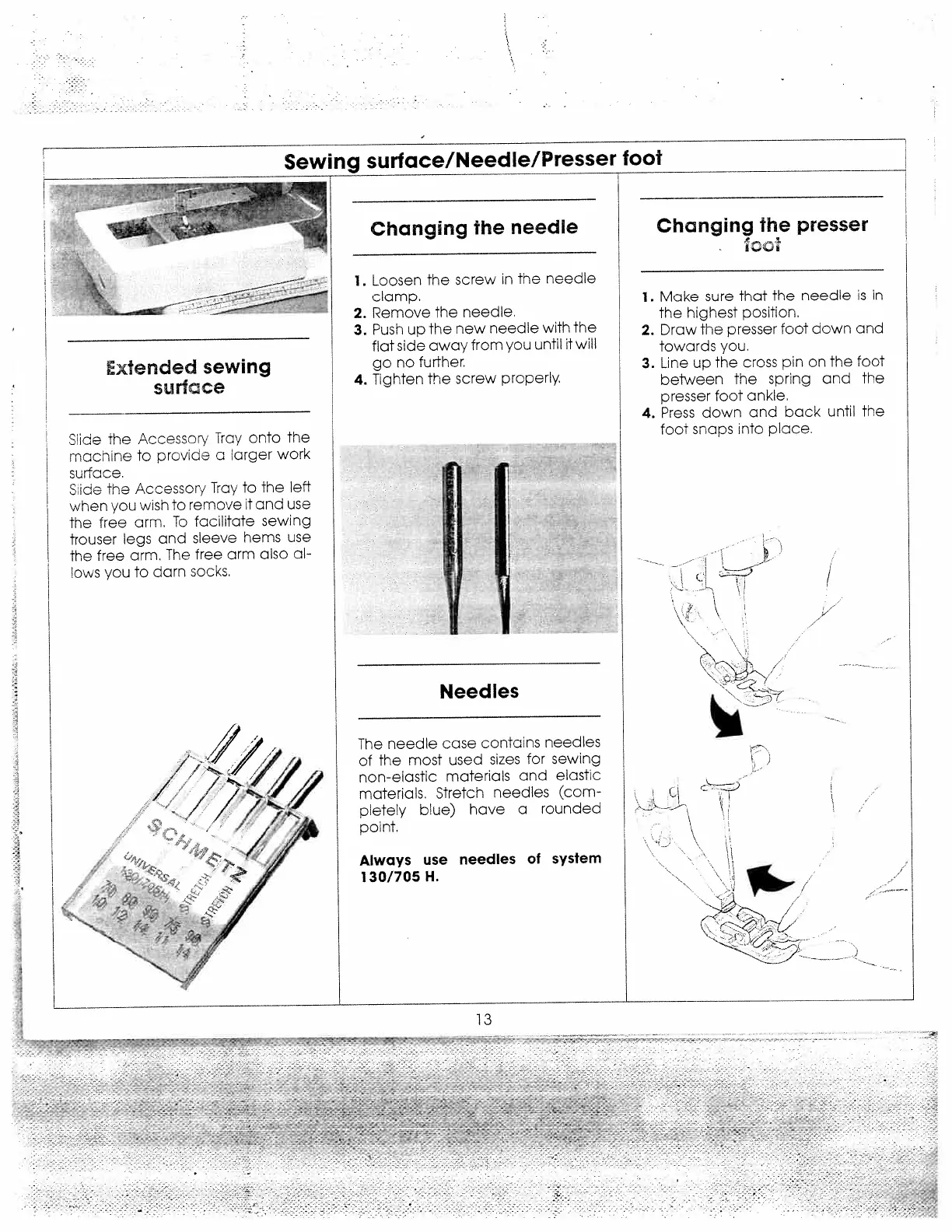
Sewing
surface/Needle/Presser
foot
Changing
the
needle
1.
Loosen
the
screw
in
the
neeale
clamp.
2.
Remove
the
needle.
3.
Push
up
the
new
needle
with
the
flat
side
away
from
you
until
twill
go
no
further.
4.
Tighten
the
screw
properly.
Needles
The
needle
case
contains
needles
of
the
most
used
sizes
for
sewing
non-elastic
materials
and
elastic
materials.
Stretch
needles
(com
pletely
blue)
have
a
rounded
point.
Always
use
needles
of
system
130/705
H.
Changing
the
presser
ico
1.
Make
sure
that
the
needle
is
in
the
highest
position.
2.
Draw
the
presser
foot
down
and
towards
you.
3.
Line
up
the
cross
pin
on
the
foot
beiween
the
spring
and
the
presser
foot
ankle.
4.
Press
down
and
back
until
the
foot
snaps
into
place.
V
Extended
sewing
surface
Slice
the
Accessory
Tray
onto
the
machine
to
proviae
a
larger
work
surface.
Sice
Tne
Accesscr/
Tray
to
the
left
when
you
w;sh
to
remove
it
and
use
the
free
arm.
To
facilitate
sewing
trouser
legs
and
sleeve
hems
use
the
free
arm.
The
free
arm
also
al
ows
you
to
dan
socks.
/1/
Cl
/
/
13
-
,-:
-:-
-:
—-
.--
-
-.
-
--
--_---
-,
-
-
“4-____
-
--
-
-
-
A
.
-
-
c-
---
-
-
.
-.
-
-
-
-

Related product manuals