EasyManua.ls Logo

Singer 9800 - Programming and Stitch Management; Creating Stitch Programs; Using the STOP Function; Programming from Different Menus

Singer 9800
35 pages
Print Icon
To Next Page IconTo Next Page
To Previous Page IconTo Previous Page
Loading...
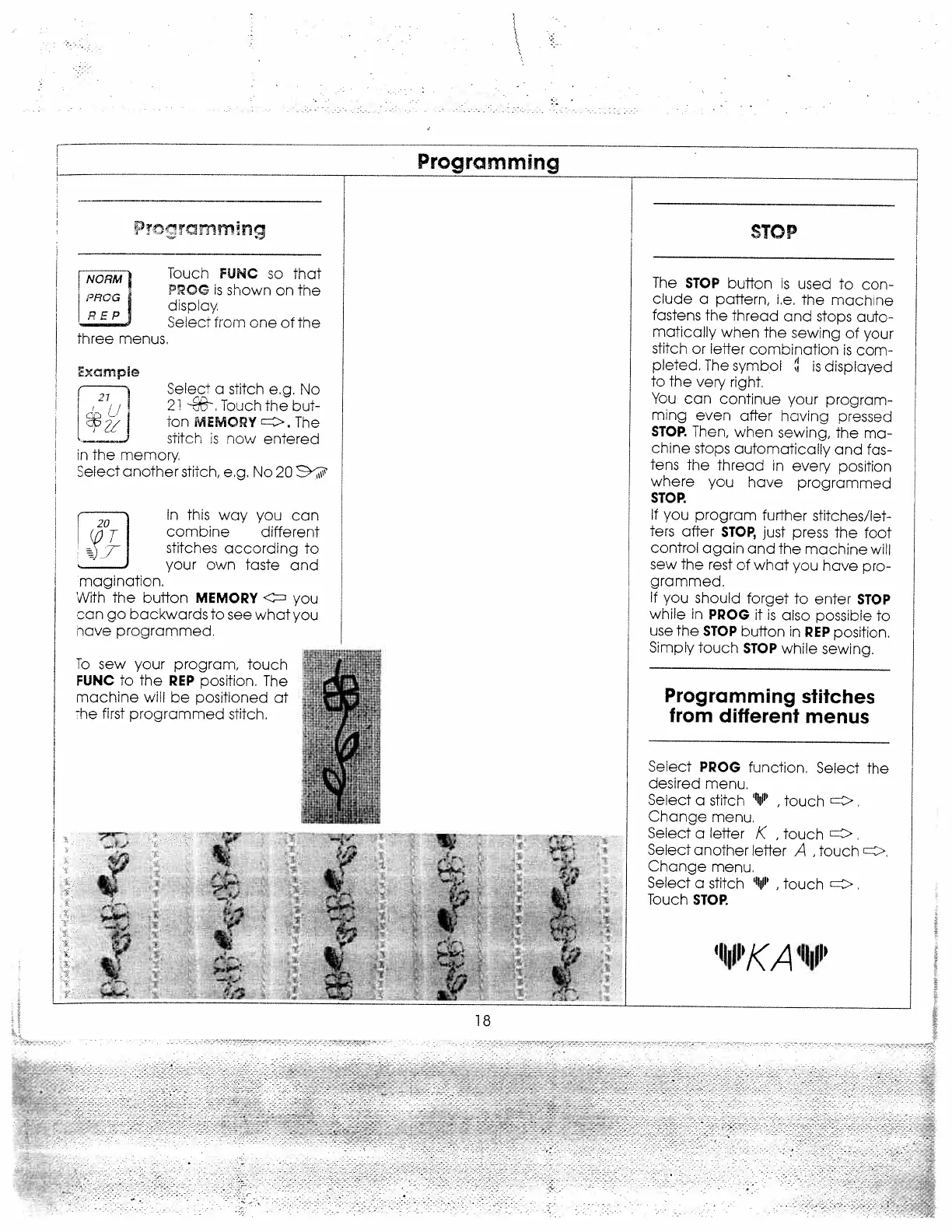
Programming
Toucn
FUNC
so
that
POG
is
shown
on
the
display.
Seleci
from
one
of
the
xarnph?
1
21/1
in
the
memory
Select
another
sTitch,
eg.
No
20
‘11
In
this
way
you
can
combine
different
stitches
according
to
your
own
taste
and
r1
imagination,
With
the
buffon
MEMORY
you
can
go
backwards
to
see
what
you
have
programmed.
To
sew
your
program,
touch
FUNC
to
the
REP
oosition.
The
machine
will
be
positioned
at
The
first
programmed
stitch.
The
STOP
button
is
used
to
con
clude
a
pattern,
i.e.
the
machine
fastens
the
thread
and
stops
auto
matically
when
the
sewing
of
your
stitch
or
letter
combination
is
com
pleted.
The
symbol
is
displayed
to
the
very
right.
You
can
continue
your
program
ming
even
after
having
pressed
STOP.
Then,
when
sewing,
the
ma
chine
stops
automatically
and
fas
tens
the
thread
in
every
position
where
you
have
programmed
STOR
If
you
program
further
stitches/let
ters
after
STOP,
just
press
the
foot
control
again
and
the
machine
will
sew
the
rest
of
what
you
have
pro
grammed.
If
you
shoula
forget
to
enter
STOP
while
in
PROG
it
is
also
possible
to
use
the
STOP
button
in
REP
position,
Simply
touch
STOP
while
sewing.
Programming
stitches
from
different
menus
Select
PROG
function.
Select
the
desired
menu.
Select
a
stitch
V
,
touch
,
Change
menu.
Select
a
letter
K
,
touch
Select
another
letter
A
,
touch
>.
Change
menu.
Select
a
stitch
V
,
touch
c,
Touch
STOR
F
NORMI
PRCG
REP
three
menus.
STO
P
Select
a
stitch
e.g.
No
21
.
Touch
the
but
Ton
MEMORY
The
stitch
is
now
entered
I
I
.
f
J-
18
1
P/k,A
1
jP

Related product manuals