EasyManua.ls Logo

Singer 9800 - Corrections and Utility Stitch Memory; Editing Programs and Stitch Changes; Utility Stitch Memory Usage

Singer 9800
35 pages
Print Icon
To Next Page IconTo Next Page
To Previous Page IconTo Previous Page
Loading...
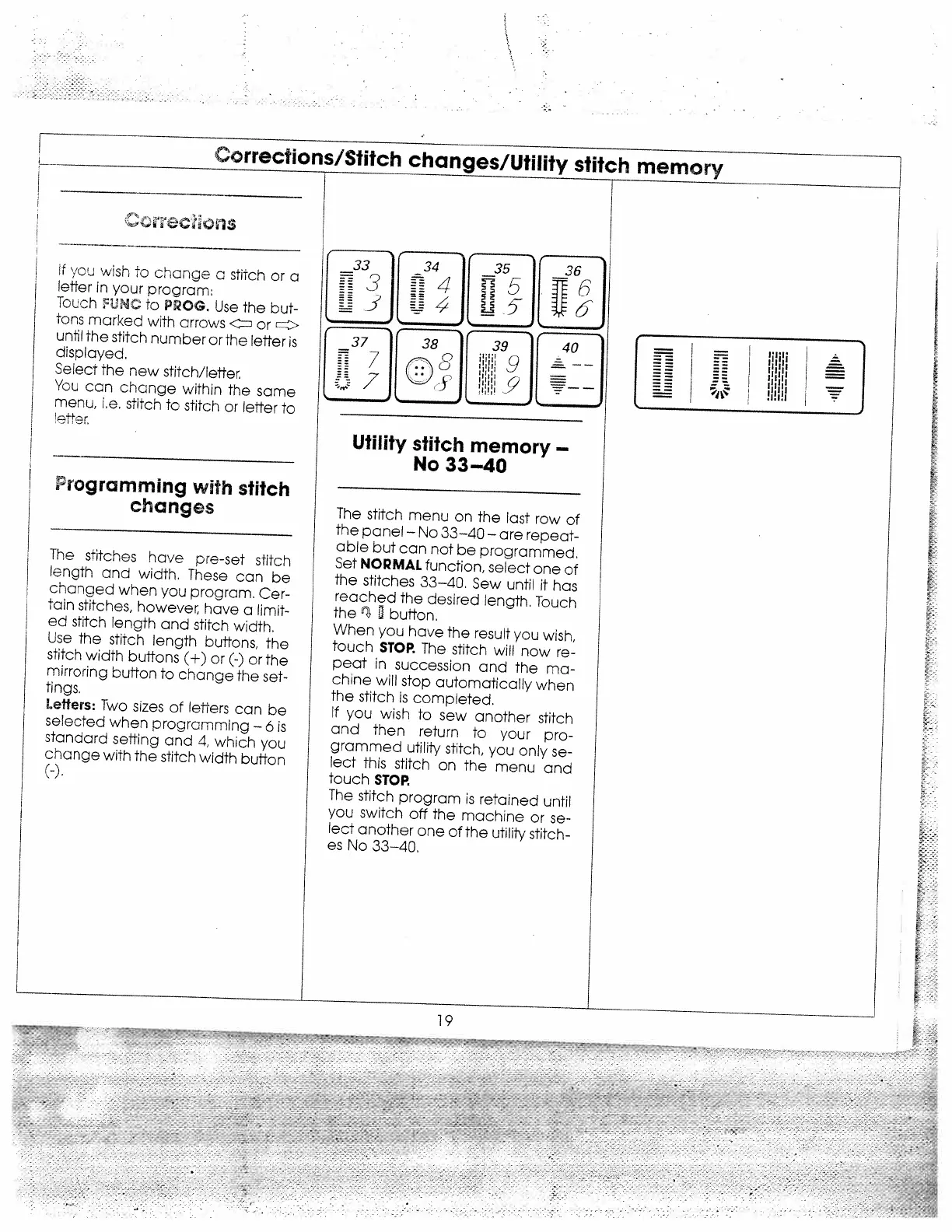
Corrections/Stitch
changes/Utility
stitch
memory
f
you
wish
to
change
a
stitch
or
a
letter
in
your
program:
Touch
UNC
to
PROG.
Use
the
but
tons
marked
with
arrows
or
until
the
stitch
number
or
the
letter
is
displayed.
Select
the
new
stitch/letter
You
can
change
within
the
same
menu,
i.e.
stitch
to
stitch
or
letter
to
Frogramming
with
stitch
changes
The
stitches
have
pre-set
stitch
length
and
width,
These
can
be
changed
when
you
program.
Cer
tain
stitches,
however,
have
a
limit
ed
stitch
length
and
stitch
width.
Use
the
stitch
length
buttons,
the
stitch
width
buffons
(+)
or
(-)
or
the
mirroring
button
to
change
the
set
tings.
Letters:
Two
sizes
of
letters
can
be
selected
when
programming—6
is
stanaard
setting
and
4,
which
you
change
with
the
stitch
width
button
(—).
1
14I
A5
___
J4j
Jj5-
___
38
39
9
\‘-:)
5
9
Utility
stitch
memory
No
33—40
The
stitch
menu
on
the
last
row
of
the
panel
No
33—40
are
repeat
able
but
can
not
be
programmed.
Set
NORMAL
function,
select
one
of
the
stitches
33—40,
Sew
until
it
has
reached
the
desired
length.
Touch
the
button.
When
you
have
the
result
you
wish,
touch
STOP.
The
stitch
will
now
re
peat
in
succession
and
the
ma
chine
will
stop
automatically
when
the
stitch
is
completed.
If
you
wish
to
sew
another
stitch
and
then
return
to
your
pro
grammed
utility
stitch,
you
only
se
lect
this
stitch
on
the
menu
and
touch
STOP.
The
stitch
program
is
retained
until
you
switch
off
the
machine
or
se
lect
another
one
of
the
utility
stitch
es
No
33—40.
33
37
17
1.—
I
==
IIIIl
I
==
111111
=
I
111111
L
——
I
I
I;
I
19

Related product manuals