To Replace the Bobbin Case
(Operator being at the front of the machine)
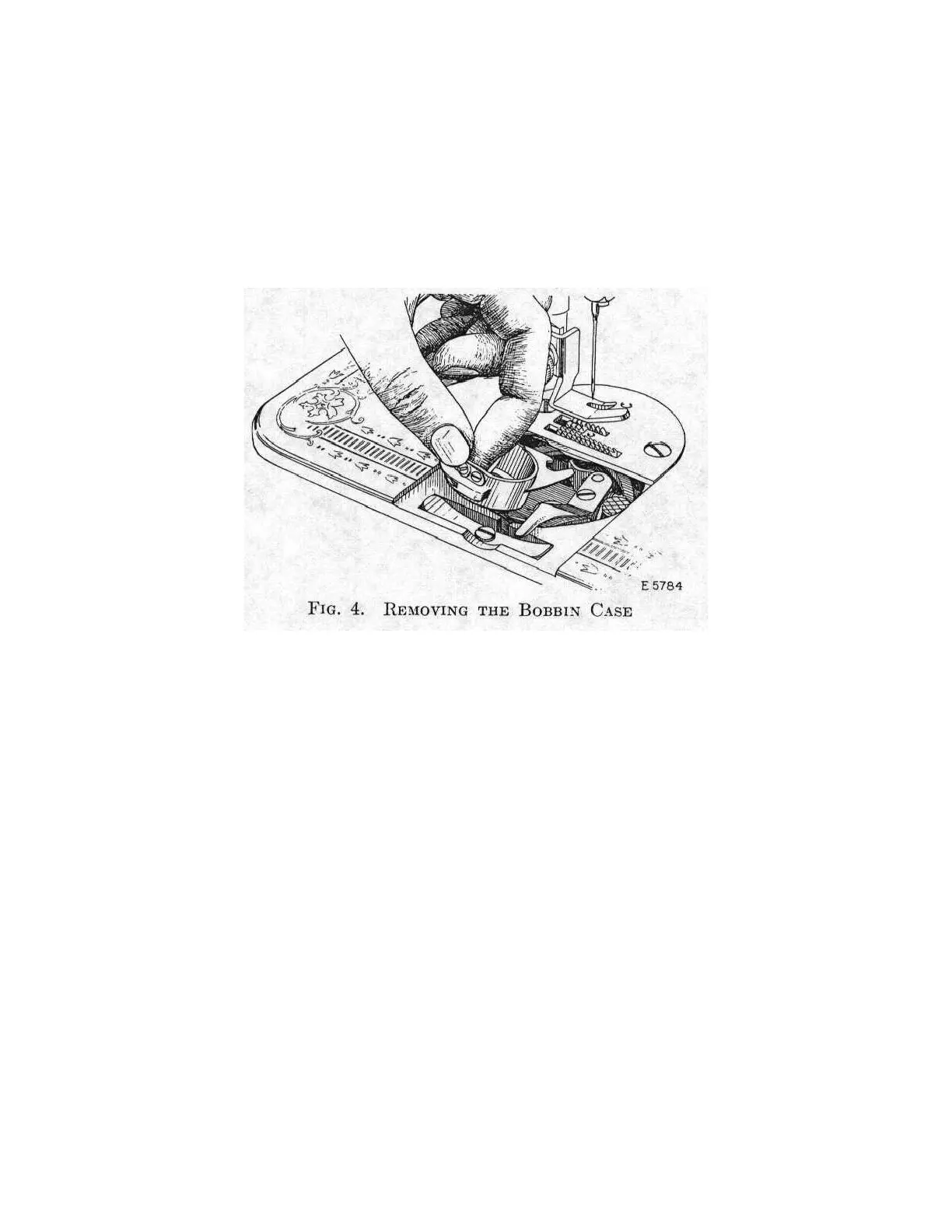
Hold the bobbin case between the forefinger and thumb of the left hand, as
shown in Fig. 4. Insert the forked end of the bobbin case under the throat
plate so that the fork straddles the position stud (F, Fig. 5). Then with a slight
twisting motion of the fork to the left and to the back, lightly press the bobbin
case downward until the edge of the sewing hook engages in the groove under
the rim of the bobbin case.
Having set the bobbin case into the correct position, lock the latch (C, Fig. 5)
in the notch (D, Fig.5) to hold the bobbin case in place. Then replace the slide
from the right as shown in Fig. 2.



 To Next Page