12
INSERTING THE BOBBIN
Attention: Turn power switch to off ("O")
before inserting or removing the bobbin.
When inserting or removing the bobbin,
the needle and presser foot must be fully
raised.
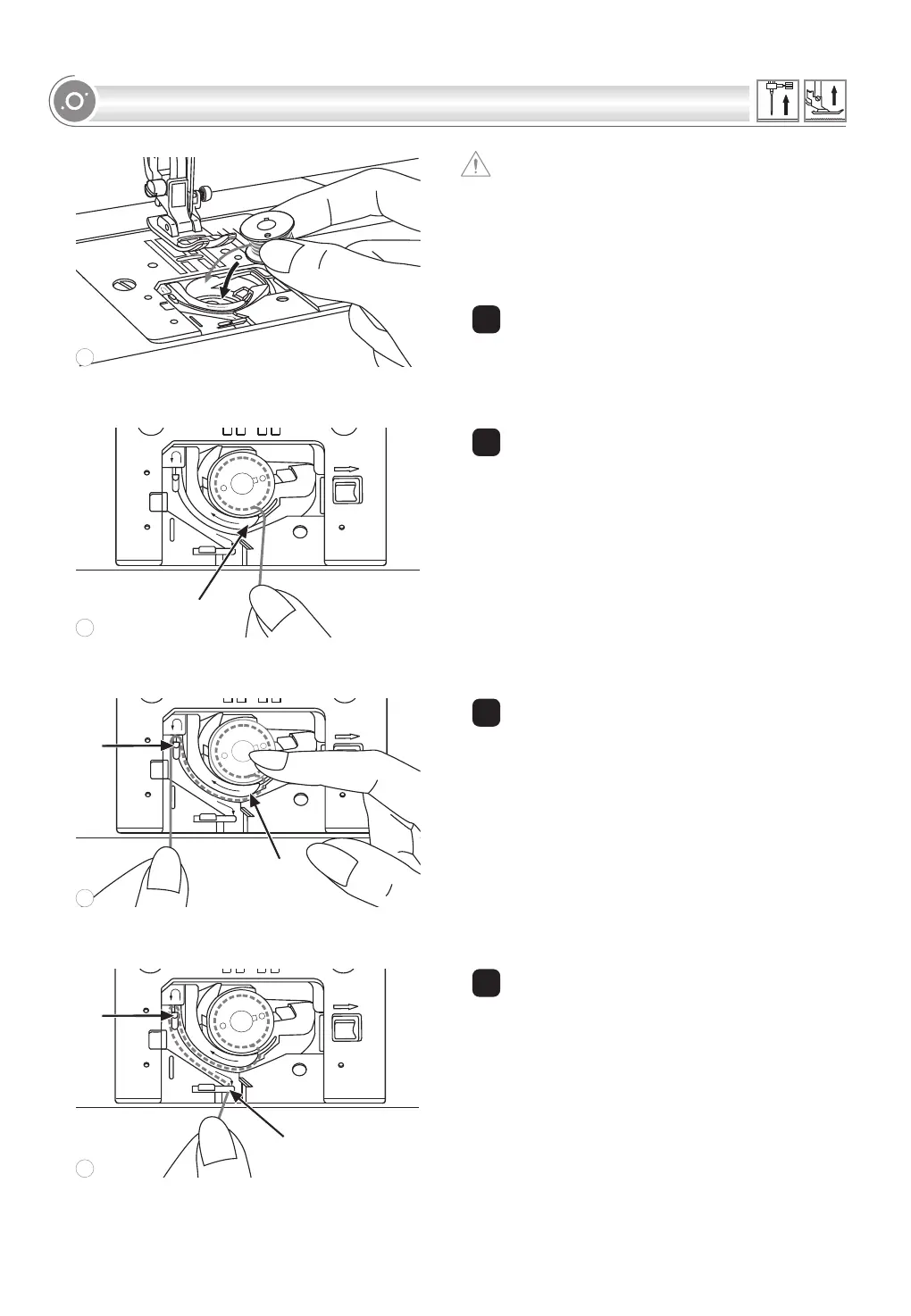
1 Insert the bobbin in the bobbin case with
the thread running in a counterclockwise
direction (arrow).
1
2 Pull the thread through the slit (A).
2
3
Draw
.
With a finger held gently on top of the
bobbin.
the thread at the arrow markings into
the stitch plate thread guide from (A) to (B)
3
4 Pull the thread at the arrow markings into
the stitch plate thread guide from (B) to (C).
To cut off excess thread pull thread back
over the cutting off blade at point (C).
Close the bobbin cover plate.
4
A
A
B
C
B
3
4
2
1
Downloaded from www.vandenborre.be




 To Next Page