BUZZER SOUND
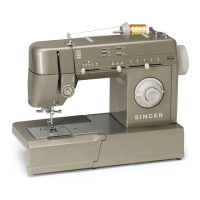
2 You can select the mode by pressing the
stitch width " + " or " " button. Select
desired mode sound on " "or sound off
"".
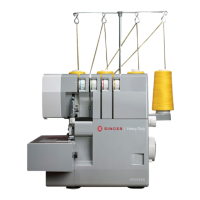
3 Pressing the " " button. The Buzzer
sound setting mark will appear on the LCD
screen when you have set it.
0000
3
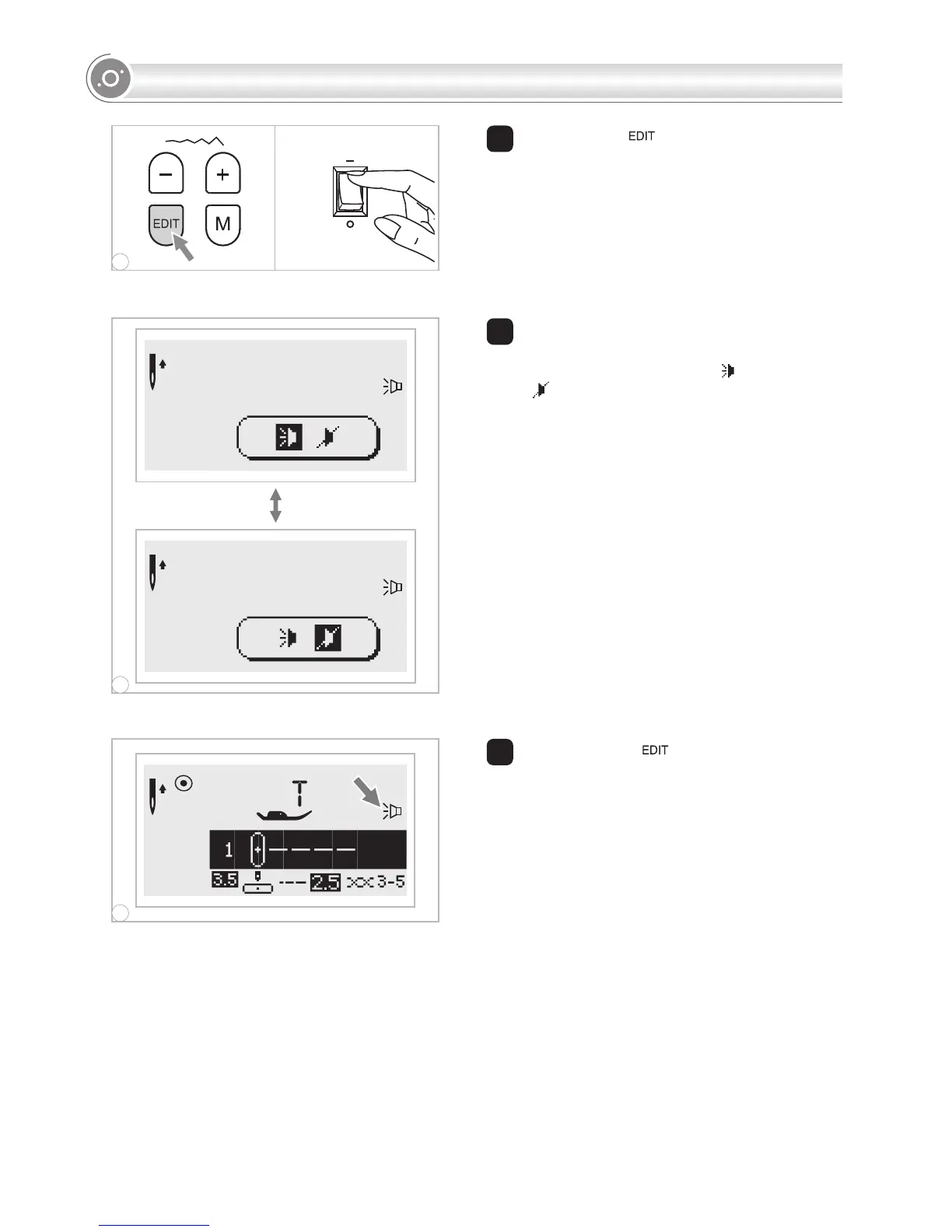
1 Press on the " " button and turn on the
power switch.


 To Next Page