Sfaira ONE GNSS Receiver User Manual
Sometimes you need forget the device Bluetooth, restart the receiver or software and get pair
again.
3.3 Quick Setup Your Receiver
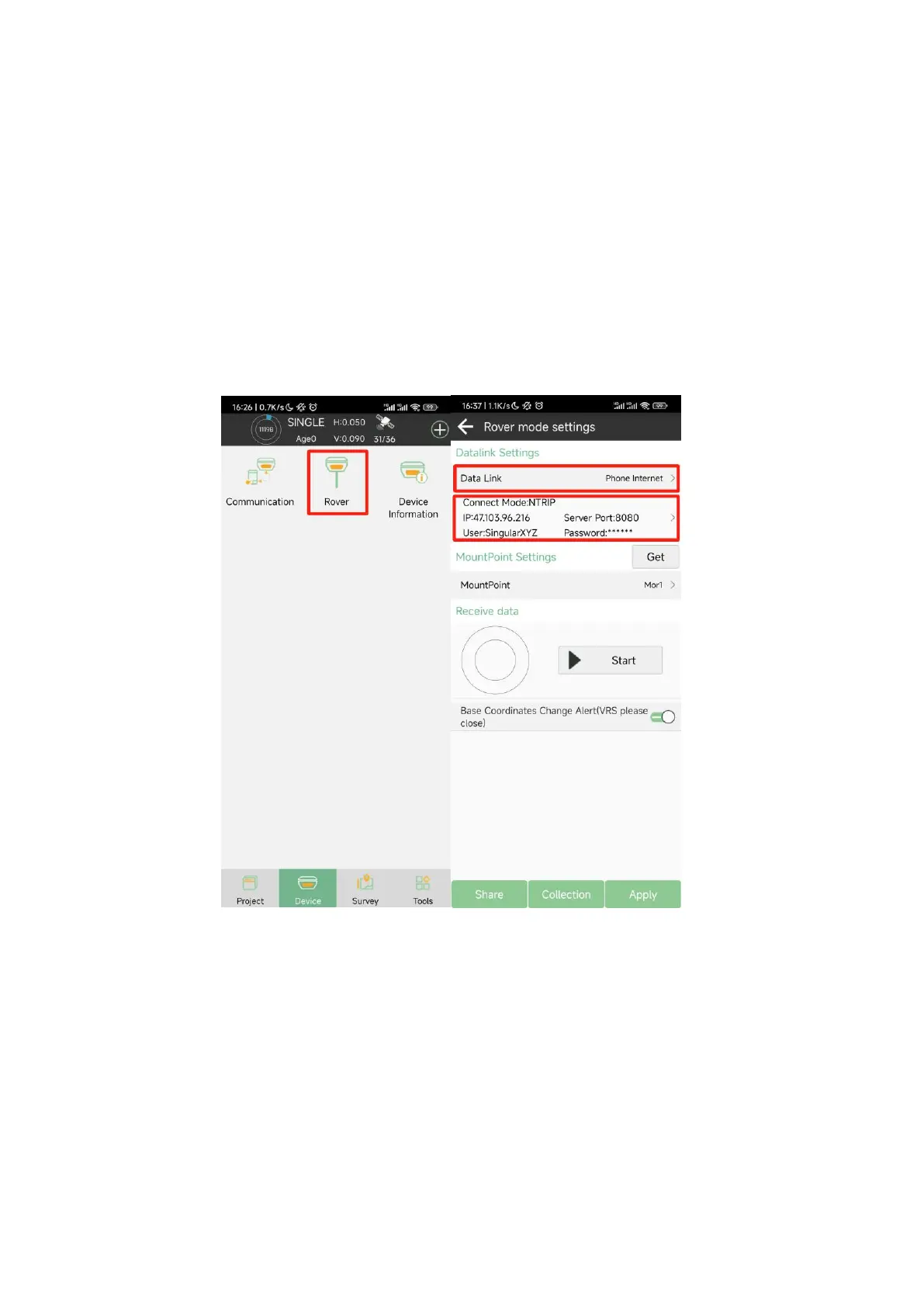
Sfaira ONE can only be used as rover in Phone Internet mode. You can set it in Rover, set the Data
link as Phone Internet, Connect mode as NTRIP, enter the IP address, Poirt, User and Password of
you CORS. Click get to get the mount point, and then select the mount point and click start, you can
determine whether the connection is successful by whether you have received data, if you receive
the data, then click Apply, the position status will change to Fixed.


 To Next Page