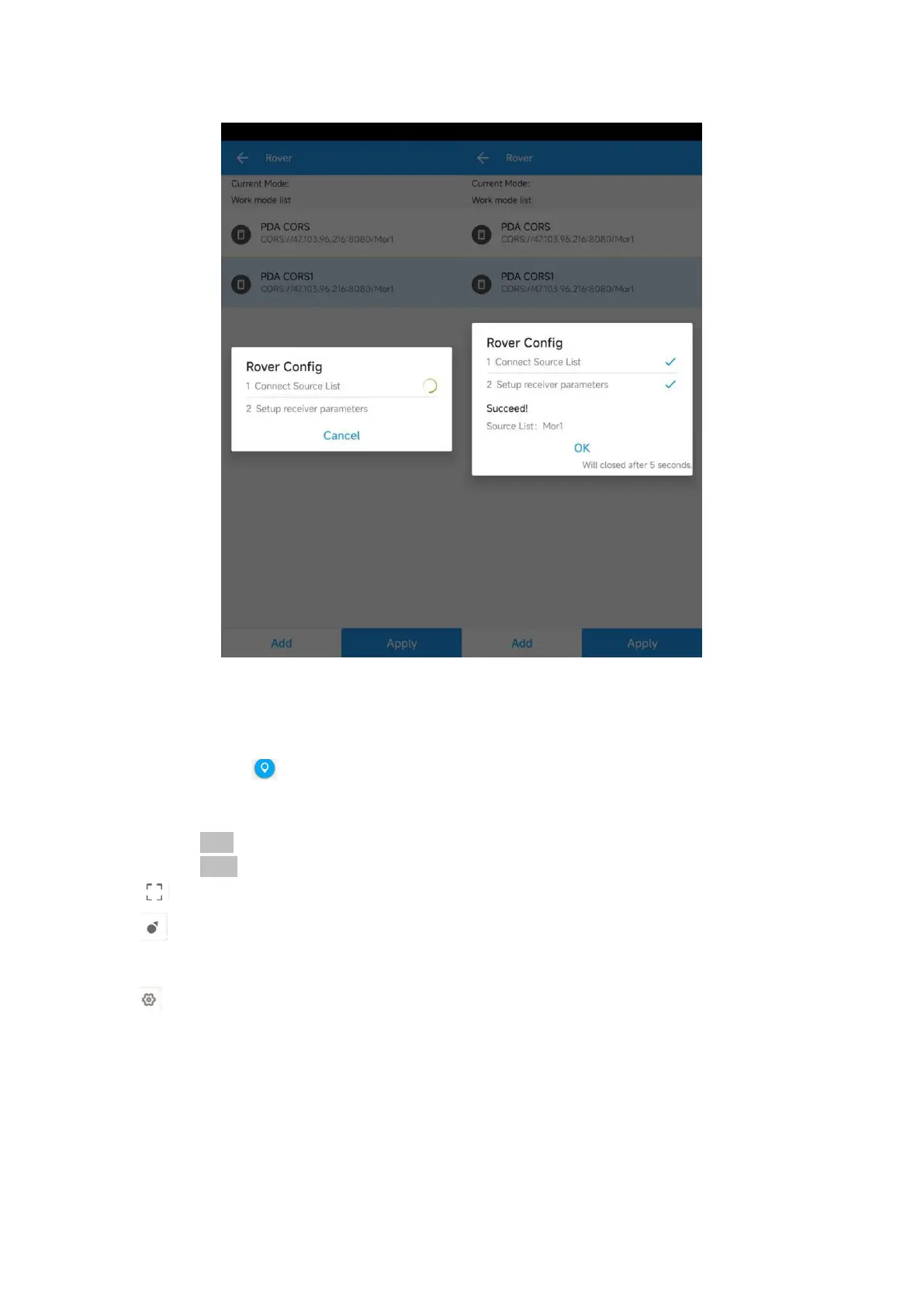
Sfaira ONE GNSS Receiver User Manual
4.4 Survey
When you get the fixed solution, you can go to survey, go to survey> Topo survey, enter point
name, ->click to start or stop collecting data. You can check
You can quickly change antenna height in the survey interface.
Tap Elem to check point coordinates you surveyed.
Tap Layer to show the layers: google map/google satellite/DXF/SHP
: Click this to show the whole points on the interface.
: If the arrow is out of sight on the interface, you can click this to locate the receiver position,
then the arrow will be shown on the interface.
: You should set the measurement parameters, such as RMS limit, Occupation time, etc


 To Next Page