Sfaira ONE GNSS Receiver User Manual
In Project interface, you can click Create to add a new project or click Open to open the previous
project.
If you have added one project, you can click View or click the project name in the main interface
to check the current project details, including Project name, store path, and datum parameters.
Click the QR to share your datum information to others. Besides, click Edit to change the datum
parameters, also, you can change in the Datum interface.
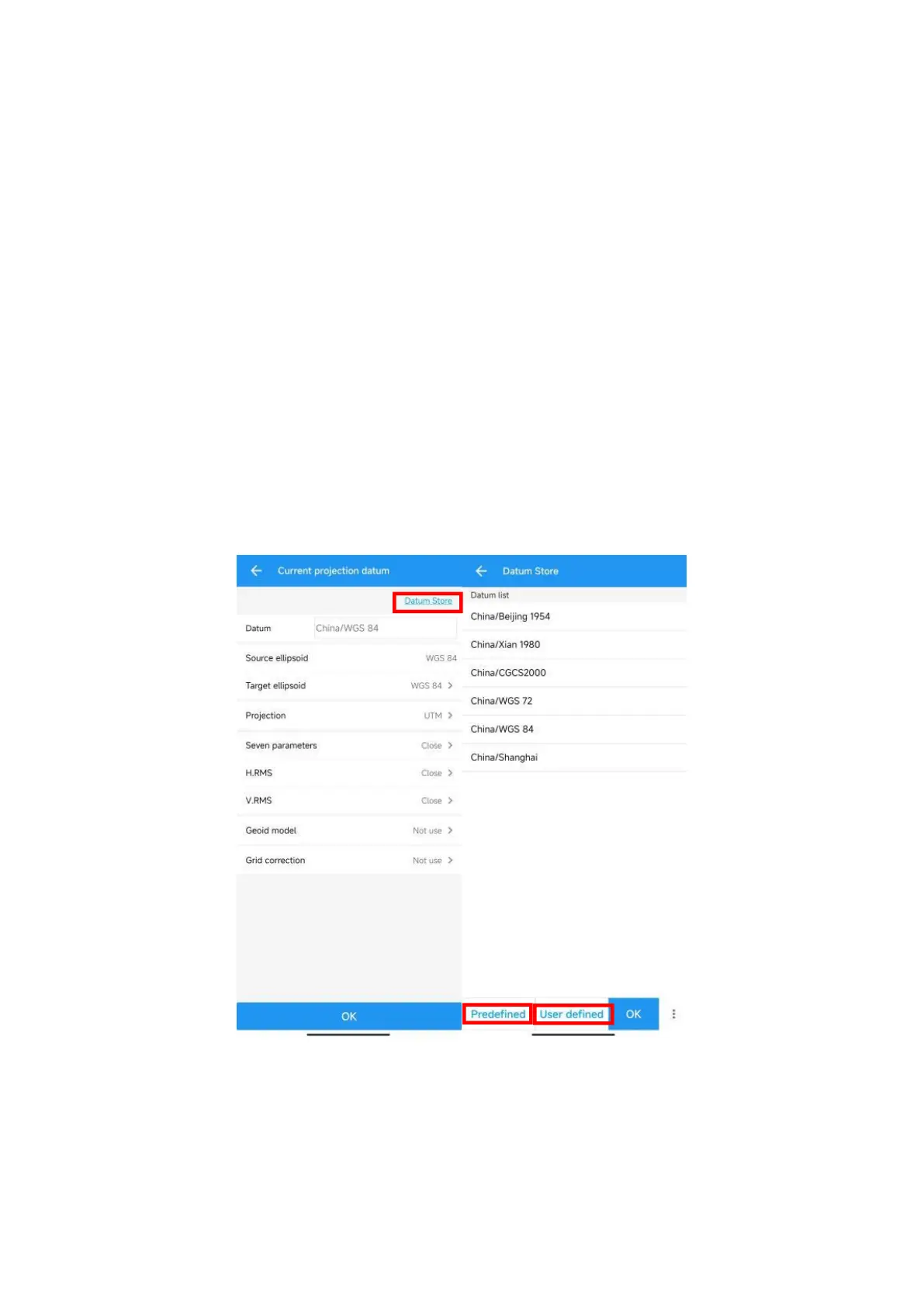
To edit datum parameters, SingularSurv supports three methods: Use last project, Datum store,
Scan QR code.
Use Last project: If you have added datum before, then you can choose to use the datum of
last project for current project.
Scan QR code: Support to get the datum from other users.
Datum store->Select a Predefined datum: You can select datum directly from the list.
SingularSurv currently has 49 countries datum and will add more afterwards. Create a User
defined datum: If you cannot find datum you want in the list, follow instructions below to
add one: select Source ellipsoid, Target ellipsoid, Projection for your datum, and even seven
parameters, geoid model based on your request.


 To Next Page