Sfaira ONE GNSS Receiver User Manual
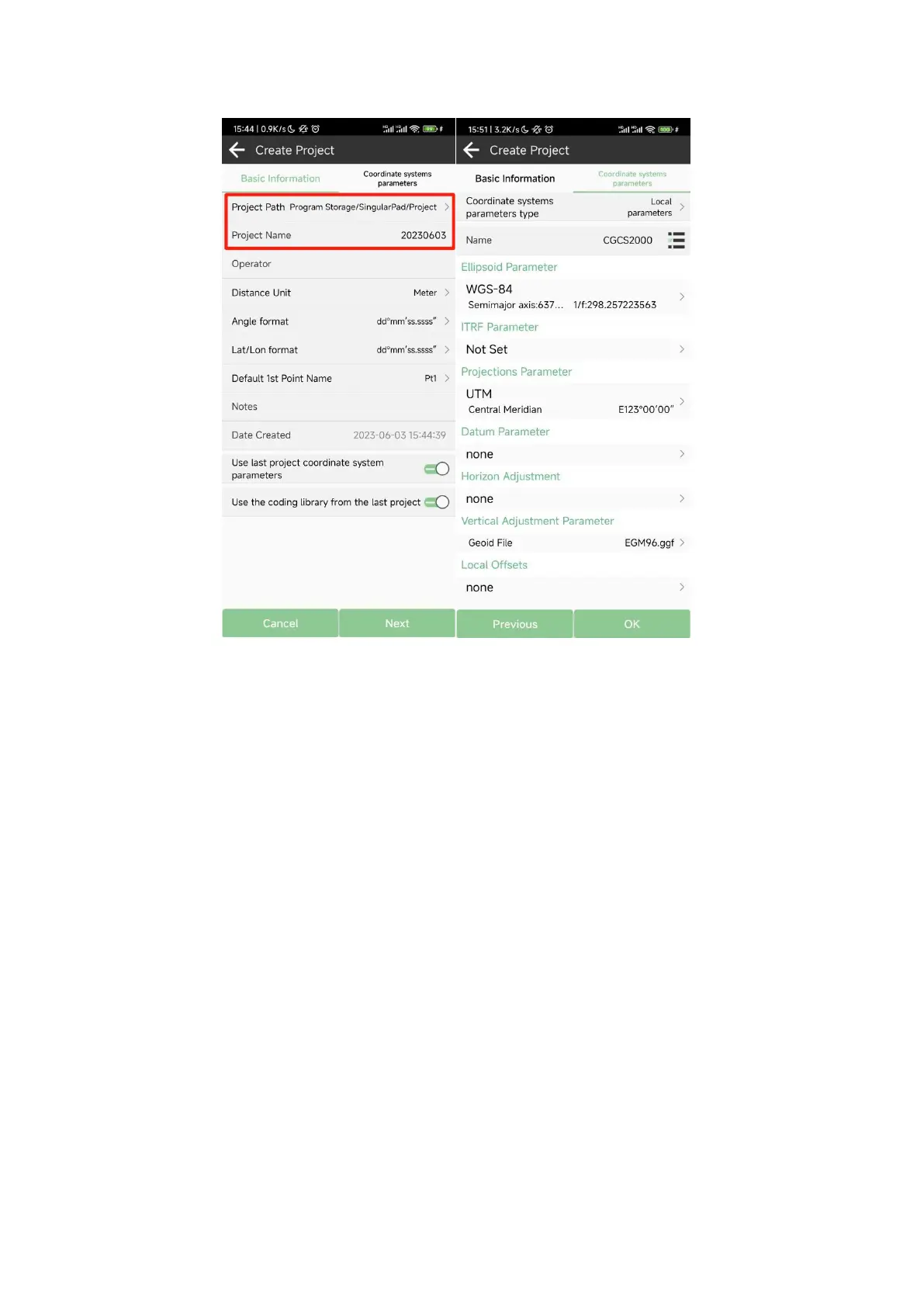
If you have added one project, you can click the project name in the main interface to check the
current project details, including Project Name, Project Path and Coordinate systems parameters.
And you can edit it.
How to create a user defined datum: If you cannot find datum you want in the list, follow
instructions below to add one: select ellipsoid para, projection para, datum para, and input
horizon adjustment, vertical adjustment and local offsets based on your request. Save and apply
it. Meanwhile you can share the coordinate system with your workmates.


 To Next Page