-10-
The Remote Control
●Introduction to the remote control function
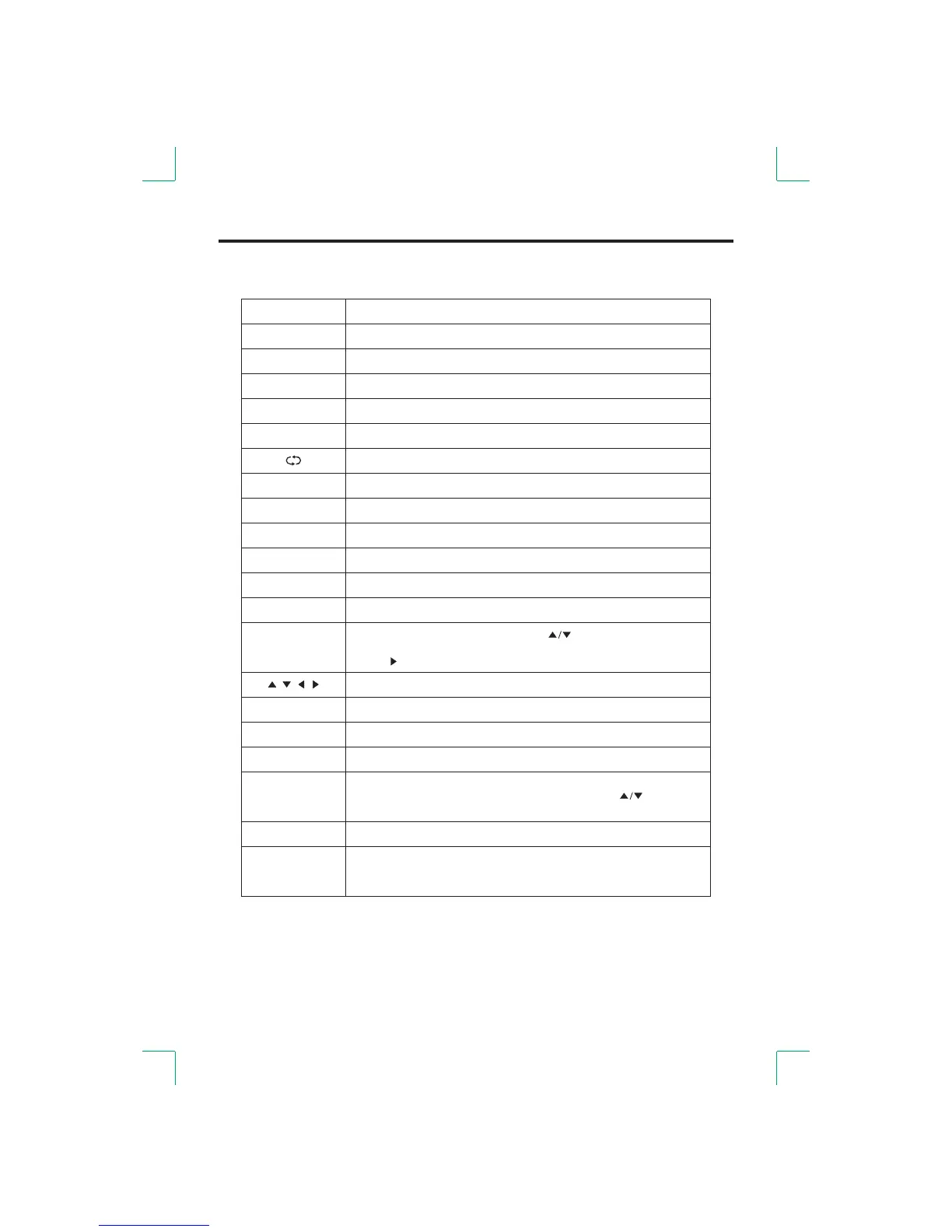
Button
Carry out the function of standby and switch-on.
Set to mute or return to previous sound level.
Select the TV channel you want to view by using the number buttons.
Function
STAND BY
MUTE
ASPECT
SLEEP
FREEZE
DISPLAY
PMODE
SMODE
CH+/-
VOL+/-
SOURCE
FAV
FAV+/-
0-9
Channel Edit when setting up your TV.
RED/GREEN/
YELLOW/BLUE
EXIT/ROOT
MENU
ENTER
Up/Down/Left/Right.
Enter button(used to select)
Show MENU or exit .MENU
Exit the MENU or return to the root of the multimedia source.
Controls the automatic turn off time.
Static or picture (This function is action only in part of the signal source).restoration
Return to the previous channel after channels have been changed.
Display info of the current channel.
Select the aspect ratio of the screen.
Cycle through available video picture modes.
Cycle through different sound settings.
Channel up/down.
Increase/decrease the volume level.
Change favourite channel up or down.
Display the input source list. Press [ ] button or the [SOURCE] the
button to select the input source you want. Press the button [ENTER]
or the [ ] button to select the desired source.
Display or cancel the favorite list . When you set up a favorite channel,
press this button to d isplay the favorite list. Press the [ ] buttons to
select the . Press the button to play.channel [ENTER]


 To Next Page