-12-
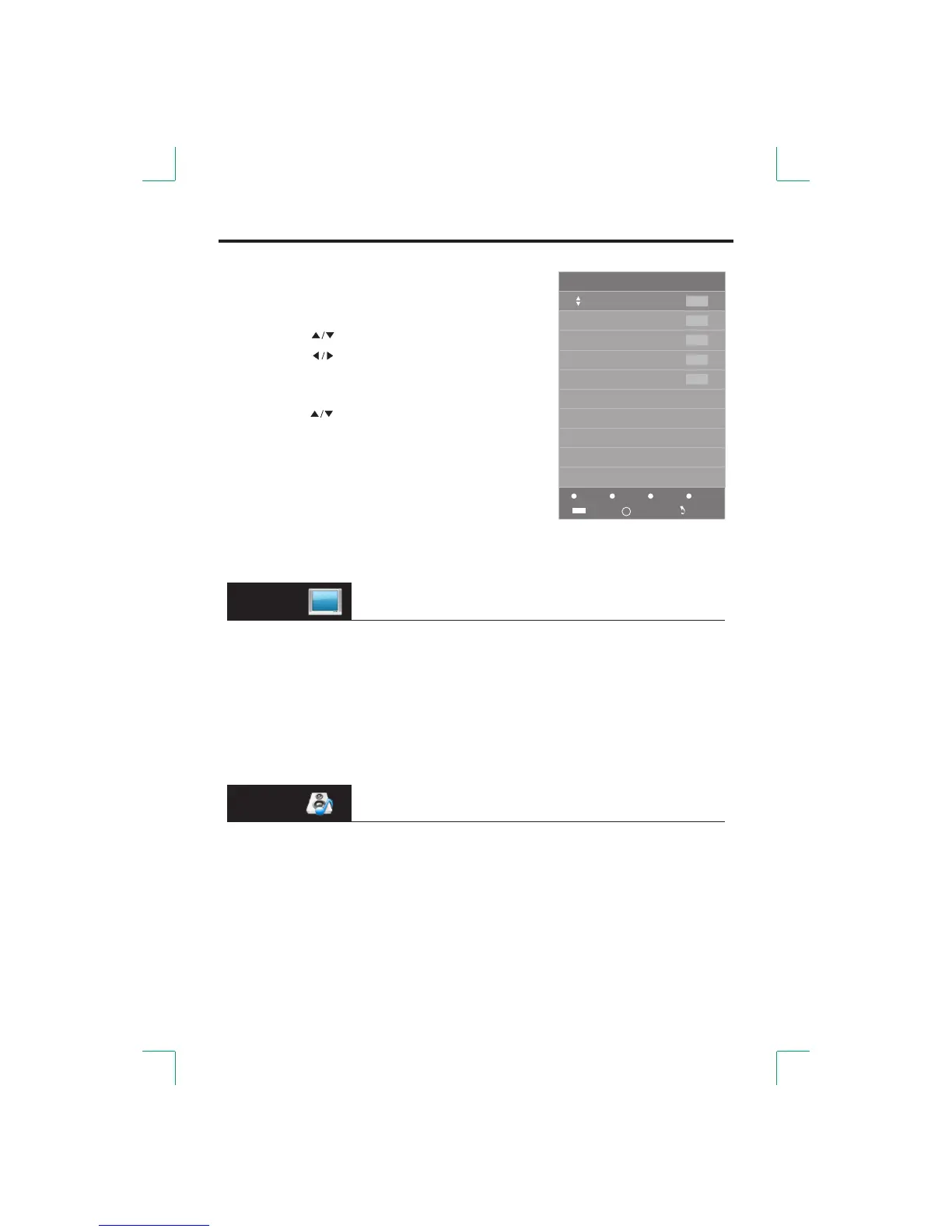
● Programme Edit
[RED]: Delete the current channel.●
[GREEN]: Rename.●
Press the [ ] button to select the character.
Press the [ ] button to select the figure.
Press the [ENTER] button to confirm.
[ Move.● YELLOW]:
Press the [ ] button to select the position.
Press the [ ] button to confirm. YELLOW
[BLUE S● ]: kip the selected channel.
Your TV set will skip the channel automatically
when using the [CH+/- ] to view the channels. button
Fav●
Add or Delete the channel to your favorite list.
Menu Operation
Menu
1
2
3
4
5
ATV
ATV
ATV
ATV
ATV
Delete
Rename
Move Skip
Programme Edit
Enter
Fav
FAV
ENTE R
Options available for adjustment may be different in different
signal sources, but functions of the same option will be the same.
PICTURE
●Picture Mode: Select the picture mode that you feel comfortable with.
(NTSC only)●Contrast/Brightness/Color/Tint /Sharpness:
These settings can only be adjusted when the Picture Mode is set to User.
●Color Temperature: Select the color temperature that you feel comfortable with.
Noise Reduction: You can clear up the input signal by setting the item.●
SOUND
●Sound Mode: Select the sound mode that you feel comfortable with.
●Treble/Bass: These settings can only be adjusted when the Sound Mode is set to User.
●Balance: Adjust the level of sound coming from the left and right speakers.
●Auto Volume: When Auto Volume is On, it will level out sudden changes in the volume
when it occurs during commercial breaks or channel changes.


 To Next Page