-15-
Media Operation
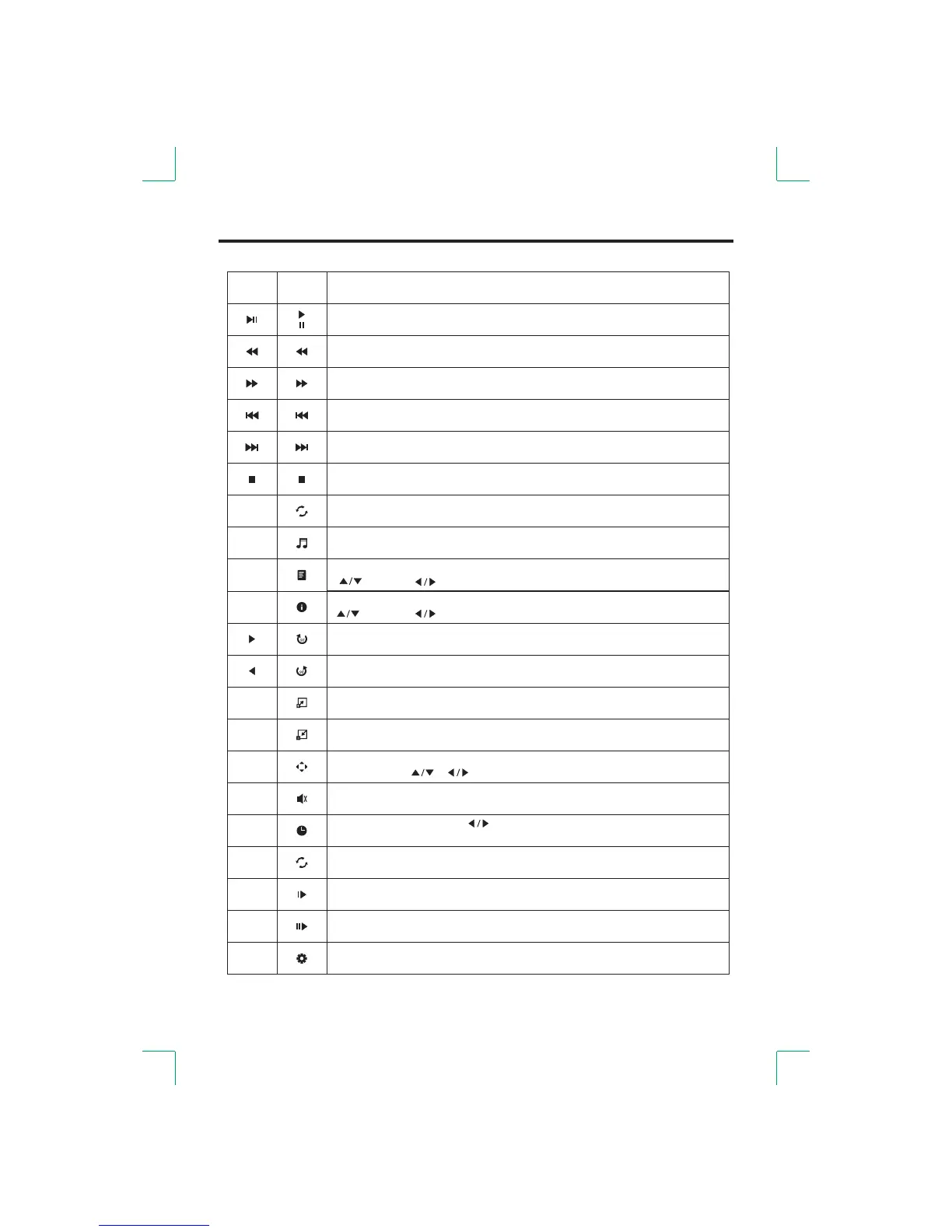
Play or stop the background music.(Music file and playing file in one folder.)
Rotate clockwise.
Rotate counterclockwise.
Select to enlarge picture size.
Select the repeat mode.
Stop and back to the folder interface.
Play or pause.
Play previous.
Play next.
Play back faster / Play the previous page in the TEXT Media.
Play forward faster / Play the next page in the TEXT Media.
Select to reduce picture size.
Play the movie step by step.
Play slower.
Mute or cancel.
Menu
Display or cancel the information of the current file. n the MOVIEI Media, press
[ ] select [ ] a select close ress the [ENTER] button to exit. to / to / to . Pdjust
Show playlist.
[ ]: select [ ]: switch [ENTER]: confirm. / /
Select A-B to play repeatedly.Press once to set to A, and press again to set to
B, then press a third time to cancel.
AB
Zoom out the picture first. Highlight the icon and press the [ENTER] button,
then press the [ ]/[ ] button to move the picture.
Select playing time. 0-9]Press [ ] to select; [ to adjust. Press the [ENTER]
button to select playing time.
Function
Select aspect ratio.
Button
GOTO
REPEAT
A-B
ASPECT



 To Next Page