3/12
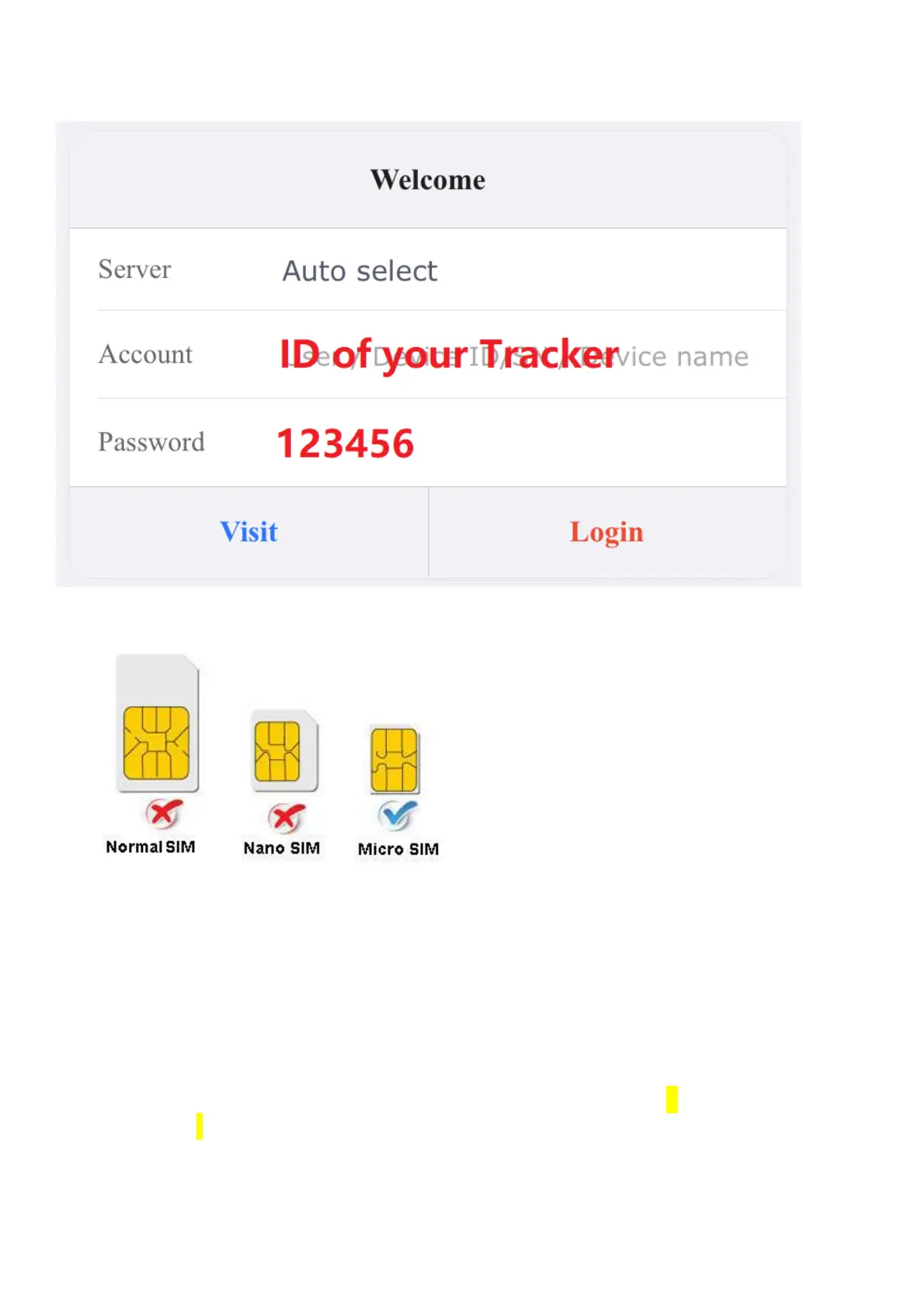
1. Choose GSM card, it should be Micro SIM card, without PIN code.
2. Proper insert GSM card, the tracker will start, connect external power supply.
3. Put device outside around 30s, LED lights will keep lighting on stands for
device can work normally.
4. Dialing device number, it will hang up and reply tracking message with valid
Lon and lat.
5. Please send SMS to tracker to set the APN: (the yellow place is BLANK)
SMS: 8030000 APN
(APN is Access Point Name of your SIM Card, please check with your SIM
Card provider if you don’t know it)



 To Next Page