Sinterit LISA PRO User Manual | 6
2.2 CHOOSING THE FILE TO PRINT
1. In order to start printing, from the main menu choose NEW PRINT and press ADD NEW PRINT JOB.
2. Choose the le from the list – NEW PRINT JOB or repeat a RECENT PRINT JOB.
3. The following screen displays some basic information about the processed le (PRINT JOB) as well as the current
status of the printer (PRINTER STATUS). If at this point you want to instead choose another le to print, choose
CHANGE PRINT JOB.
IMPORTANT!
In case any components of the printer should require maintenance or replacement, a corresponding
message will appear on the screen.
Press START NEW PRINT to advance to the following step.
2.3 FILLING THE PRINTER WITH POWDER
1. Slide the UNLOCK LID button to release the electrolock and allow the print chamber to be opened.
IMPORTANT!
After 10 seconds the electrolock will activate and it will no longer be possible to lift the lid. If you
still want to open the printer, slide the UNLOCK LID button again on the printer screen.
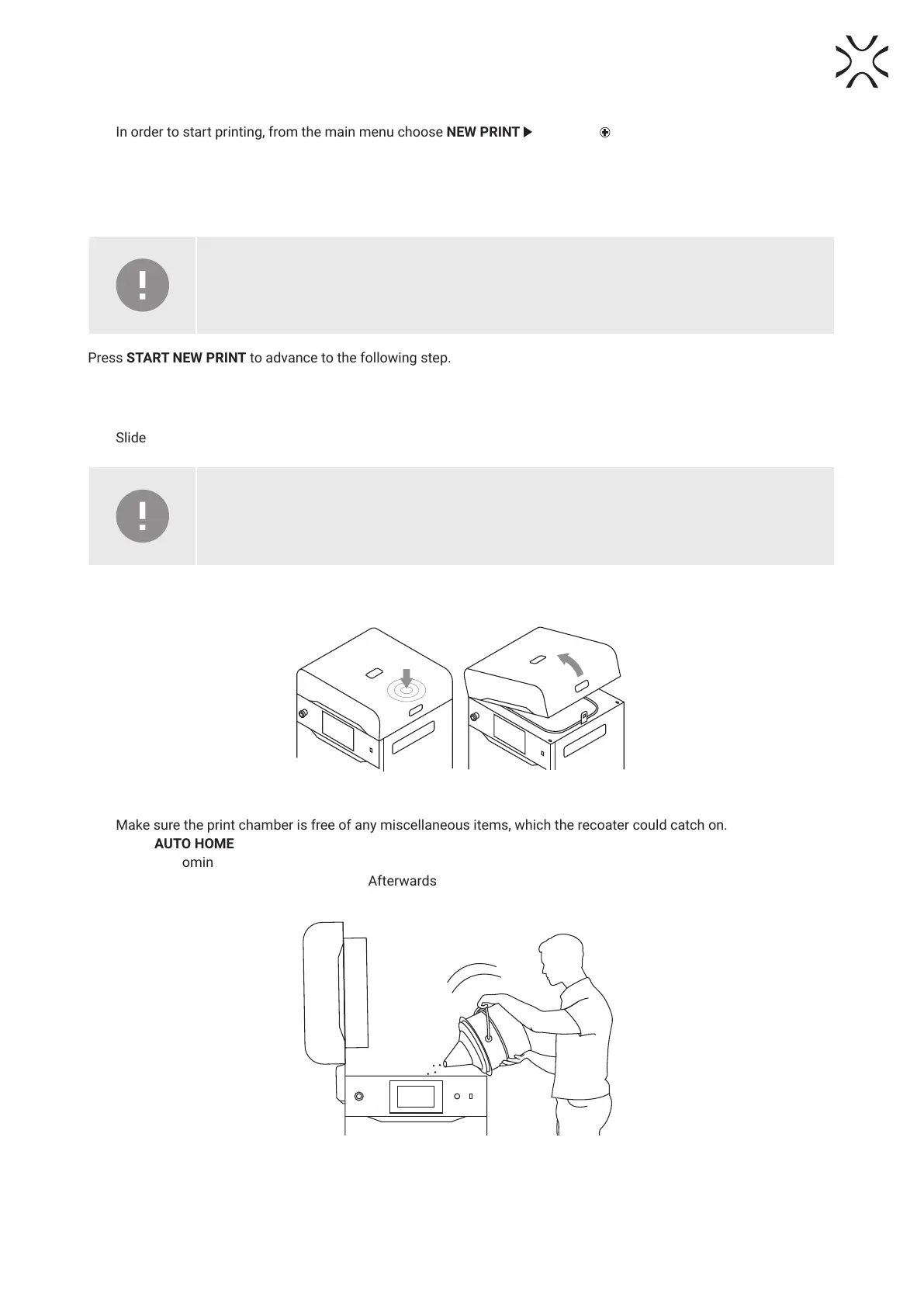
2. Push on the lid and pull it up using the lid handle (g. 2.3).
Fig. 2.3 Lifting the printer lid.
3. Make sure the print chamber is free of any miscellaneous items, which the recoater could catch on.
4. Press AUTO HOME to begin homing the Feed Bed and Print Bed positions.
5. Once the homing process is nished, ll the Feed Bed up with the desired powder. You may use the powder funnel
provided in the Dedicated Powder Tools. Afterwards press DONE.
Fig. 2.4 Filling the print chamber with powder using a funnel.





 To Next Page