Copyright © 2005 Toshiba Corporation
All rights reserved
Create Shortcut on Desktop:
Creates a shortcut of the selected connection ICON on the desktop.
Rename:
Renames the selected connection ICON.
Change ICONs:
Assigns a different ICON to the selected connection.
7.6 Configure a FAX connection
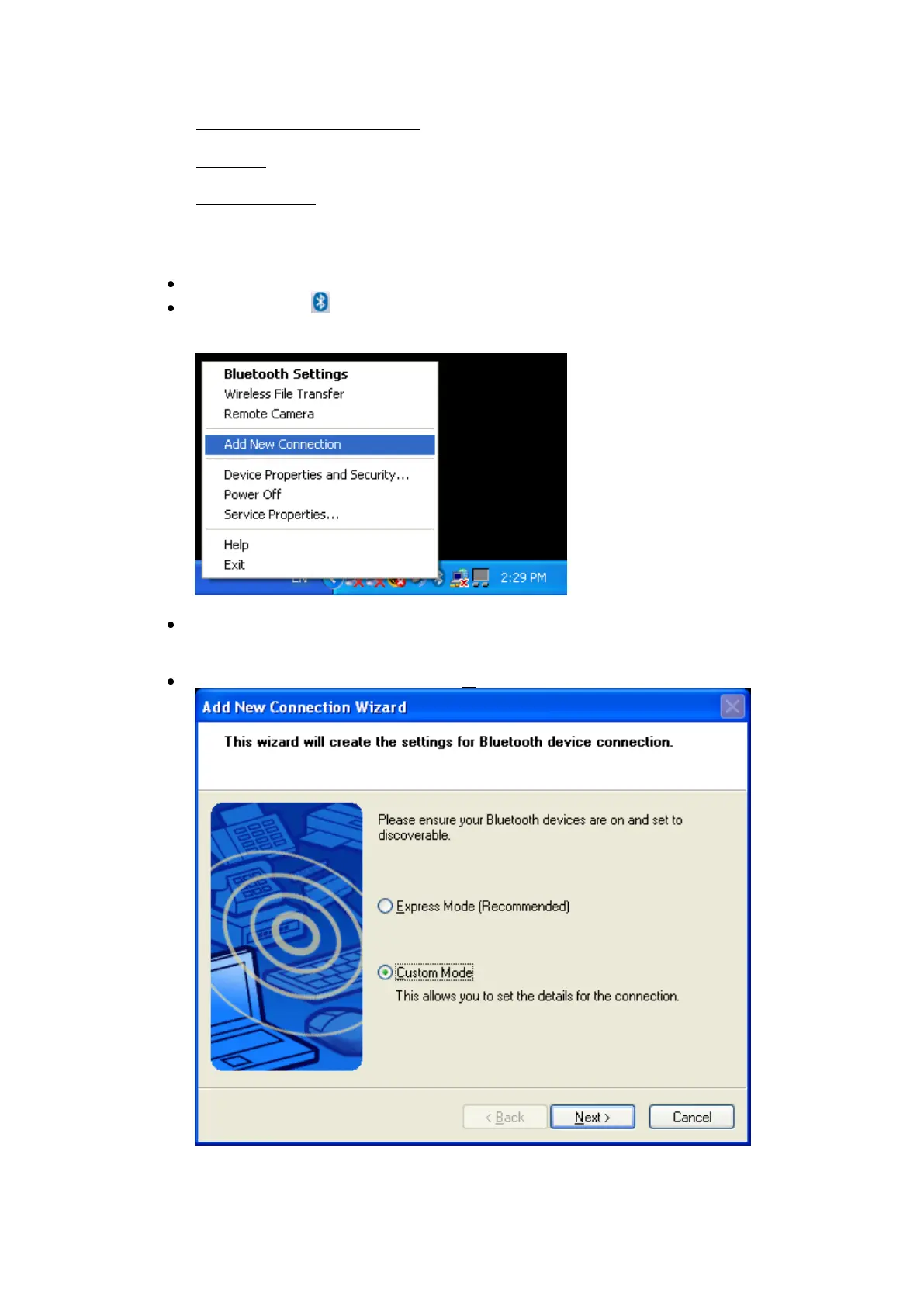
Launch the „Add New Connection Wizard‟ application.
Right click the ICON in the tray bar and select Add New Connection.
It is also possible to launch Bluetooth Settings and then click the „New
Connection button‟.
Please make sure that your Bluetooth™ modem/mobile phone is
discoverable. Check the manual of the Bluetooth™ device how to do.
Choose “Custom Mode” and click „Next‟
By using “Custom Mode” it is possible to choose the profile manually.



 To Next Page