Copyright © 2005 Toshiba Corporation
All rights reserved
3. Device Properties and Security settings
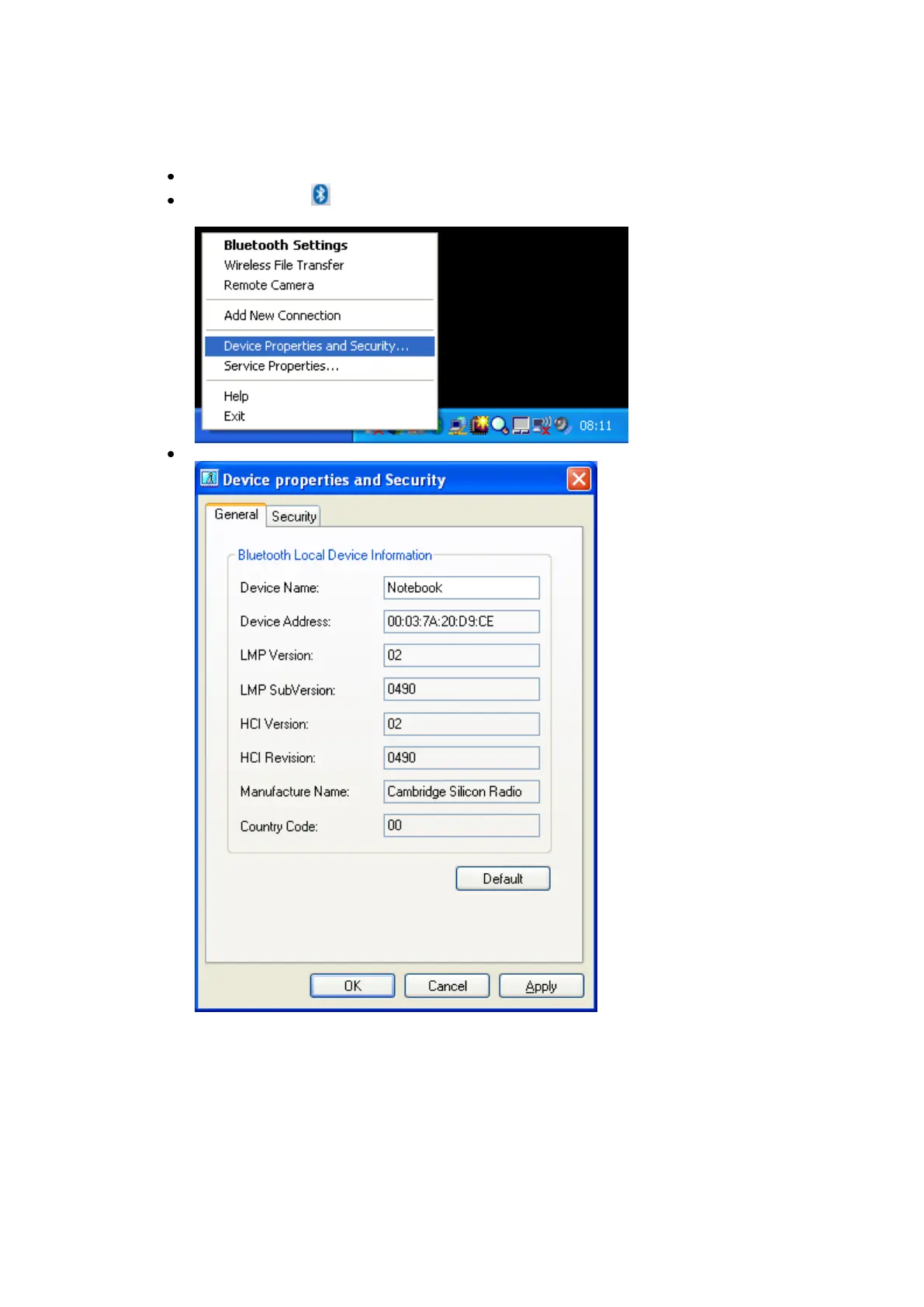
Open the „Device Properties and Security‟ window
Right click the ICON in the tray bar and select Device Properties and
Security... from the menu.
You will get a general overview of your Bluetooth™ Hardware properties
You can get useful information, such as Device Name, Device Address or
the Manufacturer Name of your Bluetooth chipset.
The LMP Version indicates which Bluetooth™ version your Hardware
supports.
Bluetooth™ v1.1 -> LMP Version 01
Bluetooth™ v1.2 -> LMP Version 02
Bluetooth™ v2.0 + EDR -> LMP Version 03



 To Next Page