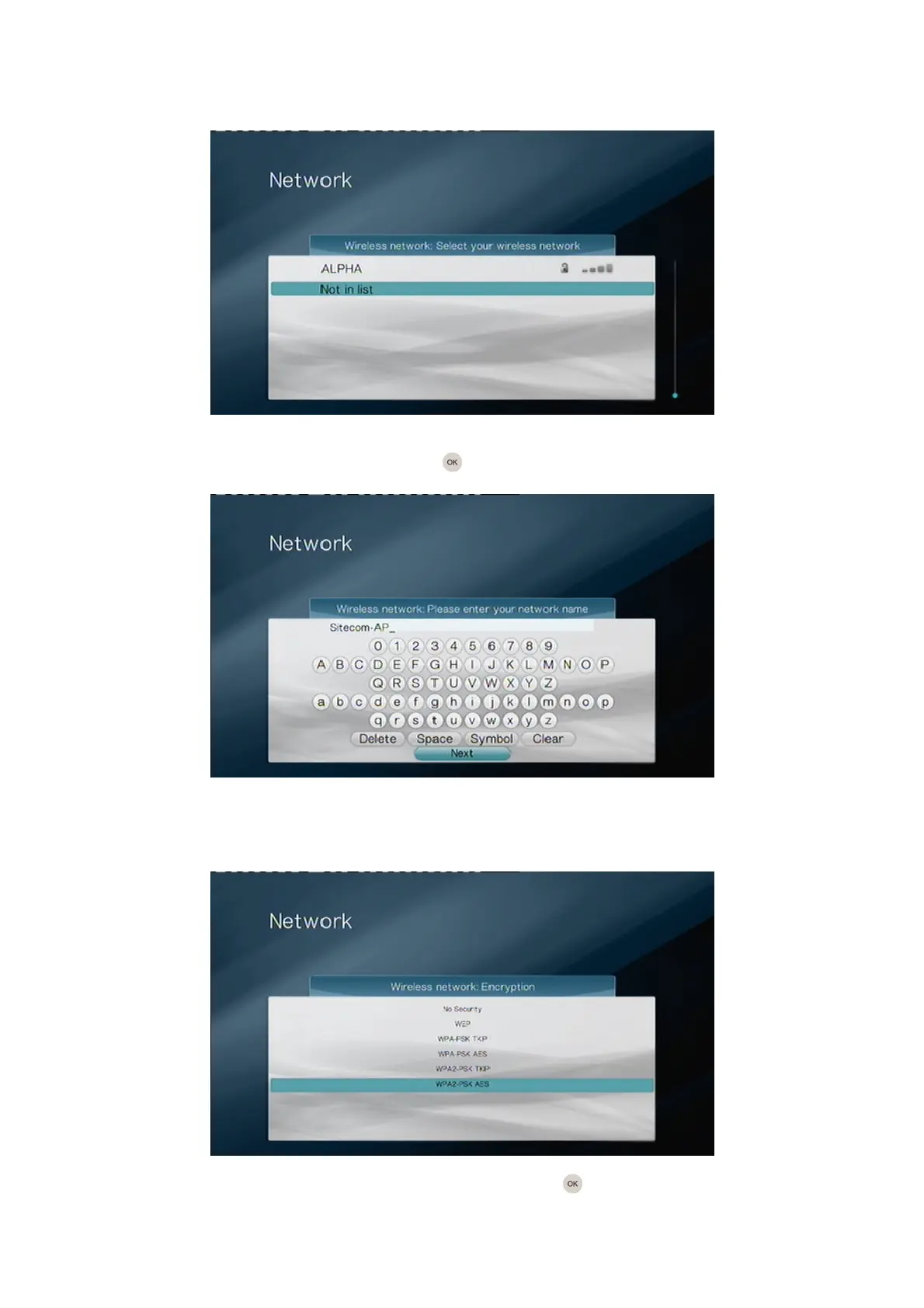
5. Manual Connect – Manual SSID
If you selected “Search wireless networks” and your network was not in the list, select
the option “Not in list” and press the OK button on the remote control.
Type in the network name (SSID) of the wireless network you’re trying to connect to.
Please note that the SSID is case sensitive. When you’re finished, select “Next” to
continue.
Select the security type of the network and press the OK button on the remote
control.



 To Next Page