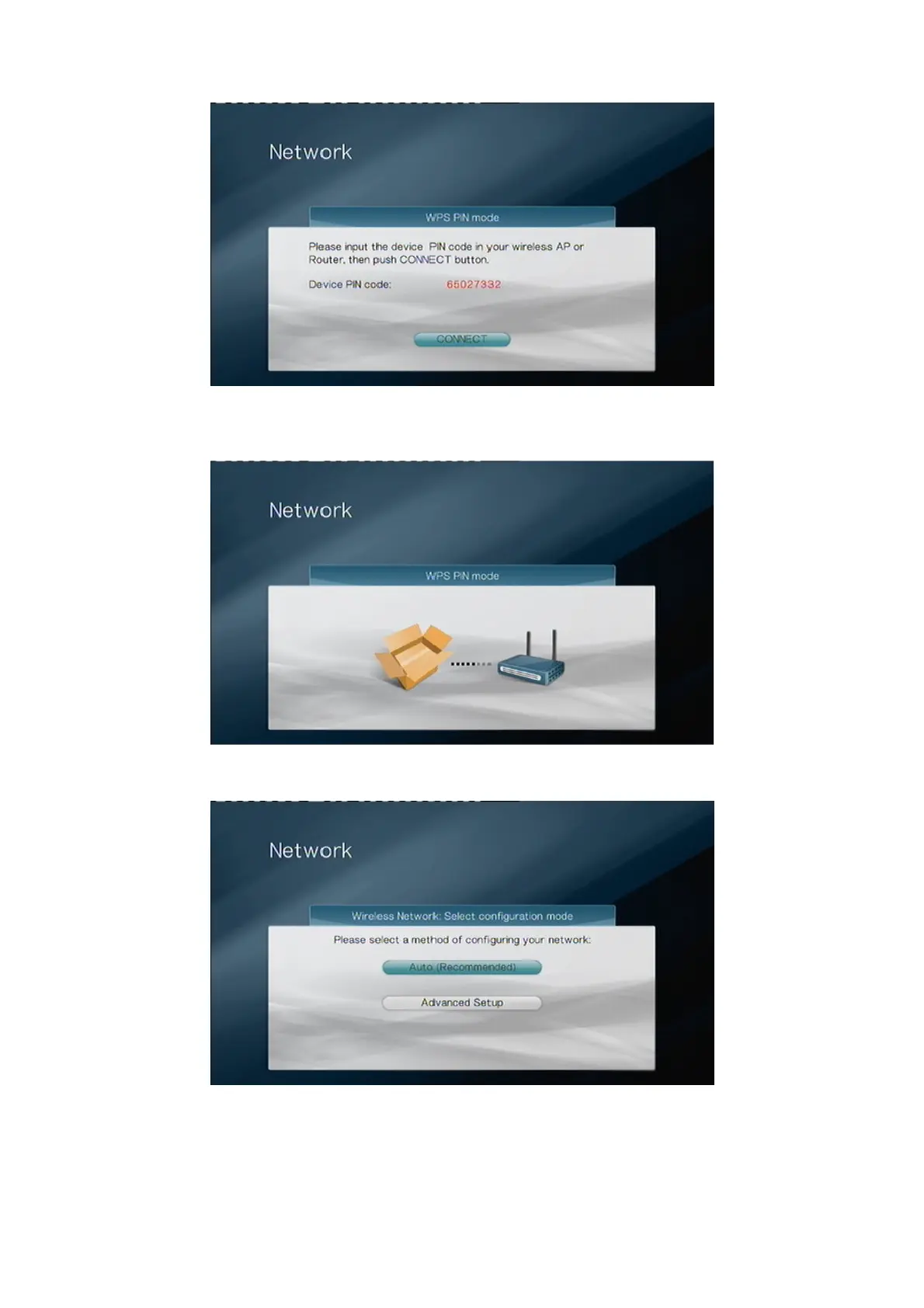
Note the PIN code and apply it in the settings menu of your router. Refer to the manual
of your router for this. After you’ve done this, select the “CONNECT” button to continue.
The WPS connection is now being established. After a while you’ll see the screen below.
Select “Auto” if your router has a DHCP server. This is the option that you should
normally choose. Select “Advanced Setup” if you want to manually assign an IP-
address to the TV Media Player. Please refer to page 30 of the TV Media Player Manual
for the steps to manually assign an IP-address.



 To Next Page