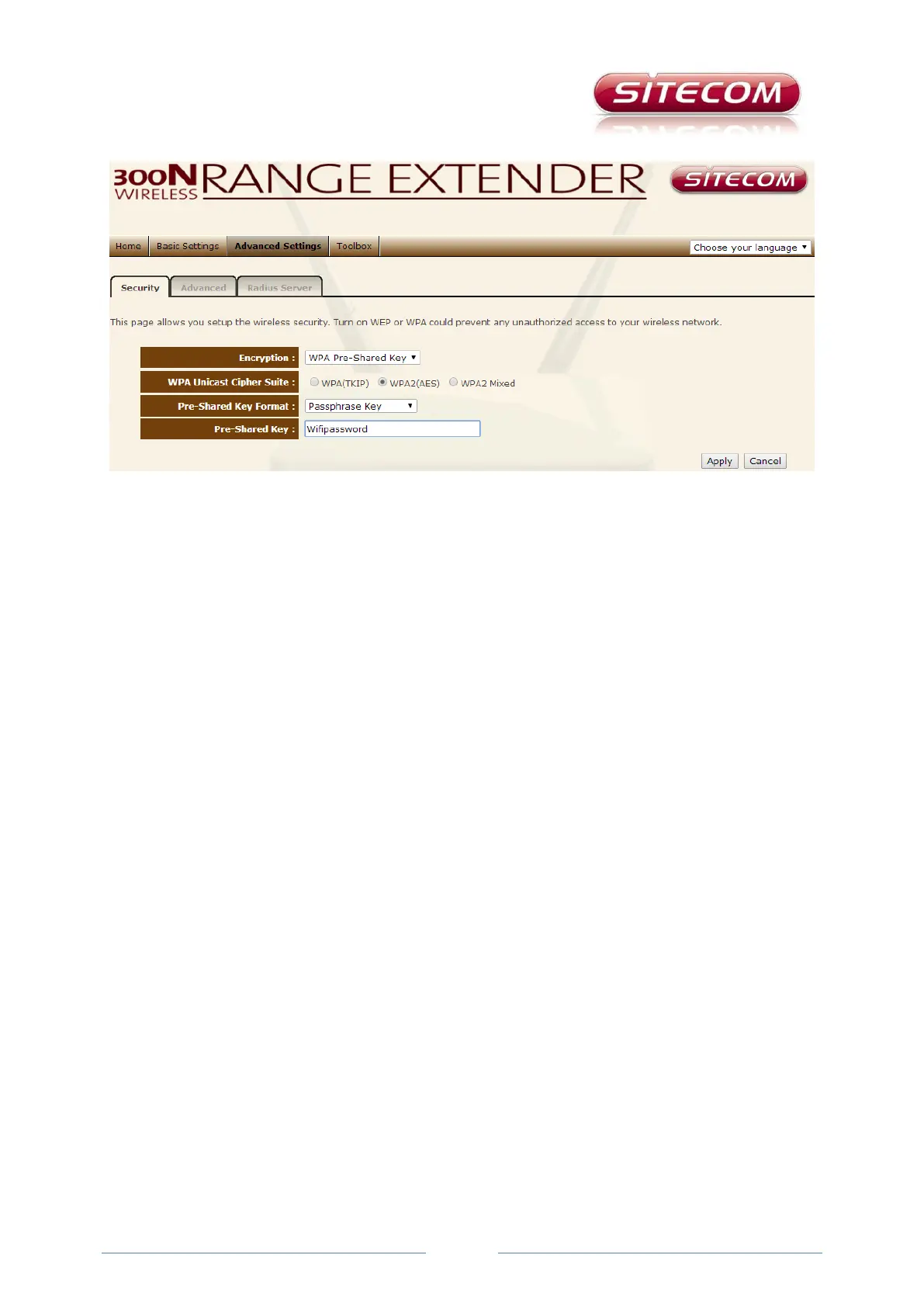
Advanced Settings tab
Under Advanced Settings you will find extensive options for configuring the range extender in more
detail. Only make changes here if you know what you are doing.
On this tab you manage the more advanced settings, of which the security (on the Security sub-tab)
is the most important. The Complete (all other advanced settings) and Radius server (configure your
range extender as a Radius Server) sub-tabs are not discussed in this FAQ. Only change settings on
this tab after you have read the complete documentation for your range extender. If in doubt, do not
change any of these settings, especially not if you already have a correctly functioning network.
Security
Under the Security sub-tab you can manage the security standard of the wireless signal from your
range extender. This must be the same security standard used on your router (or modem router) or
access point. Sitecom always recommends making use of the WPA Pre-Shared Key standard. For the
WPA Unicast Cipher Suite preferably choose WPA2(AES). The password you use to connect to your
router (or modem router) or access point is shown by for shared Key. Do not change this, because
otherwise the connection will be lost. The range extender must have the same password and security
standard as you router (or modem router) or access point anyway.



 To Next Page