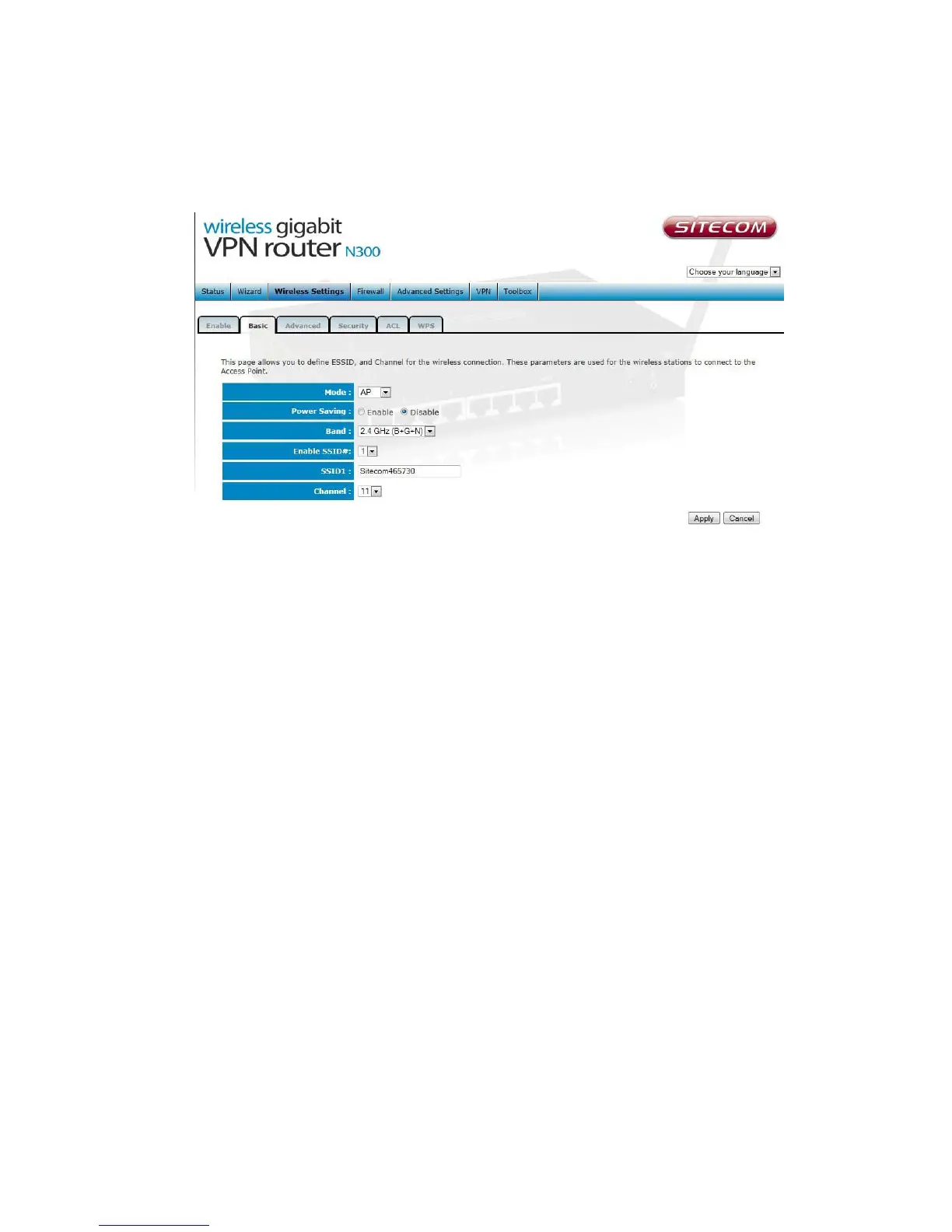
Basic Settings
Mode Allows you to set AP or WDS mode.
Band Allows you to set the AP fixed at 802.11b or 802.11g mode. You can
also select B+G mode to allow 80211b and 802.11g clients at the same time.
Enable SSID # Allows you to enable up to four SSIDs for this router.
SSID This is the name of the wireless signal which is broadcasted. All the
devices in the same wireless LAN should have the same ESSID.
Channel The channel used by the wireless LAN. All devices in the same
wireless LAN should use the same channel. When ‘Auto’ is selected the router
will automatically determine which wireless channel is most suitable.



 To Next Page