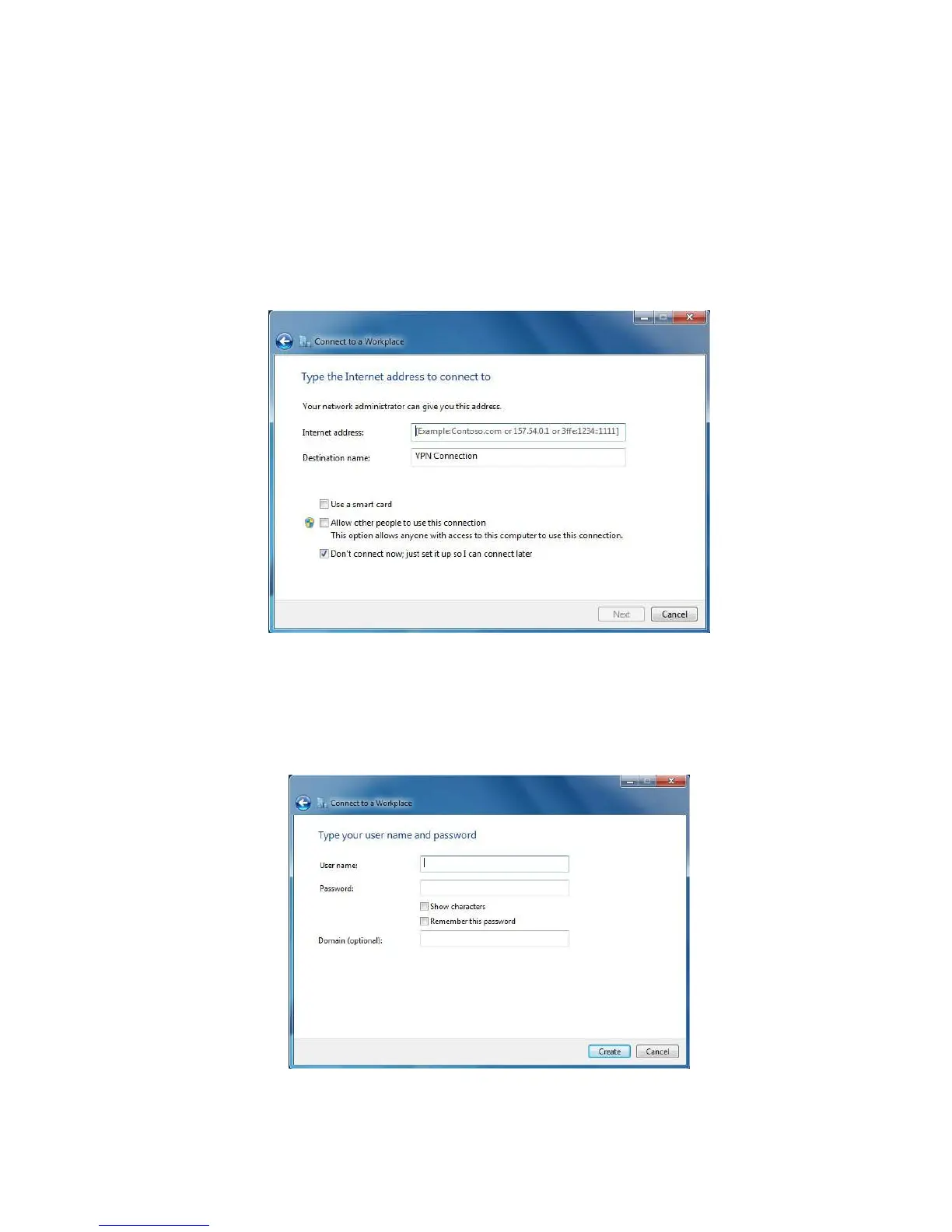
6. Complete the following fields:
Internet Address Enter the WLR-4002B WAN IP address.
Destination name Enter a name for the VPN client.
We recommend to select: Don’t connect now. Just set it up so I can
connect later.
Click next to continue.
7. Complete the following fields:
User name Enter the username used to log onto the VPN tunnel.
Password Enter the password used to log onto the VPN tunnel.
Click Create to continue.



 To Next Page