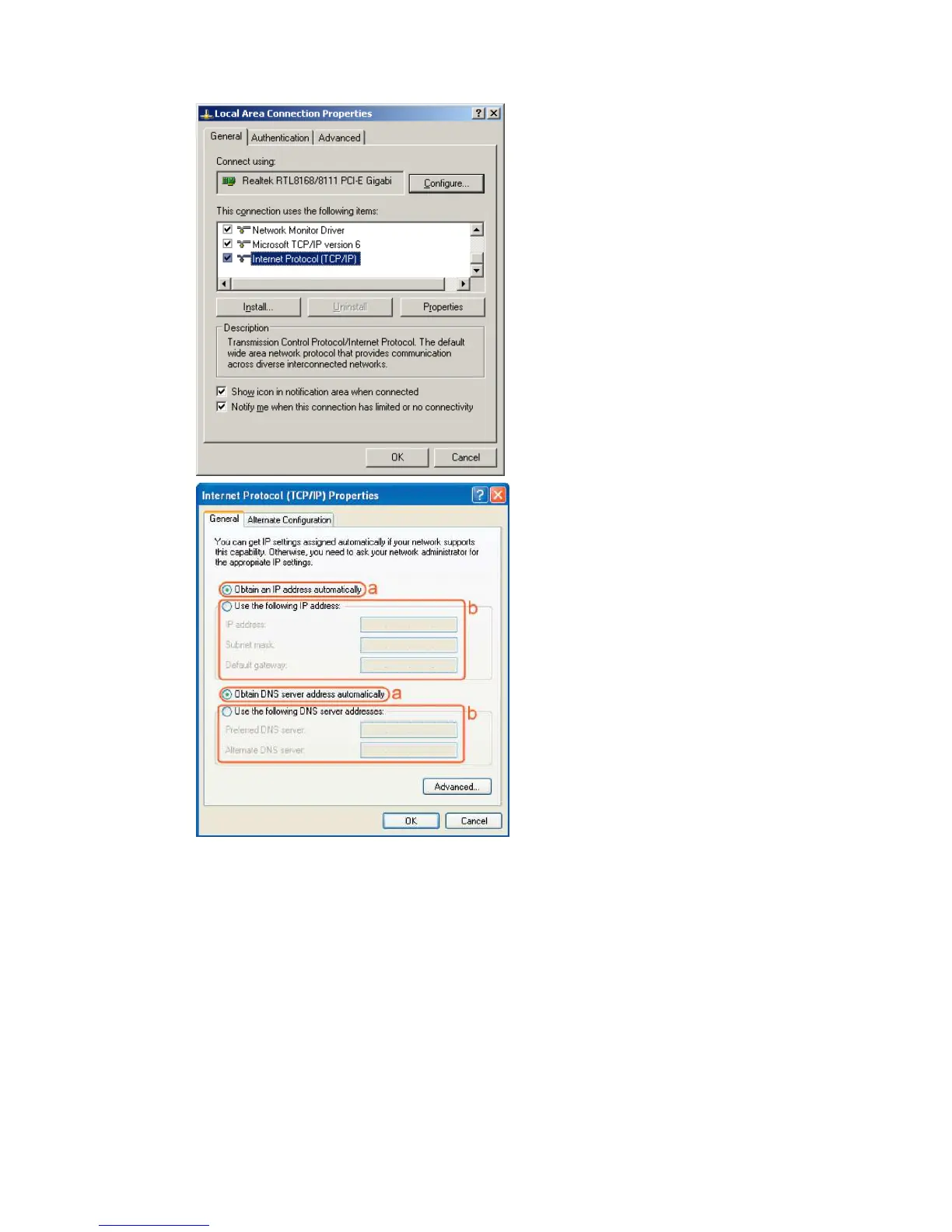
• Select the [General] tab.
The device supports the [DHCP] function, please select both [Obtain an IP address
automatically] and [Obtain DNS server address automatically].
Windows Vista/Seven
• Enter [Start Menu] -> select [Control panel] -> select [View network status and
tasks] -> select [Manage network connections].



 To Next Page