
 Need help?
Do you have a question about the Sizewise SW Rest Secure System and is the answer not in the manual?
Explains text formatting like Standard Text, Bold Face Text, and NOTE for clarity.
Explains warning symbols for operating, maintenance, and electrical hazards.
Covers specifications, setup, operation, and safety tips including interference.
Explains the need for regular maintenance and battery disposal warnings.
States only authorized personnel should troubleshoot to avoid injury.
Explains the RSS alerts for patient exit/fall risk and includes scale/timer functions.
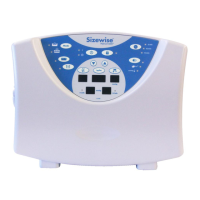
Details housing material, dimensions, and connectors for the control module.
Specifies AC adapter voltage, current, and battery power details.
Lists resolution, sampling frequency, and averaging for weighing.
Details housing, operating current, and audio features like record memory.
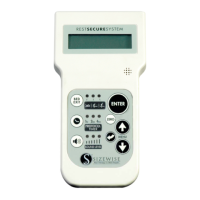
Describes LCD display and lists functions like alarms and scale.
Explains how to choose alert types like Nurse Call Only, Tone, or Voice Recording.
Allows adding/removing items like blankets without affecting weight readings.
Sets the time for automatic daily weight recording for up to 30 days.
Configures protocol reminders for 1, 2, or 4 hours with different alert settings.
Explains how to set sound levels (low, medium, high) for alarms.
Step-by-step guide to set hours, minutes, seconds, month, date, and year.
Explains High, Medium, and Low sensitivity for detecting patient movement.
Accesses and toggles through the last 30 days of weight history.
Allows selection of one of five audible alarm tones for the bed exit alarm.
Enables recording a custom voice message for the bed exit alarm.
Manually adjusts weight in 0.5 lb increments if items added without Add/Remove.
Allows switching between pounds (lbs.) and kilograms (kgs.) for weight display.
Locks the unit of measure (lbs. or kgs.) to prevent accidental changes.
Specific cleaning instructions for scale meter and coiled cord.
Guidance on cleaning bodily fluids from surfaces.
Proper storage conditions and end-of-life disposal procedures.
Identifies the location of the Sizewise serial number on the control box.
 General
| Brand | Sizewise |
|---|---|
| Model | SW Rest Secure System |
| Category | Medical Equipment |
| Language | English |



 To Next Page