EasyManua.ls Logo

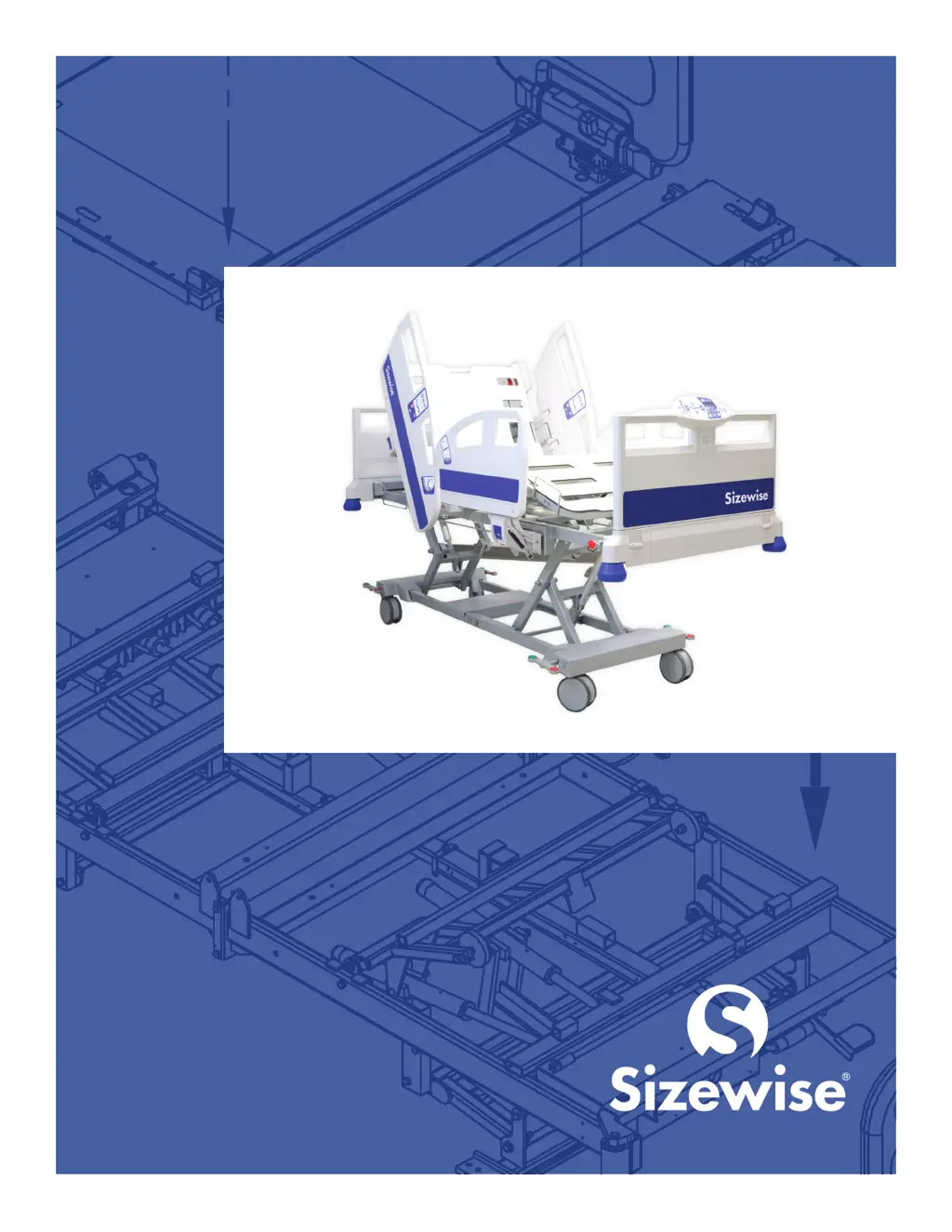
Sizewise Alliance - User Manual

Sizewise Alliance
74 pages
Print Icon
To Next Page IconTo Next Page
Loading...
Sizewise Alliance
User Manual
Doc. #8110, Rev. 5.0, Rev. Date: 2/26/2021
MFG-0020A-0619

Table of Contents

Other manuals for Sizewise Alliance

Questions and Answers

  • S
    Sharon YoungAug 17, 2025
    What to do if Sizewise Medical Equipment bed will not operate with all functions unresponsive?
    • B
      Brian ClaytonAug 17, 2025
      If your Sizewise Medical Equipment bed isn't working at all, try these steps: First, ensure the bed is plugged into a properly grounded hospital-grade outlet. Then, check that all cables to the Electronic Control Module are properly connected and secure. Next, verify all switches on the foot control panel are set to the “Unlocked” position. Finally, check the two fuses within the Electronic Control Module and replace them if needed.
  • C
    Calvin MelendezAug 19, 2025
    What to do if one function of Sizewise Alliance Medical Equipment bed will not operate?
    • N
      Nicholas DurhamAug 19, 2025
      If a specific function on your Sizewise Medical Equipment bed isn't working, first verify the switch on the foot control panel that corresponds to the non-operating function is set to the “Unlocked” position. Also, ensure all cables to the Electronic Control Module are properly connected and secure.
  • B
    Brenda WilliamsAug 22, 2025
    What to do if Sizewise Alliance Medical Equipment bed will not operate off of battery power?
    • J
      Justin MannAug 22, 2025
      If the Sizewise Medical Equipment bed will not operate off of battery power, plug the bed into a properly grounded hospital-grade outlet and let it charge for 24 hours. Also, ensure all cables to the Electronic Control Module are properly connected and secure.
  • D
    dariusscottAug 25, 2025
    What to do if Sizewise Alliance Medical Equipment scale showing incorrect weight?
    • E
      eallenAug 26, 2025
      If the Sizewise Medical Equipment scale is displaying an incorrect weight, first, ensure that the zeroing process was completed correctly. If the issue persists, consult with your service technician to determine if calibration is needed.
  • J
    jgonzalesAug 27, 2025
    What to do if Sizewise Medical Equipment bed remains locked and the previous procedure does not work?
    • K
      Kylie GatesAug 27, 2025
      If your Sizewise Medical Equipment bed remains locked, try resetting the system. To do this, press and hold the Bed Up and Bed Down buttons simultaneously for 10 seconds until you hear a long beep and the lights on the side rails are no longer illuminated or flashing.
  • C
    Catherine HaleAug 30, 2025
    What to do if LEDs are flashing and the Sizewise Alliance bed does not work?
    • T
      tyler06Aug 30, 2025
      If the LEDs are flashing and your Sizewise Medical Equipment bed isn't working, check that all connections are secure and there are no pinched or damaged wires.
  • N
    natasha50Sep 1, 2025
    What to do if the Sizewise Medical Equipment battery does not work?
    • J
      Justin EvansSep 2, 2025
      If the Sizewise Medical Equipment battery isn't working, check the battery voltage. If it's less than 17 volts, replace it with a new one.
  • L
    Larry LunaSep 4, 2025
    What to do if nurse call will not activate on Sizewise Medical Equipment?
    • J
      Jill RussellSep 4, 2025
      If the nurse call function isn't activating on your Sizewise Medical Equipment, make sure the nurse call adapter from the bed to the wall interface is securely plugged in. Also, check the nurse call adapter cable from the Control Box to the bed frame.
  • S
    sherry31Sep 7, 2025
    What to do if Sizewise Alliance Medical Equipment display on footboard shows Load Cell Error?
    • L
      luisosborneSep 7, 2025
      If the display on the footboard of your Sizewise Medical Equipment shows a Load Cell Error or a red light is flashing on the RSS under the bed, check the RSS to ensure all load cell cables are plugged in. Also, inspect the load cell cables for any damage.
  • C
    Caitlin HayesSep 10, 2025
    How to unlock function on Sizewise Alliance Medical Equipment bed?
    • C
      cblackburnSep 12, 2025
      To unlock a function on the Sizewise Medical Equipment bed, use the foot control panel. Press and hold the Key button and then press the button of the locked function.

Summary

Definition of Symbols

Electrical Shock Hazard Warning

Alerts user to electrical shock hazards; follow instructions to avoid shock.

Pinch Point Hazard Warning

Alerts user to pinch-point, crushing hazard; follow instructions to avoid injury.

Important Safety Instructions

Symbols and Labels

Device Information

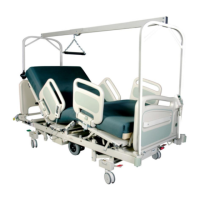
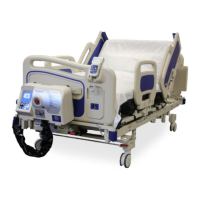
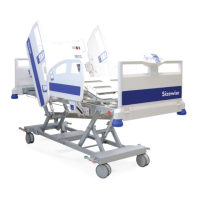
Description of Alliance Bed

Details on bed design, lifespan, structure, and components.

Purpose of the Device

Bed's function, target patient population, and weight capacity.

General Bed Components

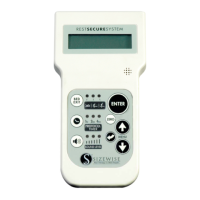
RSS Description

Explains the Rest Secure System's purpose, scale, and protocol timer features.

Specifications

Alliance Specifications

Lists quality standards, electrical ratings, dimensions, and load capacities.

RSS Specifications

RSS Control Box

Details on housing, connectors, indicators, external/battery power, and weighing function.

Footboard Control with Integrated RSS

Describes operating current, audio, display, and functions of the footboard control.

Unpacking and Setup Instructions

Unpacking and Parts Breakdown

Instructions for removing products from packaging and checking for shipping damage.

Environmental Conditions

Information on electromagnetic interference and environmental factors.

Setup Warnings and Safety Instructions

General warnings about setup procedures and power connection.

RSS Setup

Basic RSS Setup

Steps for connecting the Nurse Call Interface and understanding battery status indicators.

Bed Exit Alarm: Alert Type

Scale System: Zeroing the Scale

Steps to set the tare weight for the integrated scale system.

Scale System Functions

Adding or Removing Items

How to adjust weight readings when adding/removing items from the bed.

Weight History Time Setting

How to set the time for automatic weight recording for 30 days.

Protocol Timer Features

Protocol Timer: Sound Level Setting

How to adjust the sound volume for bed exit alarms and protocol reminders.

Setting the Time;Date

Operating Instructions

Alliance Operating Instructions

Overview of bed operation and footboard controls.

Footboard Controls Overview

Details on lockout functions, master lockout, and integrated RSS features.

Hand Control

Operation of Bed

Wiring Diagram

Controls

Patient and Nurse Head Side Rail Control

Identifies buttons on the patient/nurse head side rail control.

Bed Control Operations

Raise or Lower Backrest

Instructions for operating the backrest up/down buttons on the bed controls.

Raise or Lower Legs

Instructions for operating the leg section up/down buttons on the bed controls.

Raise or Lower Mattress Platform

How to adjust the bed height using mattress platform control buttons.

Positional Adjustments

Operating Trendelenburg, Reverse Trendelenburg, and Cardiac Chair positions.

Emergency and Safety Operations

Using CPR position, Bed Exit Alarm, and Locking Functions.

Bed Exit Alarm Settings

Setting the Bed Exit Alarm

Instructions for setting bed exit alarm sensitivity levels.

Scale System: Use Scale and Access Weight History

Protocol Timer: Using the Timer

Bed Exit Alarm Features

Bed Exit Alarm: Set Alert Tones

How to select from 5 different audible tones for the bed exit alarm.

Bed Exit Alarm: Record Message

How to record a custom message for the bed exit alarm.

Scale System Settings

Scale System: Adjust Weight

Manually adjust the weight if items were added without using Add/Remove.

Scale System: Change LBS.;KGS. Setting

How to change the weight unit display between pounds and kilograms.

Scale System: Locking;Unlocking Units

How to lock the unit of measure (lbs/kgs) in the Scale Settings menu.

Proper Use of the Bed

Reaching or Leaning Safety

How patient reaching/leaning affects balance and safety.

Side Rails

Seven Zones of Bed Rail Entrapment

CPR RELEASE SYSTEM

Patient Transfers

Safety instructions and procedures for patient transfers.

Features

Casters and Multifunction Pedal

Details on caster operation and multifunction pedal.

RSS Connections

Emergency Battery Backup

Serial Number Location

IV Pole Information

Information on IV pole placement and weight capacity.

Trapeze Assembly

EMC Information

Guidance and Manufacturers Declaration

Specifies the intended electromagnetic environment for the bed.

General Safety

Pinch Point Safety

Guidance on watching for pinch points indicated by labels.

Transport Instructions

Cleaning and Disinfection

Cleaning Agents and Procedures

Recommended disinfectants, stain removers, and C. diff prevention.

General Patient Room Cleaning

Procedures for cleaning patient room equipment and bed frames.

Component Cleaning

Specific cleaning for steam, scale, electronics, and hand controls.

Surface and Unit Cleaning

Instructions for cleaning sleep surfaces and control units.

Filter and Excretion Cleaning

Cleaning air filters and bodily excretions from the bed.

Accessories

Bed Maintenance

Maintenance Schedule Overview

Overview of the bed maintenance schedule and checklist.

Component Checks

Checks for fasteners, casters, pedals, and power cables.

System Checks

Verification of controls, motors, and battery functionality.

Storage and Disposal

Troubleshooting

Alliance Troubleshooting Guide

Solutions for unresponsive functions, power issues, and locked operations.

RSS Troubleshooting Guide

Resolving RSS errors, power, weight history, and nurse call issues.

Product Warranty Information

Warranty Terms and Conditions

Details on warranty coverage, periods, and buyer's responsibilities.

Warranty Exclusions and Limitations

Items and occurrences not covered by the product warranty.

Warranty Disclaimers and Remedies

Legal disclaimers, exclusive remedies, and contact for claims.

Extended Warranty Options

Information on purchasing and terms for an extended product warranty.

Sizewise Alliance Specifications

General IconGeneral
Height AdjustableYes
Frame MaterialSteel
Length80 inches
Mattress TypeFoam
Side RailsYes
Wheel TypeLocking Casters
Height Range19-30 inches

Related product manuals