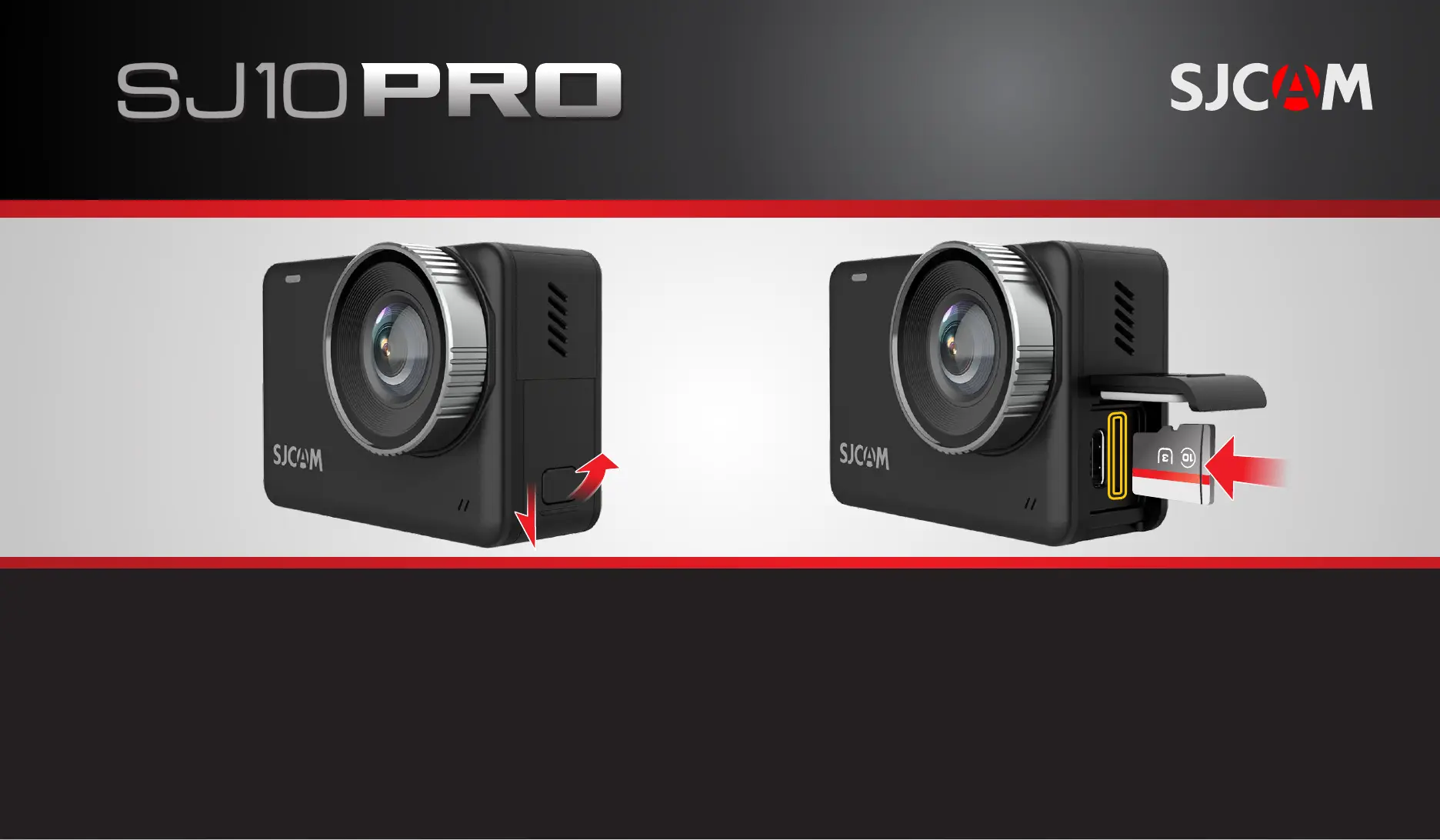
Locate the covered MicroSD card slot
on the le side of the camera.
Push the buon and slide the door down.
Swing the door outwards to expose the
USB Type C port and the MicroSD slot.
Align the MicroSD card to the slot with the
card face towards the front of the camera.
Gently push it in unl it clicks into place.
Never force the card in. Always double-check
the orientaon first.
222
SWING DOOR OUT
111
To remove the card: Push it in gently to release it, then pull the card out.
Never remove the card when the camera is powered on to prevent data corrupon.
INSERTING A MICROSD CARD
All graphics, words, and design by Troy Ferrer 2020 troy@sjcamhd.com


 To Next Page