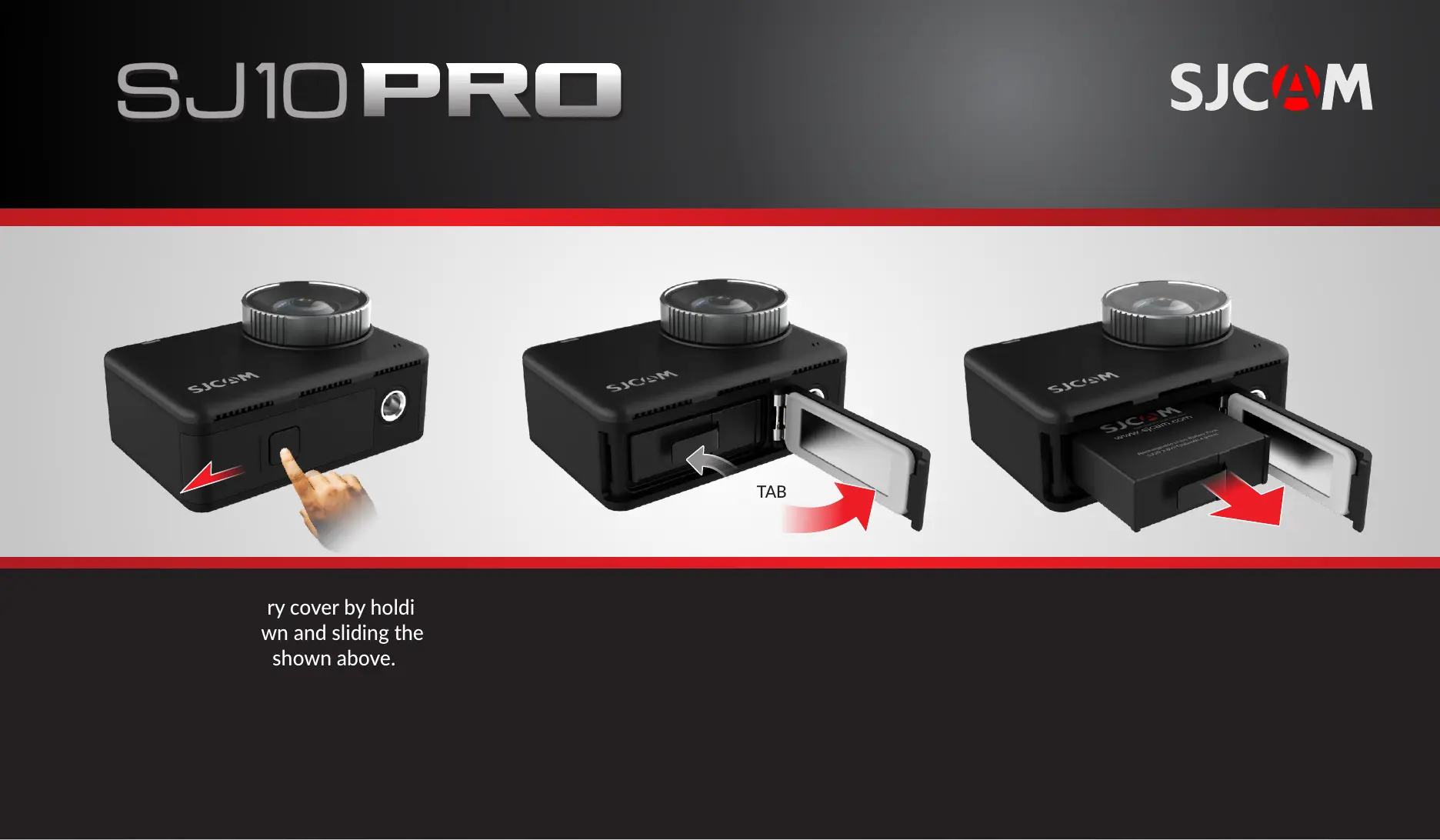
Open the baery cover by holding the
lock buon down and sliding the cover
in the direcon shown above.
While pressing on the lock, swing the
baery door open.
Grab the pull-tab with your fingers.
Pull the baery out.
Insert a freshly-charged baery in.
NOTE: The baery will only go in in one
direcon. Check that the arrow printed on the
label at the boom points to the front of the
camera.
222111 333
PULL TAB
REPLACING THE BATTERY
All graphics, words, and design by Troy Ferrer 2020 troy@sjcamhd.com


 To Next Page