20
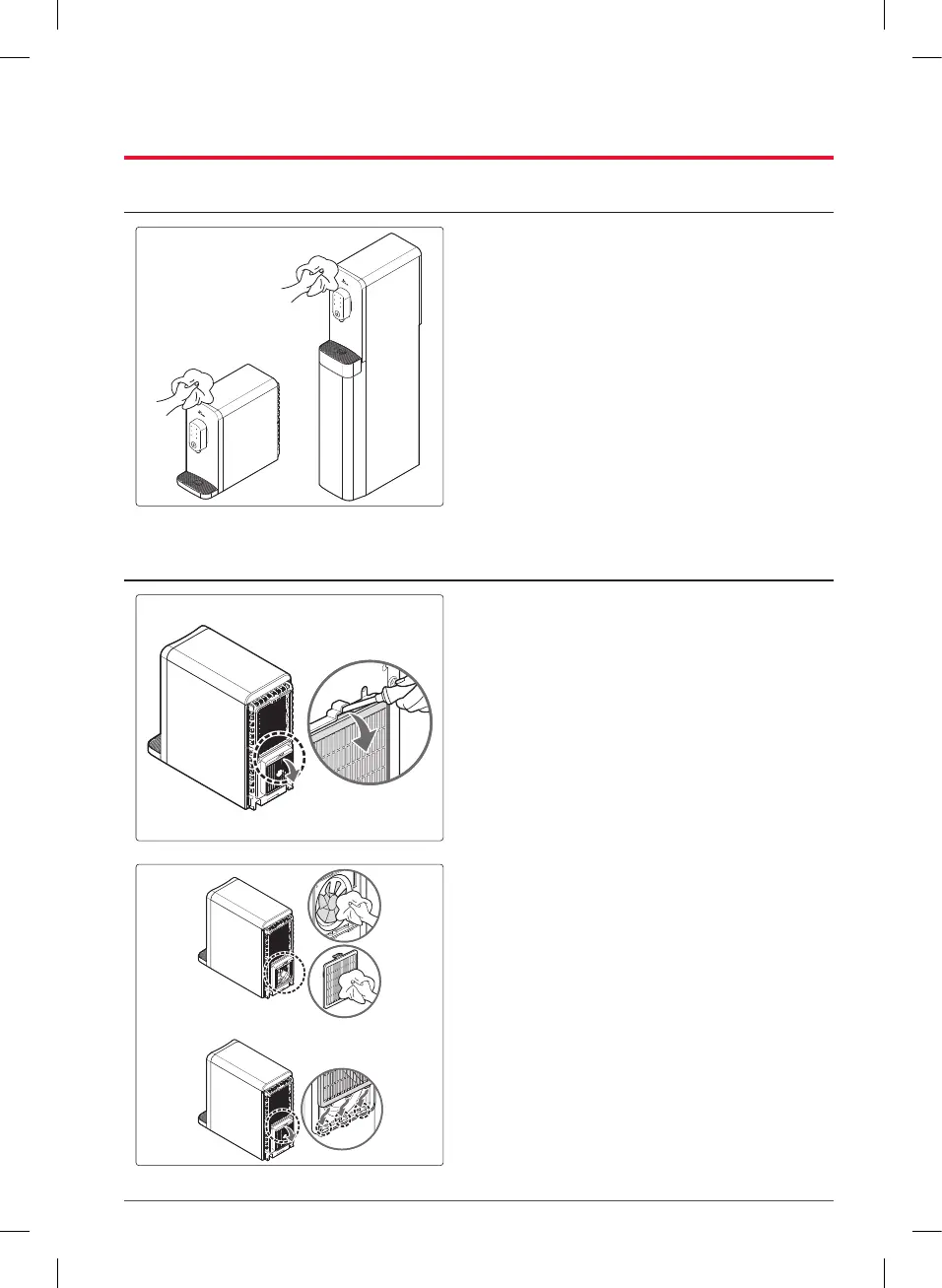
Cleaning the Exterior
1. Use a cleaning agent made exclusively
for plastic products, or use a wet cloth,
to clean the exterior.
(Do not clean the product with thinners,
benzene, or alcohol.)
Cleaning the Heat-dissipating Fan Cover and Heat-dissipating Fan
1. To clean the heat-dissipating fan blades,
remove the heat dissipation fan cover as
shown in the figure.
– Insert a flat-head screwdriver in the marked
position to remove the heat-dissipating fan
cover, and press it downward.
2. Clean the heat-dissipating fan blades
and cover with a wet wipe or a damp
rag.
– After cleaning, insert the heat-dissipating
fan cover from the bottom and press it to
assemble.



 To Next Page