49
GB
COMPUTER OPERATION MANUAL
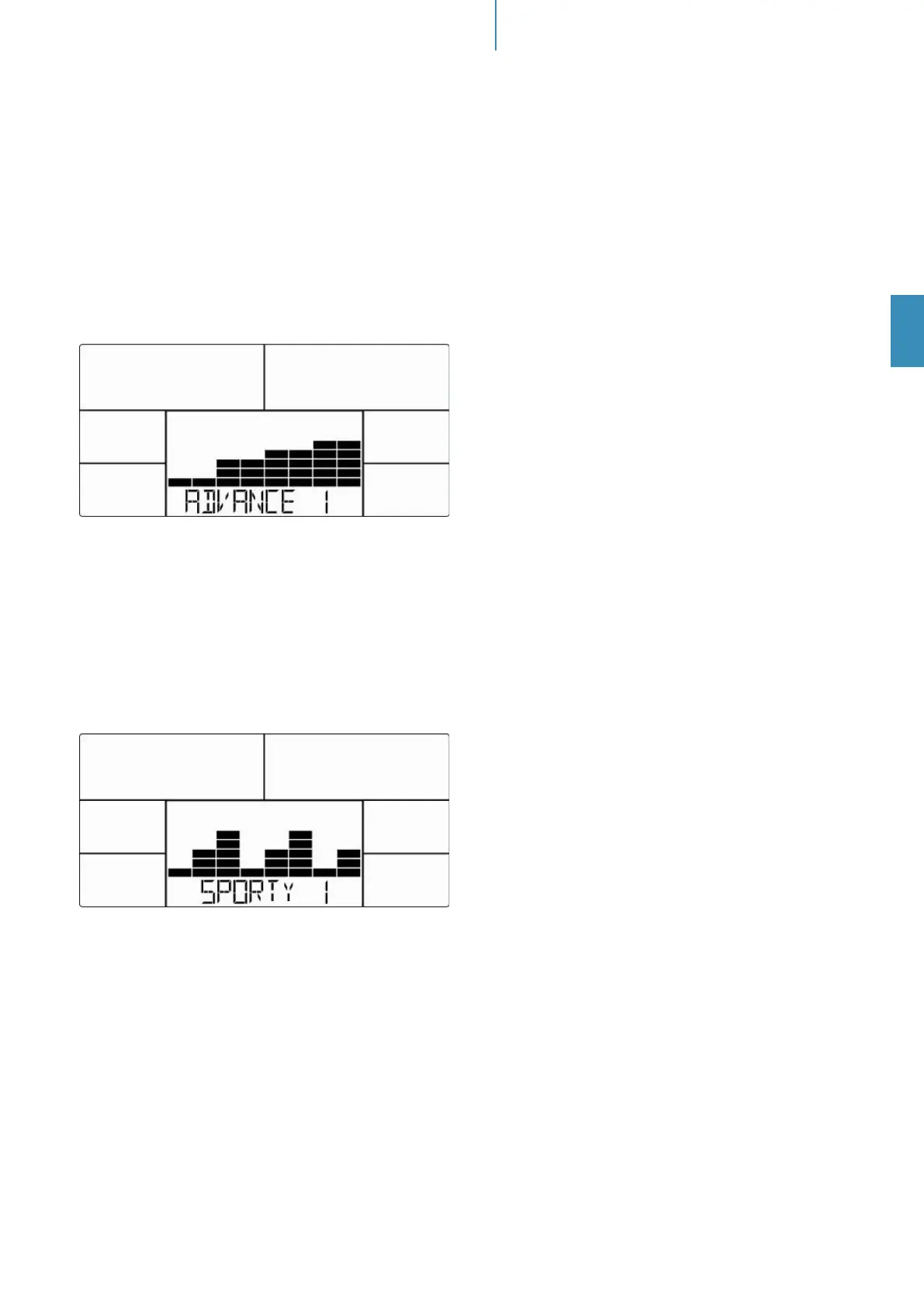
Advance Mode
Within this mode you can exercise with a program prole (preset). Mountain- and valley courses for ad-
vanced users: After selecting ADVANCED mode and “MODE/ENTER”-button for conrmation, „ADVANCE
1“ appears on the display (gure 14). Choose one of the 4 programs (1 to 4) and press “MODE/ENTER” to
conrm. You may now preset a target value for “TIME” by using “UP”, “DOWN” and “MODE/ENTER”. Press
“START/STOP” to start workout. You may change the tension level at any time during exercise with “UP” and
“DOWN”. To pause your workout, press the „START/STOP “-button again. Press “RESET” to return to main
menu.
Fig. 14
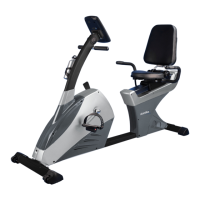
Sporty Mode
Within this mode you can exercise with a program prole (preset). Mountain- and valley courses for sporty
users: After selecting SPORTY mode and “MODE/ENTER”-button for conrmation, „SPORTY 1“ appears on
the display (gure 15). Choose one of the 4 programs (1 to 4) and press “MODE/ENTER” to conrm. You may
now preset a target value for “TIME” by using “UP”, “DOWN” and “MODE/ENTER”. Press “START/STOP” to
start workout. You may change the tension level at any time during exercise with “UP” and “DOWN”. To pause
your workout, press the „START/STOP “-button again. Press “RESET” to return to main menu.
Fig. 15
Cardio mode (H.R.C.)
After selecting this mode (press “MODE/ENTER” to conrm) you are in the heart frequency controlled mode.
You can run an automatically steered training depending on your pulse frequency. Use “UP”, “DOWN” and
“MODE/ENTER” to set your age (gure 16). Then press “UP” or “DOWN” to select one of the following alter-
natives:
(gure 17) = 55% Max H.R.C. - - Target H.R. = (220 – AGE) x 55%
75% Max H.R.C. - - Target H.R. = (220 – AGE) x 75%
90% Max H.R.C. - - Target H.R. = (220 – AGE) x 90%
TAG = Target H.R.C. - - Workout by your target heart rate value.
In “TAG” mode, use „UP/DOWN“-buttons for direct input of the target pulse value (default: 100). You may
now preset a target value for “TIME” by using “UP”, “DOWN” and “MODE/ENTER”. Press “START/STOP” to
start workout. To pause your workout, press the „START/STOP “-button again. Press “RESET” to return to
main menu.


 To Next Page