2.4 GHz installation
1
2.4G OFF2.4G OFF
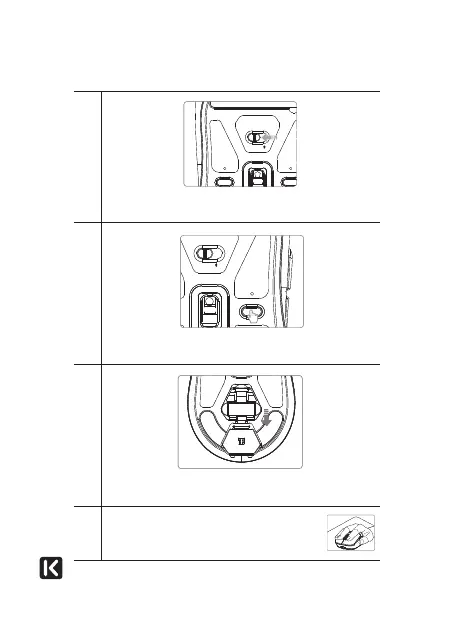
Slide the mode selector switch to the 2.4G position. The
indicator light turns red.
2
2.4G
OFF
2.4G
OFF
Press and hold the pairing button for 3 seconds. The
indicator light flashes quickly
3
Remove the USB receiver from the compartment and insert
it into a free USB port on your computer.
4
The mouse automatically links up with your
computer and the indicator light goes off.



 To Next Page