Need help?
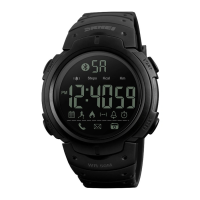
Do you have a question about the SKMEI 1164 and is the answer not in the manual?
Activates the EL backlight for 3 seconds by pressing the A key in any mode.
Guides on setting Hour, Minute, Second, Year, Month, Date, and 12/24H format.
Press and hold C key for 2s in Real Time Mode to enter the time setting state.
Use the D key to adjust the flashing item during time setting.
Press the C key to return to the Real Time Mode after setting.
Explains how seconds reset affects minute adjustment during time setting.
Explains how to turn Alarm and Chime on/off and interpret icons.
Guides on setting the alarm hour and minute using C and D keys.
Use the D key to start or stop the chronograph function.
Press C key to reset the chronograph timer to zero when stopped.
Press B key to navigate back to the Real Time Mode.
Details on activating and managing split times within the chronograph.
Press C key while chronograph is running to activate split time measurement.
Use the D key to stop or exit the split time count.
Displays last count (C key) or resets counts (D key) when split time is stopped.
Procedure to set the timer's hour and minute values.
Use the A key to start or stop the countdown timer.
Details on starting, stopping, and restarting the countdown timer.
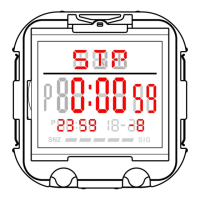
Guides on setting the hour and minute for the Dual Time feature.


 To Next Page
 General