13
Tips for Safe Operation
• Only fly in large, open spaces, such as a field or a very large indoor area, free of
obstacles like power lines, trees, ceiling fans, etc.
• When flying indoors, avoid walls and ceilings, as the quadcopter will be drawn
towards them if closer than 2 to 3 feet.
• Stand behind the quadcopter when first taking off, so that you and the quadcopter
are facing the same “forward” direction. This will make it easier to know which
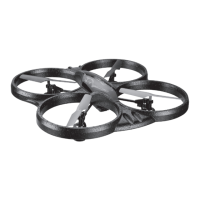
direction the unit is flying. Also, remember that the red colored propellers indicate
the front of the quadcopter.
• Practice basic flight operations like take off, hovering, and landing.
• Flying inside and at low speed, low to the ground will reduce the chance of
turbulence that can negatively affect the stable flight of the quadcopter.
• Novice pilots should move the controls slowly and deliberately, using one control at
a time, to get used to the quadcopter’s flying characteristics. Next try combining the
pitch and roll controls (forward/backward and left/right on the Right Control Stick)
to fly the quadcopter like the way an airplane flies. After mastering this, try the
yaw controls (left/right on the left thumbstick) to spin the quadcopter in place and
perform more complex flights.
• When you crash, throttle down the engines IMMEDIATELY to reduce the chance of
permanent damage to the quadcopter and other objects.
• If anything obstructs the propellers for any reason, throttle down IMMEDIATELY and
safely clear the obstruction.
Flight Control Sensitivity
The quadcopter has three settings for the responsiveness of the flight controls: 30%,
60%, and 100%. The higher settings allow faster and more precise control inputs. It
is recommended to start with the lowest setting, and as you become more skilled at
flying, increase the sensitivity as you see fit.
• 30%: Intended for novice pilots. Gives a smooth, more relaxed control feel.
• 60%: Intended for advanced pilots. The quadcopter will move and respond much
faster to all control inputs.
• 100% (Stunt Mode): The Right Control Stick will perform a flip in any direction, but
loses the ability to change pitch and roll. Use with care.
Flying & Tips


 To Next Page