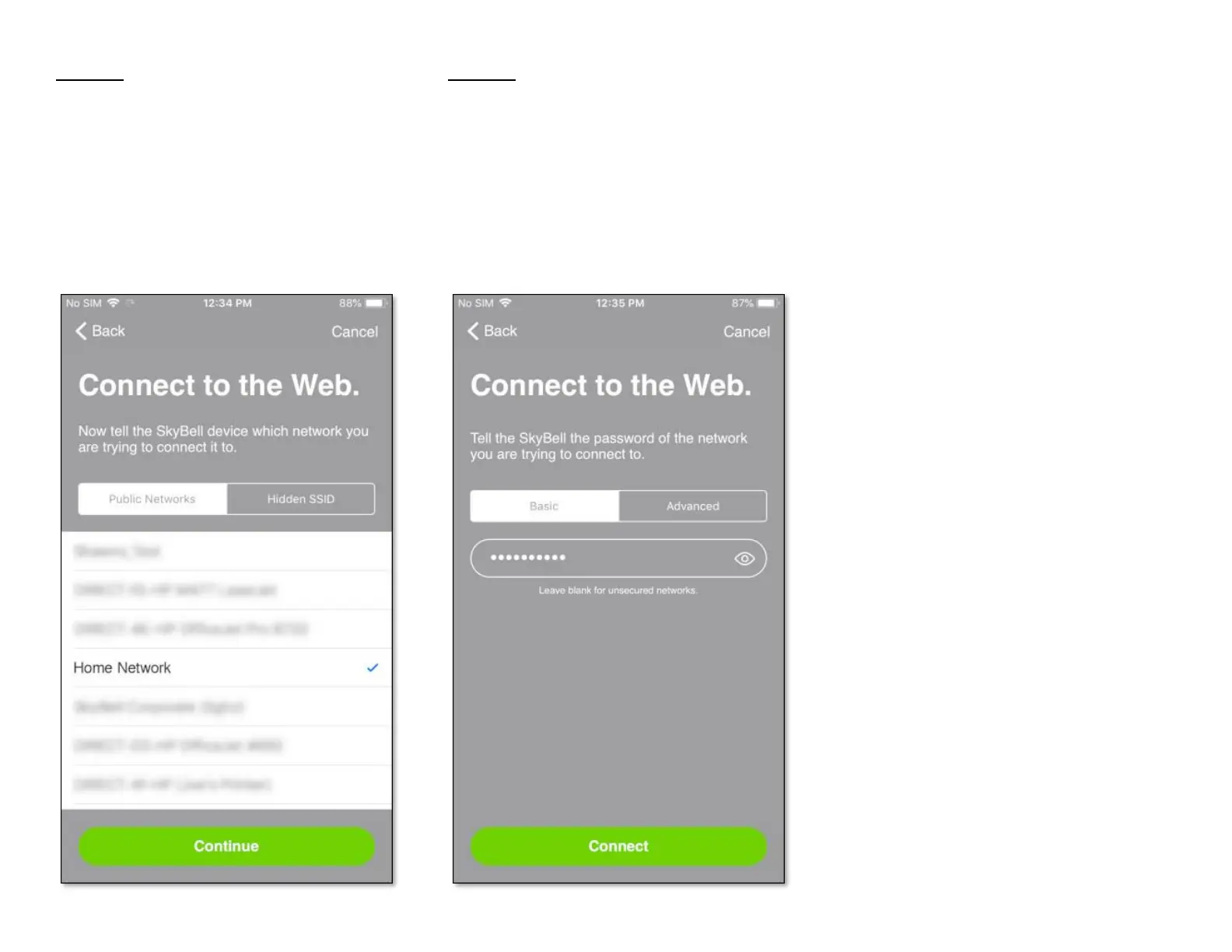
Step 11
• Select your home Wi-Fi network by tapping on
the appropriate network name.
• Tap the Continue button.
Step 12
• Enter your home Wi-Fi network password,
allowing your SkyBell device to connect to your
home Wi-Fi network.
• Tap the Connect button.


 To Next Page