Step 7
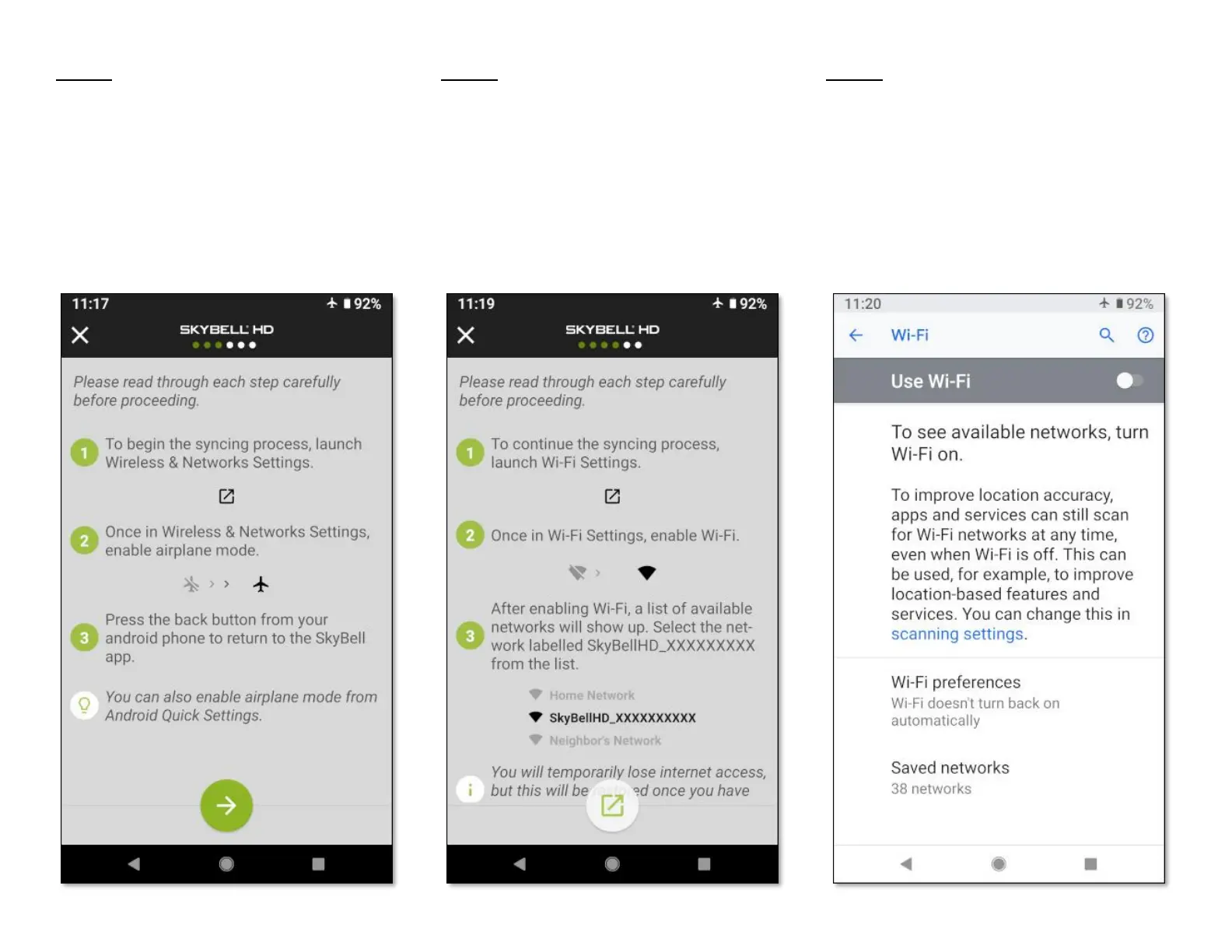
• Tap the Continue button at the bottom of the
screen.
Step 8
• Navigate to your smart device's Wi-Fi Settings
screen by tapping the navigation icon button
at the bottom of the screen.
Step 9
• Enable your smart device's Wi-Fi function by
tapping the Use Wi-Fi toggle control.



 To Next Page