SkyCaddie® TOUCH User Guide
©2015 SkyHawke Technologies, LLC. All Rights Reserved. v.1.1
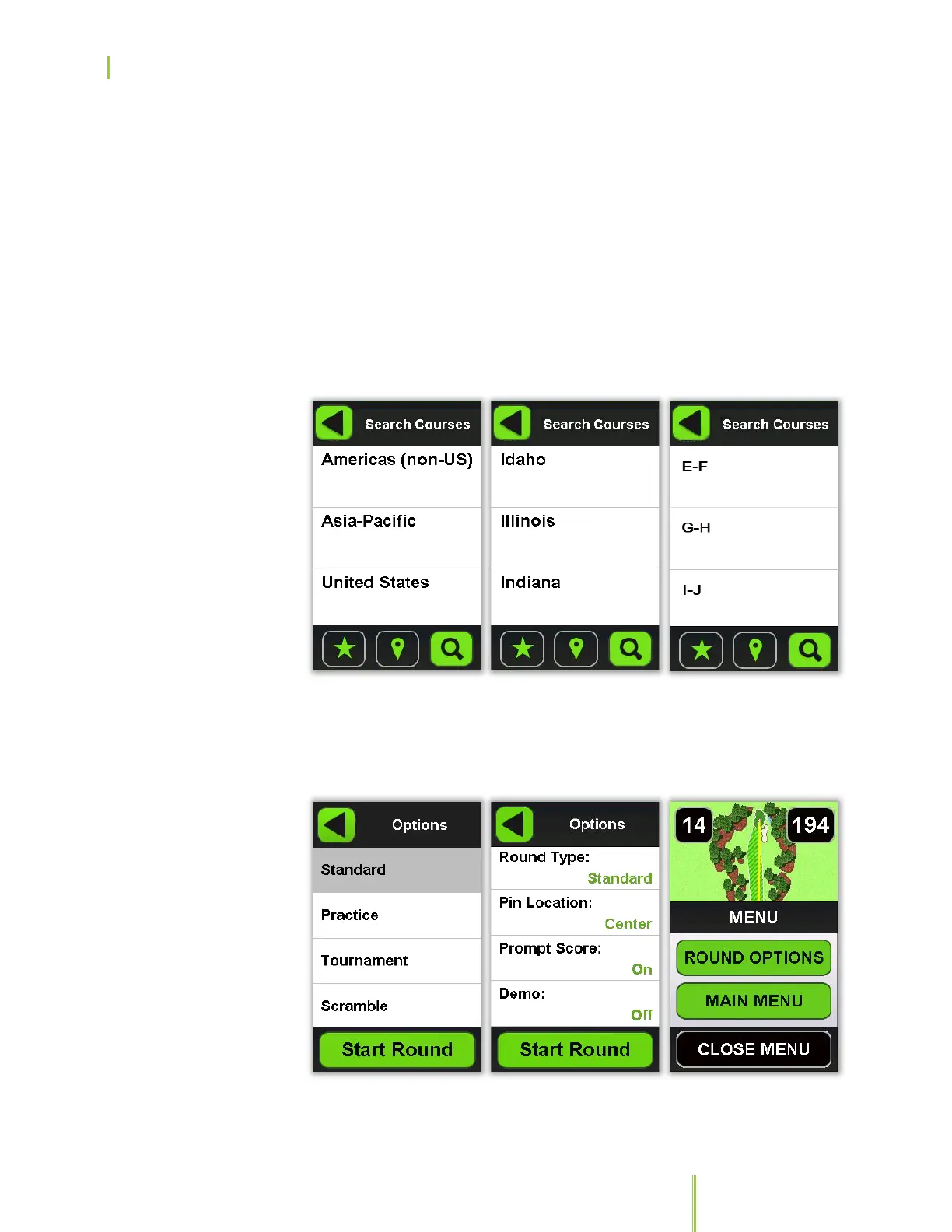
4. After you’ve made your selection, the screen will display
information about your selected course, including its phone
number. Press the “Back” button to return to the previous menu
or press on “Play Now” to verify and adjust your round options, if
necessary (also see section 3.4.3). Here you can also turn on
“Demo” mode to preview the course. (When you’re ready, you
may need to use the “+” and “–” buttons to scroll through the list
of options.
5. Press the “Start Round” button to begin play.
Choosing the State or
Province
Choosing the Name of
the Golf Course
Options


 To Next Page