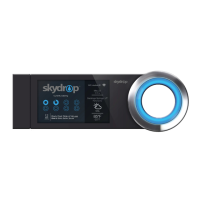
Need help?
Do you have a question about the Skydrop Halo Sprinkler Controller and is the answer not in the manual?
Access step-by-step installation videos and additional product information online.
Provides contact details for Skydrop support assistance.
Instructions on how to properly power down the Skydrop controller before removal.
Details on WiFi requirements for optimal controller performance.
Recommendations for outdoor placement, including weather-resistant enclosures.
Instruction to note valve wire numbering and common wires.
A tip suggesting to photograph wiring for future reference.
Procedure to disconnect wiring and detach the old controller.
Guidance on straightening and stripping wire ends to the recommended length.
Recommendation to mount at eye level for optimal screen viewing.
Instructions for positioning and securing the wall plate using screws.
Notes on drywall mounting, pre-drilling for studs, and screw tightening.
Procedure for routing the power cable through the wall plate and connecting it.
Instructions for connecting valve wires to zone terminals and common, including wire removal.
Align snap pegs and push controller firmly onto the wall plate.
Overview of connecting to WiFi and configuring watering zones.
Steps to create a user account for online controller management.
Explanation of how to use the illuminated jog dial for navigation and selection.
Information and links to download the Skydrop mobile application for iOS and Android.
Details your rights, what the warranty covers, and its duration.
Information on the satisfaction return policy and how to claim warranty service.
Lists specific exclusions and conditions that are not covered by the warranty.
Disclaimers for warranties and limitations on damages (consequential, incidental).
Sections on service terms, liability limits, and variations based on jurisdiction.
Agreement to the EULA terms by using the product software.
Consent to automatic updates and awareness of critical use limitations.
Details the license terms and restrictions on using the Skydrop software.
Covers automatic software updates and Skydrop's ownership of the software.
Information regarding terms for any included open-source software components.
Defines the EULA term, termination conditions, and disclaims software warranties.
User assumes all risk for using product information, software, and the product.
Clarifies that specific water savings are not guaranteed.
Obligations regarding the protection and non-disclosure of confidential information.
Terms for US government users and compliance with export control laws.
Specifies governing law, venue, and general terms for the EULA.
User acknowledges the proprietary nature of the software and potential for irreparable harm.
Statement regarding the equipment's compliance with FCC limits for Class B digital devices.
 General
| Brand | Skydrop |
|---|---|
| Model | Halo Sprinkler Controller |
| Category | Controller |
| Language | English |

 To Next Page